CyberPlay editorial team · Published · Updated · 10 min read
Guide and exercises in English

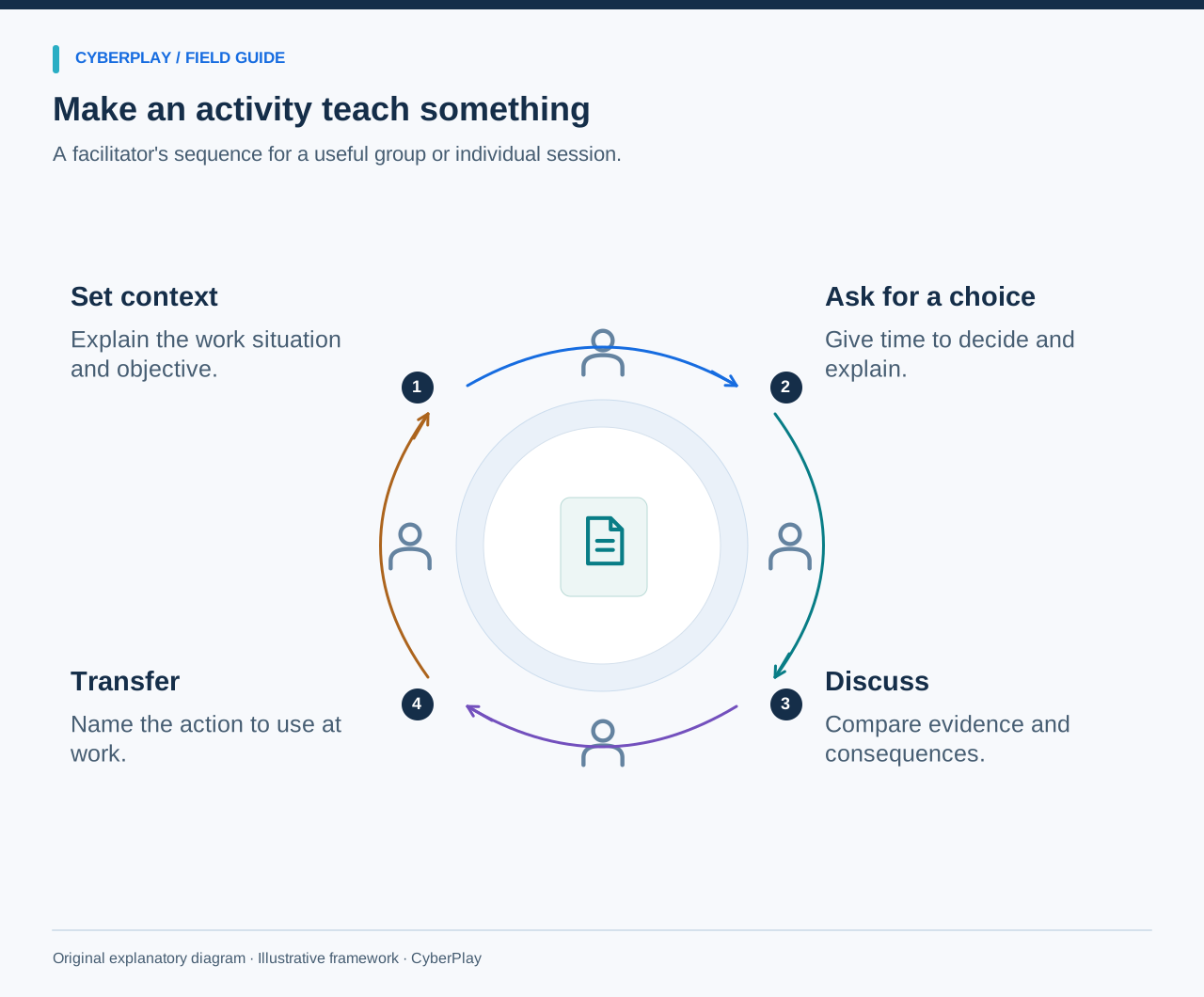
The best security awareness activity gives employees a decision they can practise and an explanation they can use afterwards. You do not need an elaborate event to start. A fictional message, a clear procedure and ten minutes of focused discussion can reveal a useful learning gap or an obstacle in the workflow.
These twelve original activities can be used individually or combined into a programme. Timings are suggested facilitation estimates, not proven optimal durations. Use fictional data, agree the exercise boundary, and avoid sending surprise messages or touching production settings. Before each session, identify the approved local procedure and a person who can answer questions. End by recording one practical next step.
What you’ll take away
- Give each exercise one observable decision and a useful debrief.
- Use fictional information and make participation accessible.
- Separate gaps in employee understanding from gaps in the process.
- Revisit a changed situation later instead of repeating an identical answer.
1. Sort a message by its requested action
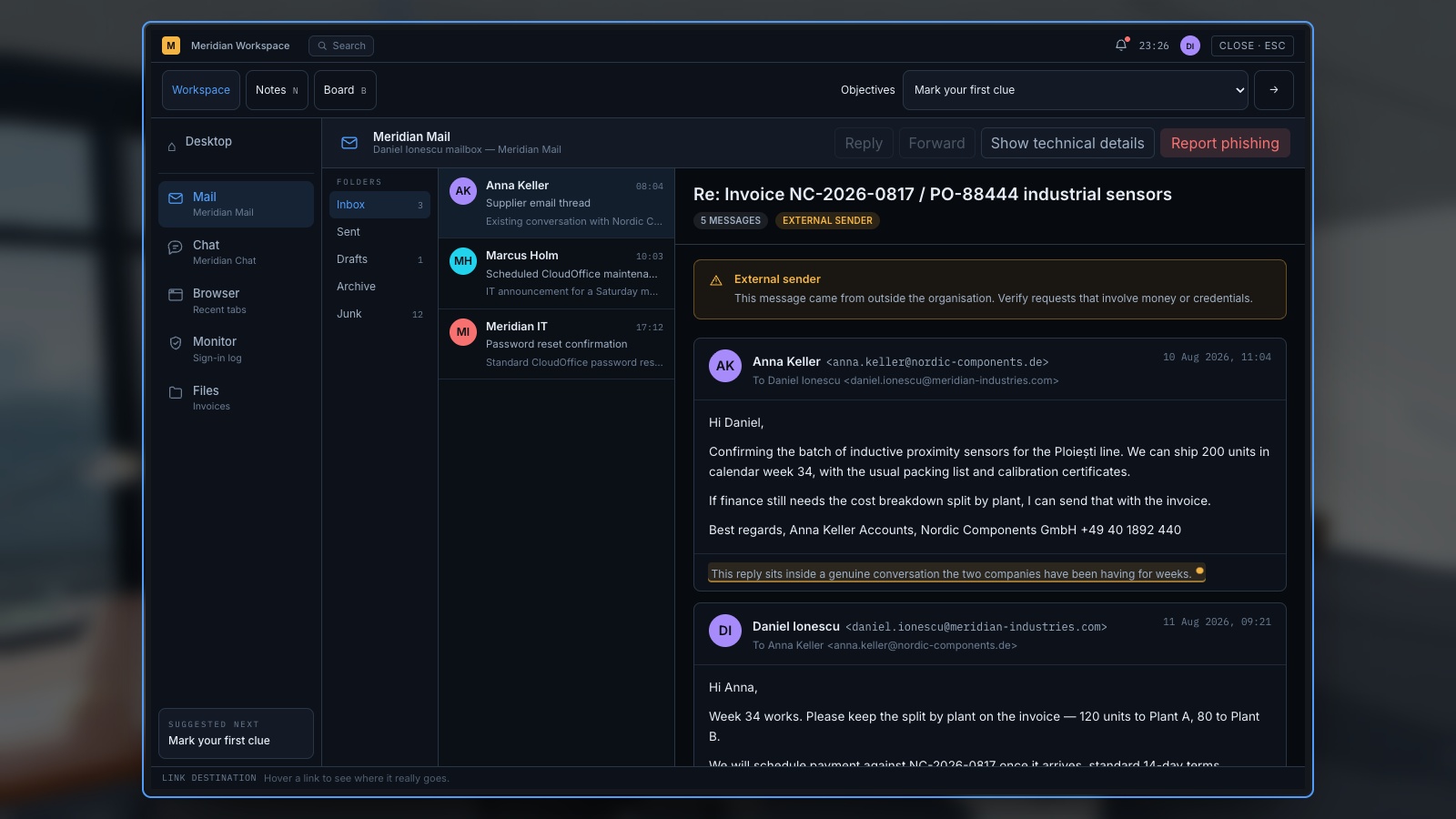
Objective: identify the consequential request before judging appearance. Allow eight minutes and prepare three fictional message cards: a routine announcement, an unexpected sign-in request, and a payment-detail change. Ask each person to underline the action requested and write what they would need to verify. Compare answers before revealing the expected response. NIST’s phishing resource collection provides supporting recognition and reporting guidance.
For accessibility, provide readable text and allow spoken or written answers without a timer. Debrief by asking which clues concerned appearance and which concerned the action. Record the approved route for the uncertain case. Success means the learner can name the request and the next safe step, including continuing the legitimate announcement normally.
Expand image · Game screenshot · English interface
- Read the requested action
Identify what the message asks you to do before judging its familiar name or appearance.
- Verify through known contacts
Use an established contact route to verify an unexpected request, even when the sender seems familiar.
Section sources: Phishing resources for small businesses
2. Rehearse a supplier verification call
Objective: choose an independent verification route. Allow ten minutes with a fictional invoice and two contact cards: one already in the approved supplier record and one supplied in the new message. In pairs, one person receives the changed bank details and the other plays the known supplier contact. Practise requesting confirmation through the established process.
Offer a written dialogue instead of role play. Debrief by asking why the number in the message is not independent evidence and who approves a genuine change. The FBI’s business email compromise guidance supports independent payment checks. Record any missing contact or exception procedure as an organisational action; do not score it as the employee’s personal failure.
Section sources: Business Email Compromise
3. Find the reporting route
Objective: locate the approved channel quickly enough to use it. Allow five minutes and provide access to the usual intranet or a printed staff guide. Ask participants to find where they would report a suspicious message and what details the receiving team needs. Use a clearly labelled fictional report; do not send it to a live incident queue unless the exercise has been coordinated.
Allow a partner to navigate or provide an accessible text guide. Debrief the points where people hesitated: an unfamiliar label, an outdated link or conflicting instructions. Ask who maintains the route and how employees find an alternative when the normal service is unavailable. Capture one change that makes the process easier to use.
4. Decide what to do with an unexpected sign-in prompt
Objective: distinguish an expected approval from an uninitiated request. Allow seven minutes with two mock screens: one follows a sign-in the employee initiated, the other arrives without any action. Ask participants to describe what they know before choosing. Do not send actual authentication prompts or collect codes. Use the organisation’s approved account-security procedure as the answer reference.
Provide the screen contents as text and avoid relying only on colour. Debrief by asking what an employee should do after an accidental approval and how to reach support. The exercise should teach a useful route under uncertainty, not a blanket instruction to reject every prompt or an assumption that a familiar app proves legitimacy.

Expand image · Game screenshot · English interface
- Reject an uninitiated request
Deny a sign-in approval you did not initiate, even if another message urges you to accept.
- Report through official support
Contact the established helpdesk or security team and explain when the unexpected approval requests appeared.
5. Choose where a document belongs
Objective: select an approved destination and appropriate audience. Allow ten minutes with fictional cards representing a public brochure, an internal plan and a customer record. Give groups three proposed sharing routes drawn from your own policy. Ask them to explain what they would check before sharing, including recipients and permissions. No real customer information is needed.
Offer a table with plain text categories instead of a drag-and-drop task. Debrief a case where the destination is approved but the recipient list is too broad. Ask how someone requests an exception when the normal tool cannot meet a business need. Record unclear classification or ownership as a policy question for the responsible team.
6. Practise a helpful visitor check
Objective: follow access procedures while remaining courteous. Allow eight minutes with a fictional visitor card and the normal reception or host process. One participant requests entry to a restricted area, explaining that the host is busy. Another responds with a helpful next step that preserves the access check. Keep the exercise in the training room; do not test doors or challenge real visitors.
Offer a written response instead of acting. Debrief the language that made the interaction respectful and clear. Ask what happens when the host cannot be reached and who may authorise an exception. Employees should leave knowing the route, rather than believing they must personally confront a potentially unsafe person.

Expand image · Game screenshot · English interface
- Verify identity with courtesy
Ask for the required identification politely and confirm the visit through the organisation's established contact route.
- Follow the visitor process
Use the approved visitor procedure, including any required escort, instead of lending a personal access badge.
7. Discuss an interrupted screen handover
Objective: protect access during an interruption. Allow six minutes and show a fictional office workstation or shared-terminal diagram. A colleague is called away while a task remains open. Ask participants to describe the approved way to secure the session and hand over unfinished work. For operational equipment, use the site-approved procedure; do not assume an office shortcut is appropriate.
Provide a text description of the diagram and allow discussion without device interaction. Debrief the difference between sharing equipment and sharing identity. If the procedure makes secure handover difficult, record that constraint for the system owner. The activity should clarify an authorised action, not encourage an improvised workaround or a change to live equipment.
8. Inspect a QR destination without scanning
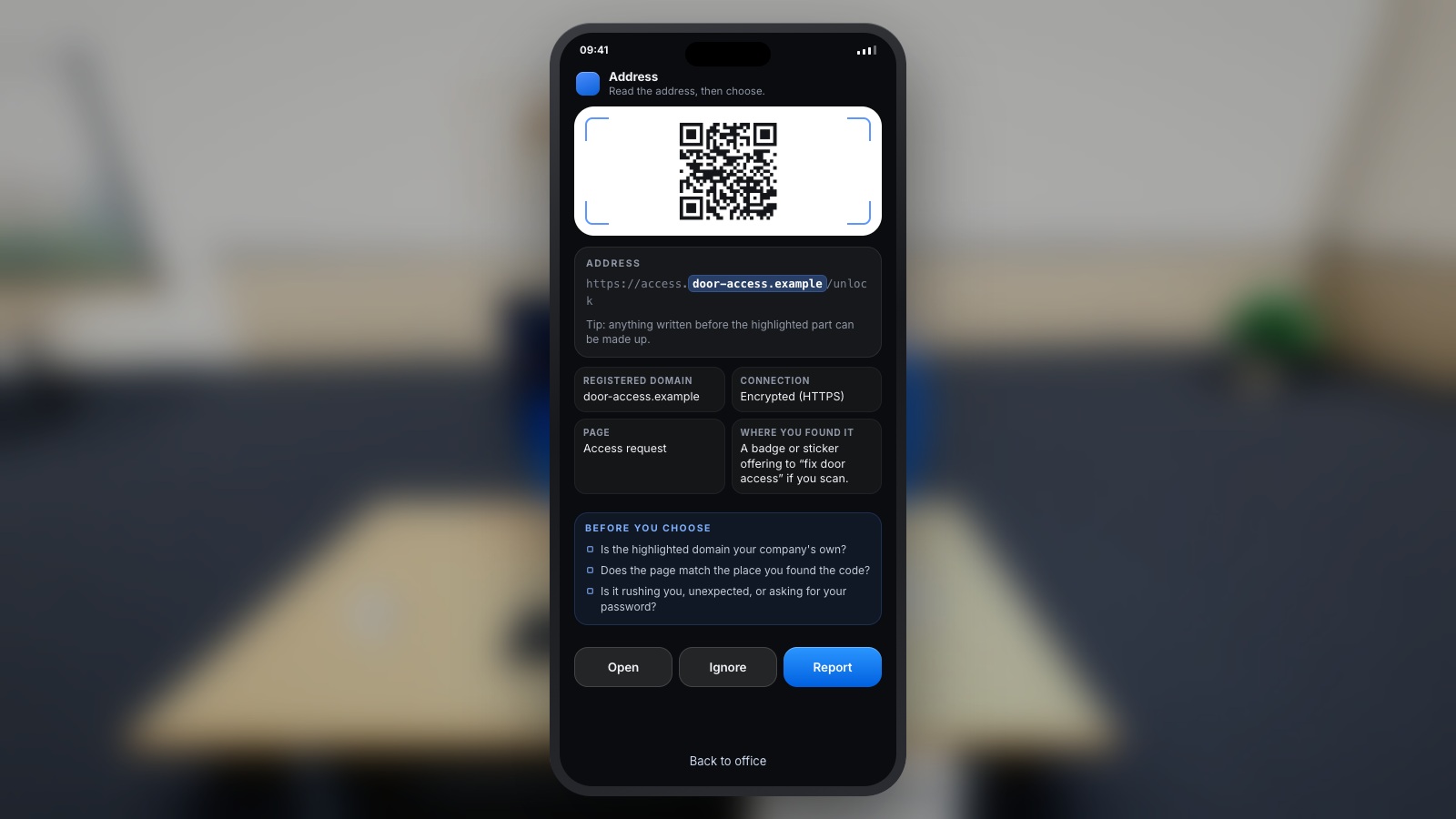
Objective: decide what to verify before following a QR link. Allow seven minutes with a fictional poster and a printed destination preview, such as a service name under an unfamiliar example domain. Ask participants to identify the requested action and propose an independent route to the service. The exercise does not need a working QR code.
Provide the preview in large, selectable text and read it aloud if helpful. Debrief why a familiar logo or professionally printed poster does not verify the destination. Include a legitimate poster as a second case and ask what evidence would support using it. The employee should learn a checking process, not a general rule that every QR code is malicious.
Expand image · Game screenshot · English interface
- Preview the destination first
Preview the destination when possible and consider the requested action before providing information or granting access.
- Choose a trusted alternative
If the destination remains uncertain, reach the service through a trusted alternative and verify the request independently.
9. Respond to an unexpected support request
Objective: verify identity and authority before granting access. Allow ten minutes using a fictional chat transcript. The caller claims to be from IT, knows a team name and asks for urgent access or a verification code. Have participants write a response that directs the request through the established support channel. Do not collect real passwords or codes.
Allow silent written work before group discussion so confident speakers do not dominate. Debrief which information can be known by an impersonator and which independent step would help. Ask how employees confirm an unexpected but legitimate support request. Record the correct internal contact and the procedure for reporting any information already shared.
10. Play one relevant security challenge and explain it
Objective: apply a security rule and connect it to work. Allow about fifteen minutes, adjusted to the selected game, with a suitable device or an equivalent text scenario. Choose a CyberPlay topic that matches a real responsibility, inspect the game beforehand and explain the objective. After a short play segment, ask each participant to describe one decision and its consequence.
Check controls, text size, language and motion before the session; provide an alternative with the same objective where needed. Debrief what changes when the situation occurs at work: who can help, which procedure applies, and what evidence is available. Record game completion separately from the quality of the explanation.

Expand image · Game screenshot · English interface
- Avoid predictable reused credentials
Avoid predictable choices and reused credentials; follow your organisation's requirements when creating a work account password.
- Interpret the strength meter
Treat the meter as illustrative; use an approved password manager when creating real work credentials.
11. Write a useful first incident note
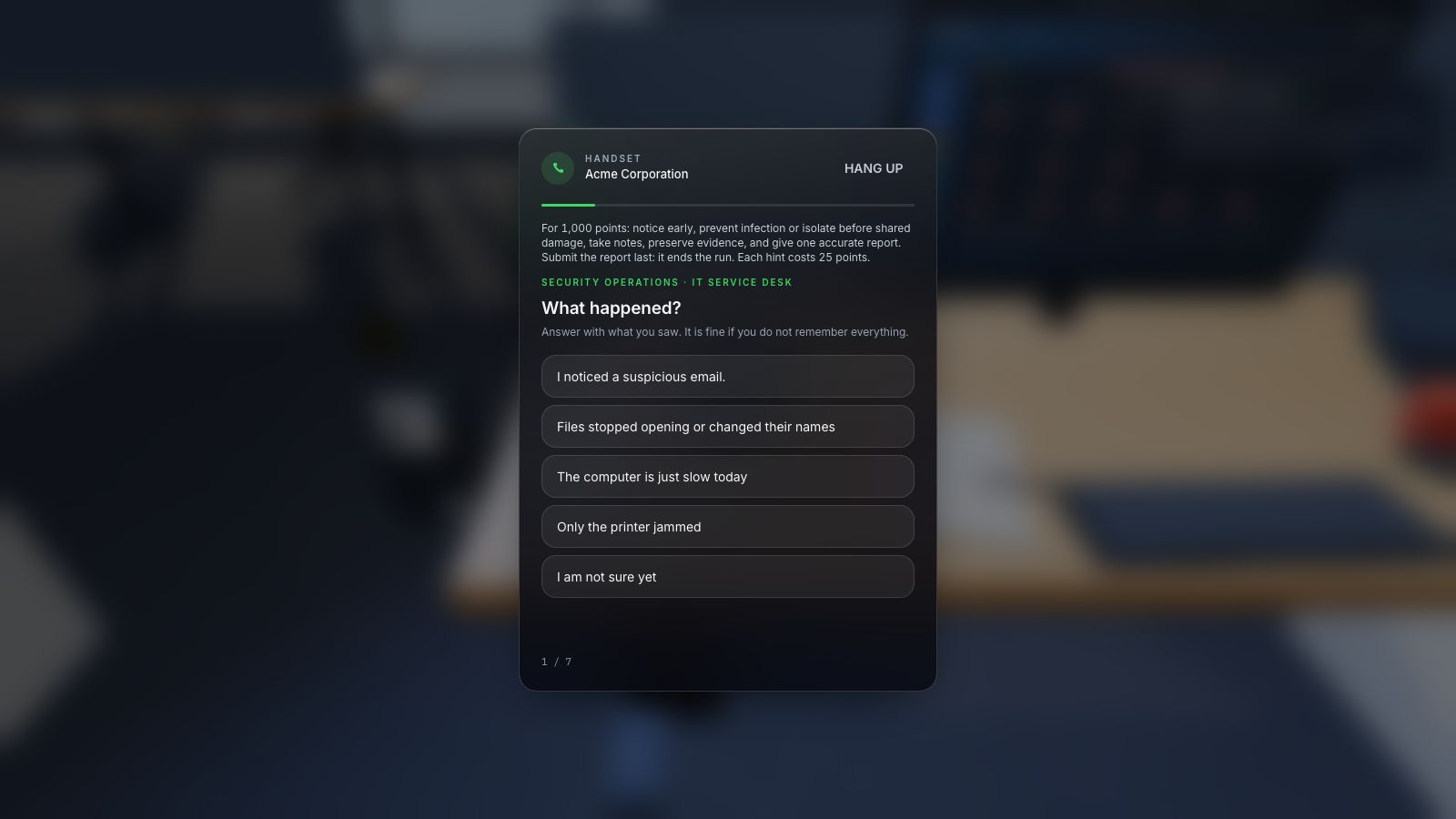
Objective: report facts without guessing. Allow eight minutes and give participants a fictional sequence: a message arrived, a link was opened, and an unexpected page asked for information. Ask them to draft a short note containing the time, observed event, affected device or account, and actions already taken. Use the approved report format if one exists.
Allow a spoken report or a simple form with prompts. Debrief the difference between observation and inference: “I entered my password” is more useful than an unsupported diagnosis. Ask who receives the note and what instructions follow. Avoid asking participants to investigate a real link or delete evidence; the authorised response team handles those decisions.
Expand image · Game screenshot · English interface
- Include time and device
Report the observed symptoms, when they appeared, and the affected device through the organisation's approved reporting route.
- Distinguish observation from diagnosis
Separate direct observations from suspected causes so responders can investigate without treating an early guess as fact.
12. Revisit one decision with a changed scenario
Objective: check whether the principle can be used beyond the first example. Allow ten minutes and reuse an earlier objective with a different channel or sender. A supplier email becomes a phone request; an office support message becomes a remote-work chat. Ask for an individual choice and reason before discussion. Keep the underlying procedure consistent.
Offer the same accessible formats as the first session. Debrief what stayed constant and what new evidence mattered. NIST SP 800-50r1 includes evaluation and improvement as part of a learning programme. Record the task and conditions precisely, then choose a follow-up: clearer feedback, another example or a process fix. A successful exercise supports that observed performance, not a universal claim about future incidents.
Section sources: Building a Cybersecurity and Privacy Learning Program, NIST SP 800-50r1
Put the decision into practice
Explore the relevant CyberPlay games, choose a suitable challenge, and discuss how its decisions connect to your own workplace procedures.
Explore practice gamesSources and further reading
- Phishing resources for small businesses — NIST. Accessed 2026-09-13
- Business Email Compromise — FBI. Accessed 2026-09-13
- Building a Cybersecurity and Privacy Learning Program, NIST SP 800-50r1 — NIST. Accessed 2026-09-13
Keep exploring
- Security awareness training plan: a 12-month calendar with practical activities
Use an editable 12-month security awareness training calendar with decision objectives, role-based activities, debrief questions, owners and useful review measures.
EN · 8 min read - Free security awareness training: a practical starter programme for employees
Build a free employee security awareness programme using credible resources, practical exercises and a four-week plan, with clear limits on tools and reporting.
EN · 9 min read - Security awareness games for employees: how to choose and use them
Choose security awareness games that teach useful workplace decisions. Compare formats, run a sample session, and use a practical evaluation checklist.
EN · 8 min read - Clean desk and clear screen: a practical security checklist
Use a clean desk and clear screen checklist for papers, printouts, badges and devices. Practise classifying information and choosing secure storage or disposal.
EN · 8 min read - Security awareness courses: build a programme that connects learning with practice
Build a security awareness programme with short video courses, realistic games and knowledge checks. See role-based examples and what each result can prove.
EN · 8 min read - Human risk management: how organisations turn evidence into action
Learn what human risk management means, how it helps organisations and where CyberSense learning insights fit. A practical guide with examples and an exercise.
EN · 8 min read