CyberPlay editorial team · Published · Updated · 9 min read
Guide and exercises in English
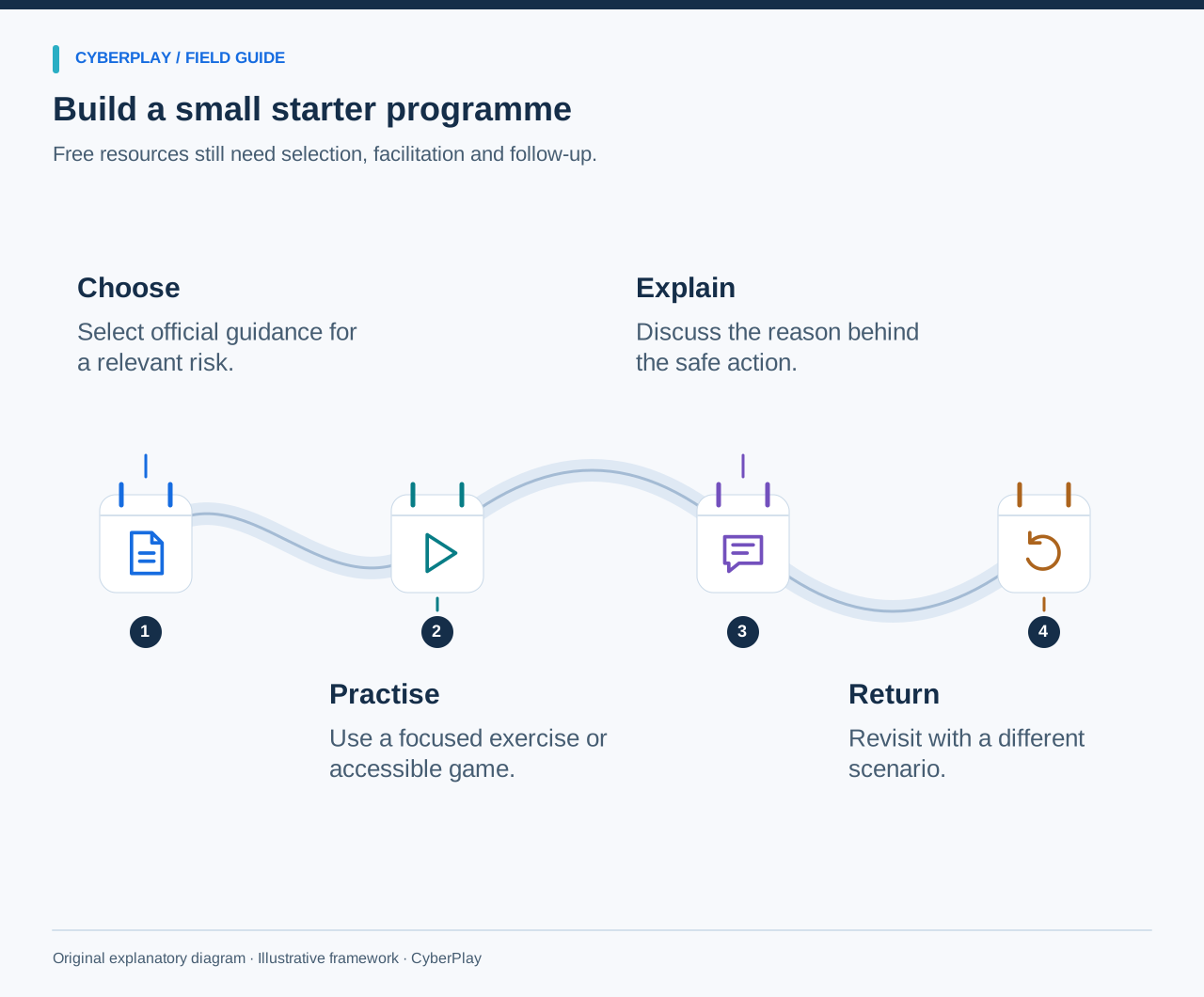
Free security awareness training can give employees a useful first opportunity to practise safer decisions. Start with an accessible explanation, add a realistic situation, and connect the response to your own workplace. A small organisation can run that sequence with public resources, a team meeting and a named person who accepts security reports. Buying a large content library is not a prerequisite for beginning.
The hard part is usually joining the pieces together. Someone must choose relevant material, reserve working time, explain local procedures and check what people can do afterwards. This guide provides a four-week starter programme and distinguishes genuinely free learning resources from account features and paid administration. Resource availability was checked on 13 September 2026; always check the linked provider page before rolling out a resource to a new group.
What you’ll take away
- Start with reporting, account security and one realistic message scenario.
- Free content still needs an owner, working time and local instructions.
- Practise a decision and discuss the reason; attendance alone does not show learning.
- Use the resource matrix to separate free learning access from organisational features.
1. Decide what employees should be able to do
Write a simple outcome before choosing a course: given an unexpected request to sign in, the employee will reach the service independently and report the message through the approved route. This is observable and useful. By comparison, an aim such as raising cyber awareness leaves a facilitator uncertain about what to teach or how to judge progress.
Choose two or three outcomes for the first month. Ask the help desk which questions recur, ask finance how supplier changes are verified, and ask a new starter where they would report a suspicious message. Treat an unclear reporting process as something to repair before training. NIST SP 800-50 Rev. 1 frames learning as an ongoing programme with evaluation and improvement.
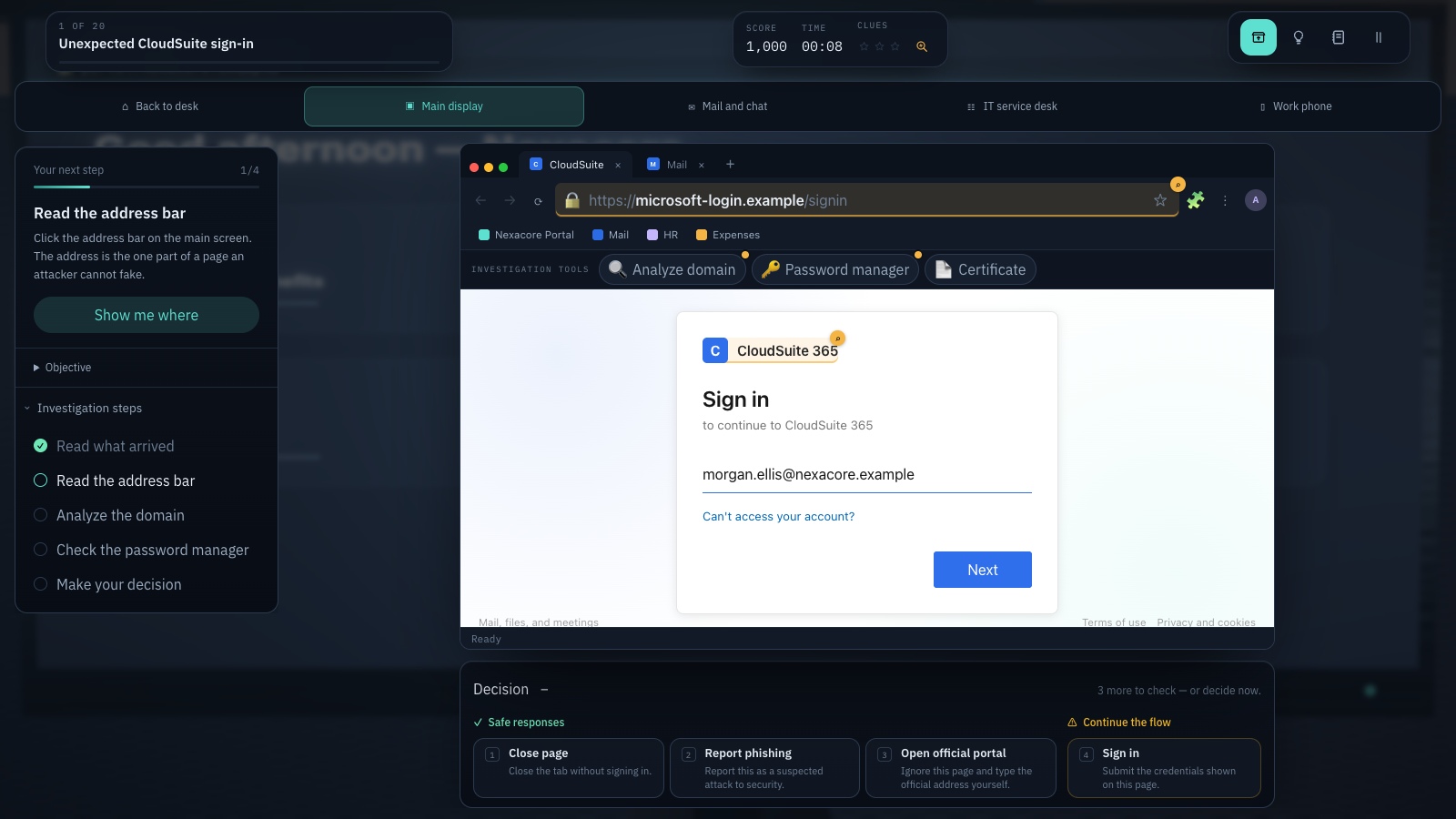
Expand image · Game screenshot · English interface
- Inspect the registrable domain
Read the registrable domain carefully; familiar words elsewhere in an address do not establish its owner.
- Use your known portal
Reach the service through a known portal and consider the context from your approved password manager.
Section sources: Building a Cybersecurity and Privacy Learning Program, SP 800-50 Rev. 1
2. Choose resources with clear access conditions
These resources serve different jobs. The NCSC package provides a structured introduction; the CISA tip sheet provides a brief reference; CyberPlay provides interactive practice. Combine them around one objective instead of asking employees to finish everything. The table describes the published access model, rather than a promise that every feature is included.
NCSC describes Top Tips for Staff as free, usable without login and available for integration into an existing learning platform. Check its integration instructions if completion records are needed. A downloadable package does not supply the platform that hosts it.
| Resource | Useful for | Access and limits |
|---|---|---|
| NCSC Top Tips for Staff | A non-technical introduction and short quiz | Free online without login; downloadable SCORM options for your own LMS. |
| CISA Four Easy Ways tip sheet | A concise reference for phishing, passwords, MFA and updates | Public PDF; a reading resource, without assignment administration. |
| CyberPlay games | Making choices and discussing consequences in a scenario | Individual games are free to play without an account; an account is needed to retain personal progress. Organisation features depend on plan. |
| The exercises in this guide | A facilitated team discussion tied to your process | No purchase needed; your team supplies the facilitator and reporting instructions. |
Section sources: Top Tips for Staff: free cyber security training · Four Easy Ways to Stay Safe Online
3. Run a four-week starter sequence
Reserve a small, predictable slot in working time each week. The durations below are planning allowances, not scientifically established optimum lengths. Extend a session when a participant needs more time or when the discussion exposes an unresolved process. For shift workers, repeat the same activity across shifts and provide a text version.
| Week | Decision to practise | Activity | Evidence to keep |
|---|---|---|---|
| 1: Reporting | Choose the correct reporting route | Show a fictional suspicious message; have everyone locate the report button or published contact. | Attendance, the agreed route and unresolved access problems. |
| 2: Accounts | Reject an unexpected sign-in approval | Use the official reference, then discuss an MFA request arriving while no one is signing in. | An example response and the escalation route. |
| 3: Messages | Verify an unusual request independently | Play a relevant phishing scenario, then explain which information would justify proceeding. | The scenario used and two debrief observations. |
| 4: Revisit | Apply the same check in a changed context | Replace the email with a workplace chat requesting a document share. | First decisions on the new scenario and one improvement action. |

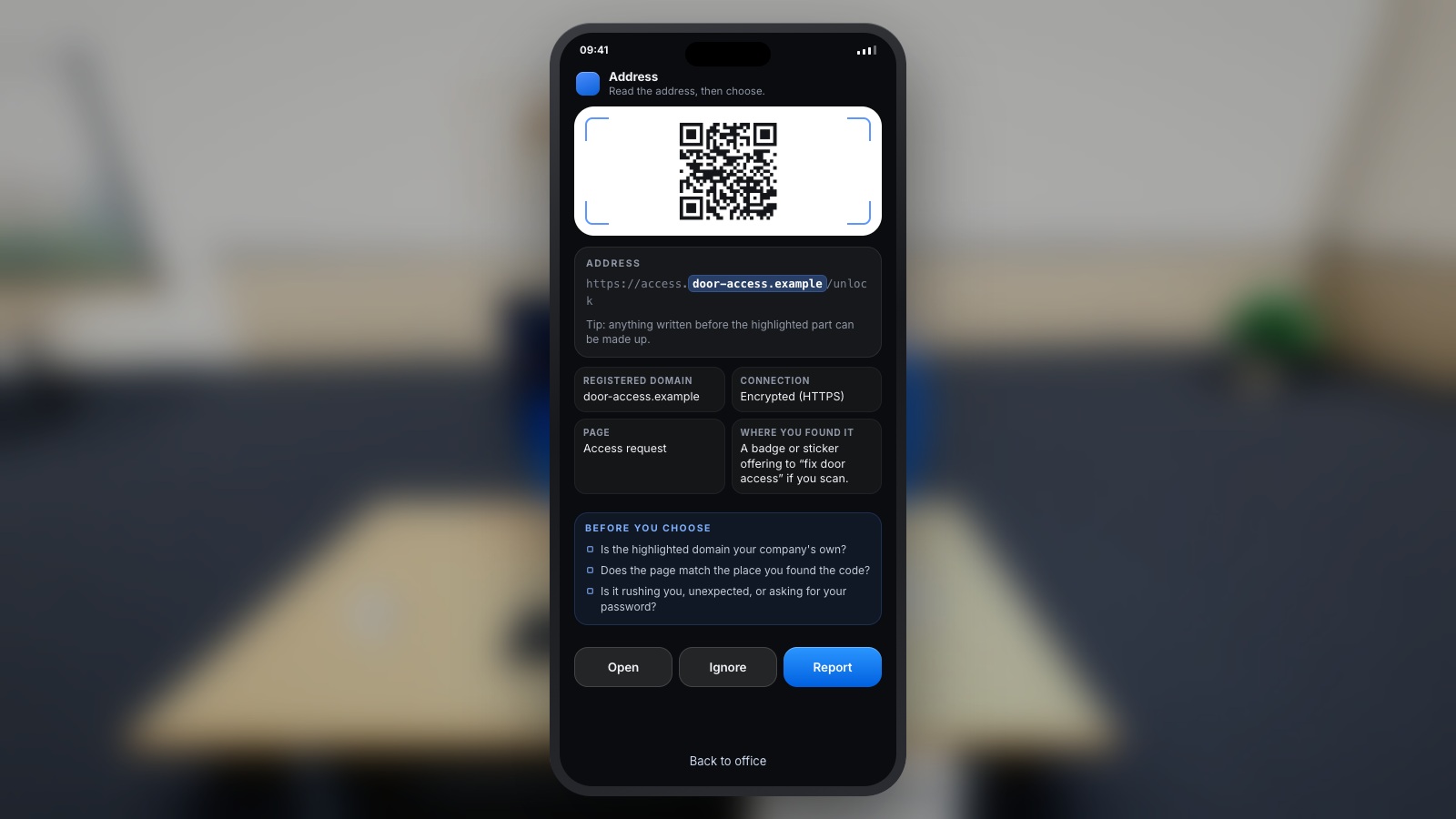
Expand image · Game screenshot · English interface
- Avoid predictable reused credentials
Avoid predictable choices and reused credentials; follow your organisation's requirements when creating a work account password.
- Interpret the strength meter
Treat the meter as illustrative; use an approved password manager when creating real work credentials.
4. Prepare the first session before inviting colleagues
Open the selected resource on a device employees actually use. Confirm it works on the organisation network, that its language suits the group and that instructions can be read without relying on sound. If a game needs keyboard controls, provide a suitable device or an equivalent facilitated scenario. A resource that works on the organiser’s laptop may still be inaccessible on shared terminals.
Prepare one slide or printed card with the local reporting route, a backup contact and what information a report should include. Use fictional examples rather than customer messages. Explain that the session is practice and that uncertainty is welcome. Ask participants to describe their reasoning before the answer is shown, then let them compare responses without displaying individual rankings.
5. Use this original exercise: the urgent file share
Give each person the scenario independently before discussing it. Record the chosen action, then ask what they would need to know to continue safely. The most useful discussion is often about the verification route: an employee may notice the unusual request but still call the number supplied by the requester.
6. Turn the answer into useful feedback
Feedback should explain both the risk and a workable next step. Saying only “wrong: this is phishing” teaches a label. Saying “the request changes the sharing destination; open the approved directory and confirm with the owner before sending data” teaches a sequence an employee can reproduce. Also describe when it would be reasonable to proceed, such as after the owner confirms a permitted transfer through the established process.
Ask the group what made the safe route inconvenient. Perhaps the directory is out of date, the reporting button disappears on mobile, or employees believe that managers expect immediate compliance. Give each problem an owner. Training has uncovered a barrier; repeating the same warning will not remove it.
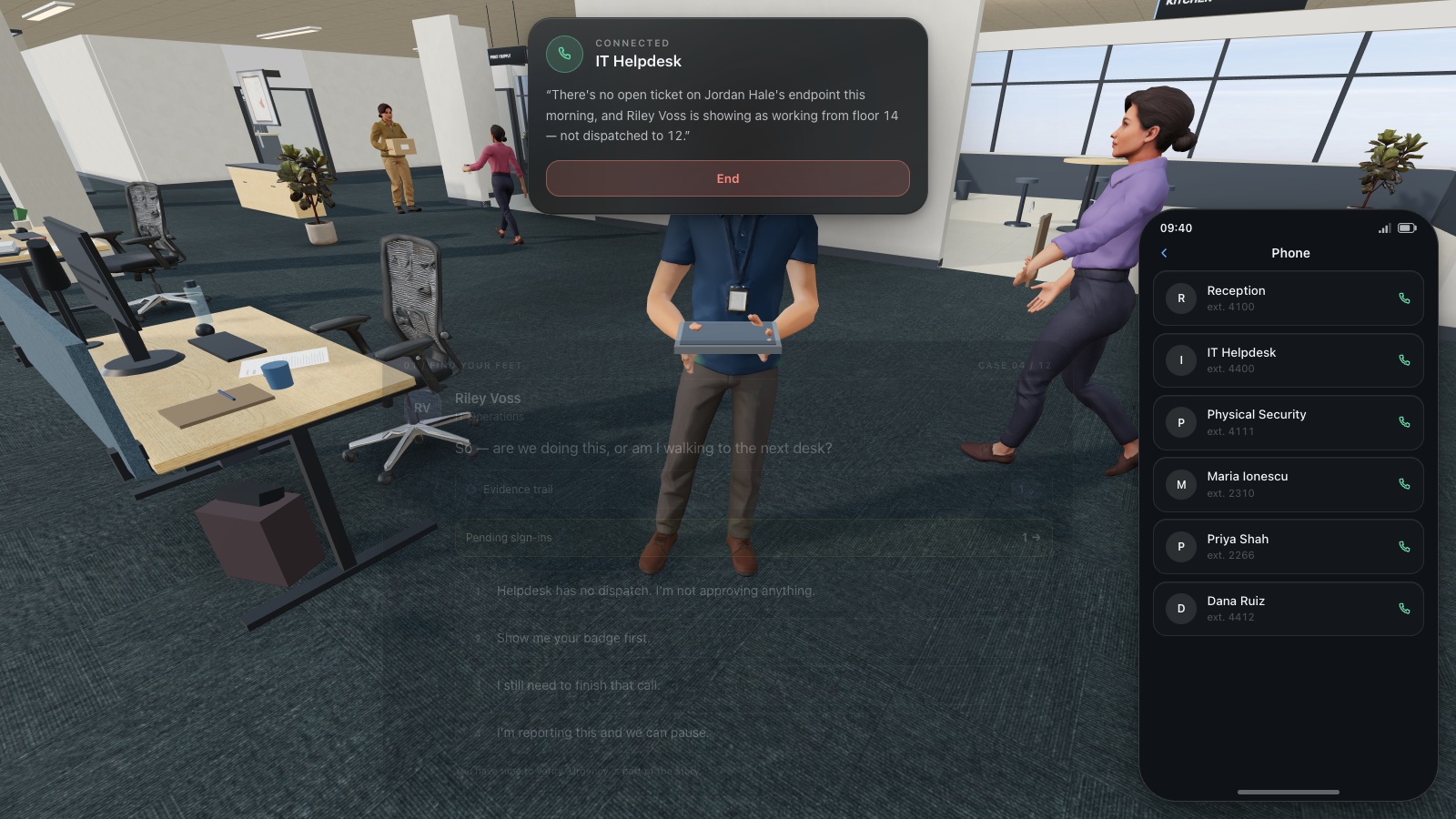
Expand image · Game screenshot · English interface
- Find the existing directory
Use the organisation's established helpdesk directory to find a trusted contact before continuing a sensitive request.
- Do not reuse supplied numbers
A number supplied by the caller is part of the request and cannot independently verify it.
7. Understand CyberPlay’s free access boundaries
CyberPlay’s published game access supports play without an account. A free account keeps personal progress. This makes it possible to try a relevant scenario before deciding how to use it with a group. Use the phishing topic directory below to choose a game whose actual description and controls fit the decision you want people to practise.
Organisational management and diploma access are separate from individual play. Do not assume that assigning employees, obtaining organisation reports or downloading diplomas is included simply because a game is free. Review the current organisation plan before promising those facilities to a manager. For this starter programme, a facilitator can keep a minimal attendance record and anonymous discussion notes without requiring a paid reporting workflow.
8. Check a changed decision a week later
Use a second fictional message with a different surface story. If the first asked for a document upload, make the next request an unexpected account recovery approval. Ask people to identify what is being requested, choose an independent check and name the reporting route. Record the response before giving hints. This creates a modest check of application within the exercise.
Keep claims proportionate to that evidence. Participation shows attendance; a correct response shows performance on the presented task. Neither establishes that the organisation is protected from phishing. Separate non-completion caused by leave or access difficulties from an employee’s decision. A fair follow-up starts by understanding the reason a person could not participate.
9. Decide what would justify a paid service
Consider paid administration when manual coordination becomes the obstacle: many cohorts, repeated onboarding, required reports, multiple languages or a need to manage assignments consistently. Write those needs down before comparing products. A procurement discussion should cover the exact features, access controls, data handling and support the organisation needs.
You can also expand without purchasing a platform. Invite finance to rehearse payment changes, ask reception to practise visitor verification, or run a short ransomware discussion with team leaders. Add one activity because a specific risk or unanswered question justifies it. The purpose of the first month is a repeatable routine that employees can use, understand and improve.
10. Keep this launch checklist
The programme is ready when someone can explain what will happen, why it matters and how employees can get help. Keep a copy with the session material so another facilitator can repeat it consistently. Review the checklist after the first group and fix any missing link before the next session.
- Name the programme owner and the person receiving security reports.
- Choose two or three observable decisions for the first month.
- Check every selected resource on workplace devices and in the required language.
- Add local reporting and approved-tool instructions to the general advice.
- Use fictional examples and explain how participation notes will be handled.
- Reserve a later session with a changed scenario.
- Record one practical improvement, its owner and its due date.
Put the decision into practice
Choose a free phishing game, make the decisions yourself, and use one moment from the scenario for a team debrief.
Explore phishing gamesSources and further reading
- Building a Cybersecurity and Privacy Learning Program, SP 800-50 Rev. 1 — NIST. Accessed 2026-09-13
- Top Tips for Staff: free cyber security training — UK National Cyber Security Centre. Accessed 2026-09-13
- Four Easy Ways to Stay Safe Online — CISA. Accessed 2026-09-13
Keep exploring
- Cybersecurity awareness training for schools: a practical lesson plan
Plan teacher-led cybersecurity training for schools with video courses, student activities and games. Practise checking messages, sharing files and asking for help.
EN · 9 min read - Security awareness training plan: a 12-month calendar with practical activities
Use an editable 12-month security awareness training calendar with decision objectives, role-based activities, debrief questions, owners and useful review measures.
EN · 8 min read - Security awareness activities for employees: 12 practical exercises with debriefs
Run 12 practical security awareness activities with clear objectives, suggested timings, equipment, accessible alternatives and useful workplace debriefs.
EN · 10 min read - Phishing training games: practise the decisions behind a suspicious message
Use phishing training games to rehearse inspection, independent verification and reporting. Includes a fictional supplier message and a practical session plan.
EN · 8 min read - Security awareness courses: build a programme that connects learning with practice
Build a security awareness programme with short video courses, realistic games and knowledge checks. See role-based examples and what each result can prove.
EN · 8 min read - Human risk management: how organisations turn evidence into action
Learn what human risk management means, how it helps organisations and where CyberSense learning insights fit. A practical guide with examples and an exercise.
EN · 8 min read