CyberPlay editorial team · Published · Updated · 8 min read
Guide and exercises in English
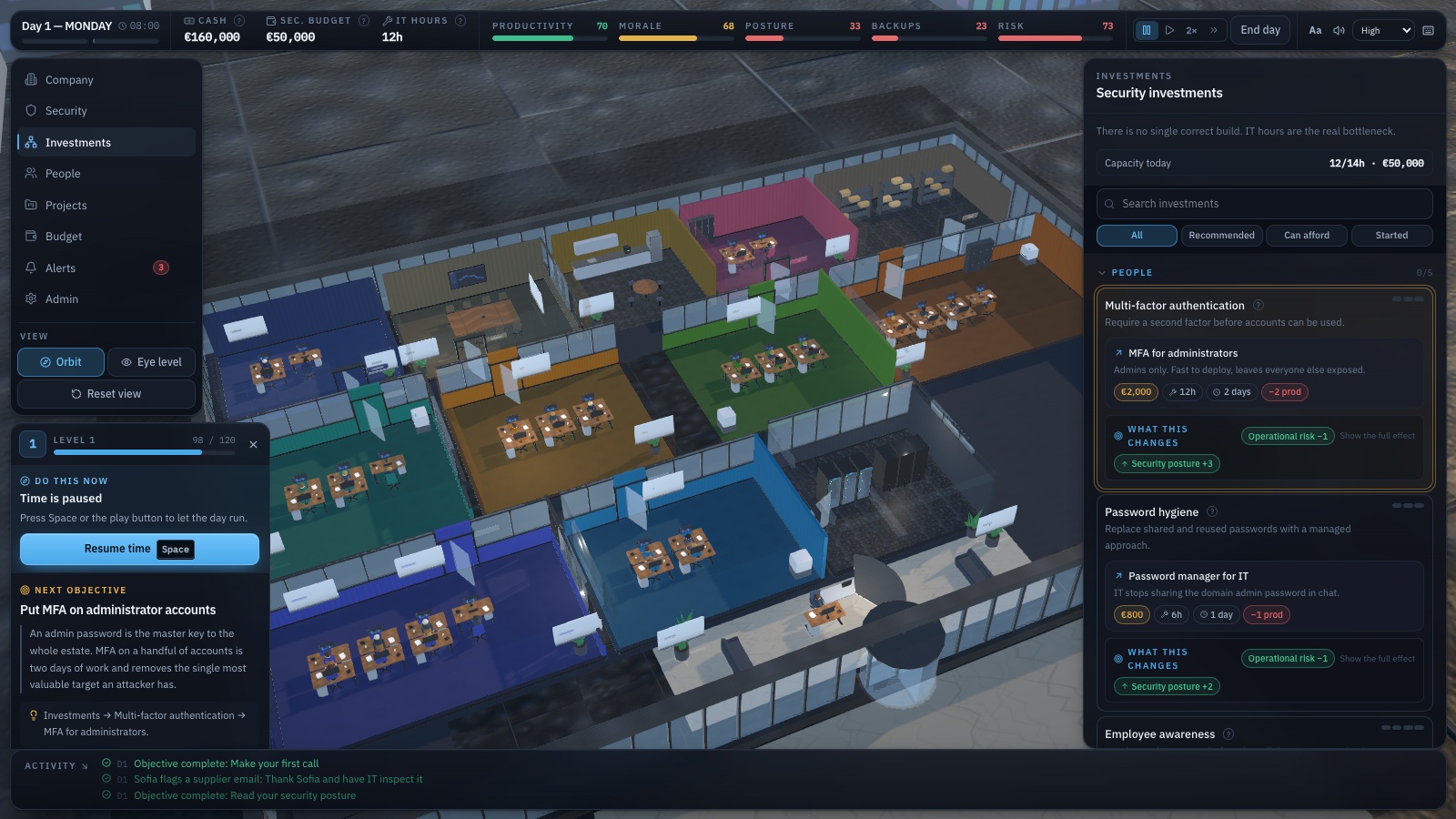
A security awareness training plan should tell you what employees will practise, when they will practise it, who will support them and how you will check the result. A calendar of topic names is only a starting point. “Phishing in April” becomes useful when it means inspecting a realistic request, choosing a verification route and showing how to report it in your organisation.
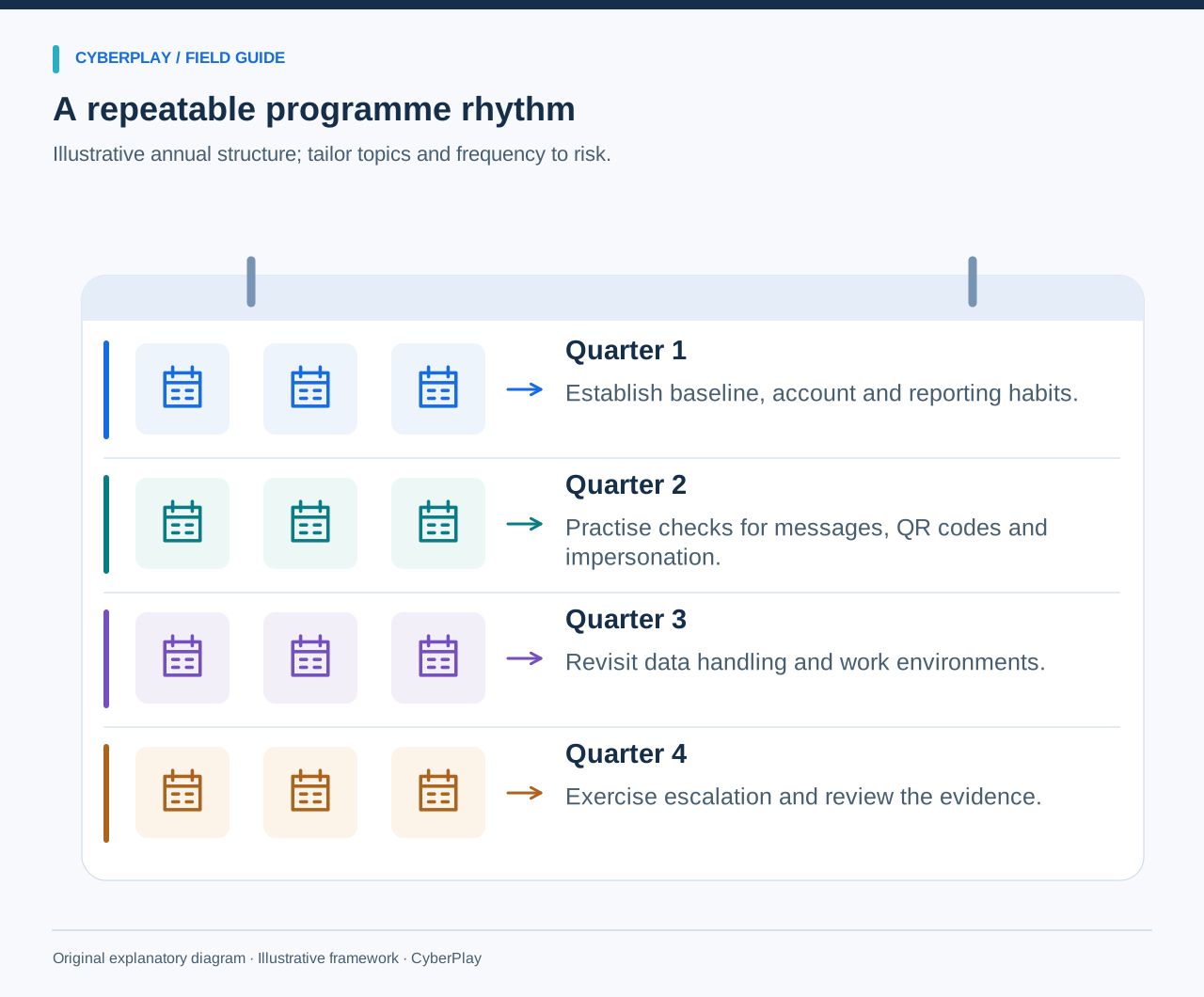
The calendar below is an adaptable programme for a mixed workplace. It combines a small common foundation with sessions for roles such as finance, reception and team leadership. Download the CSV to change months, owners and activities. It is an original planning template, not a prescribed annual training requirement or a claim that twelve sessions alone establish compliance.
What you’ll take away
- Give every activity one observable decision objective.
- Adapt the calendar to local risks, busy periods, languages and job roles.
- Revisit earlier decisions using a changed scenario.
- Keep evidence of participation, application and programme improvements separately.
1. Start with the workplace decisions that matter
Before setting dates, list the processes where an employee can materially affect security: approving a sign-in, sharing a document, changing a supplier record, granting physical access or reporting an unusual event. Identify the approved action and the person who can resolve uncertainty. Where the process is missing, assign an owner to define it before turning it into a training exercise.
NIST SP 800-50 Rev. 1 describes a learning programme that adapts to organisational needs and uses evaluation to improve. Apply that principle by choosing your initial priorities from actual responsibilities and observed friction. Use support questions and anonymised incident themes; do not build the calendar around the most dramatic recent headline.
Section sources: Building a Cybersecurity and Privacy Learning Program, SP 800-50 Rev. 1
2. Use the editable 12-month calendar
Treat the months as convenient slots. Start in any month and move activities around leave, operational peaks and onboarding. Reporting comes first because employees need somewhere to take concerns during every subsequent topic. The downloadable version includes a suggested owner, resource, evidence field and later revisit for each month.
| Month | Audience and topic | Practical activity |
|---|---|---|
| January | Everyone: Reporting | Fictional message triage and reporting walkthrough |
| February | Everyone: Account security | Unexpected MFA prompt discussion and account-security practice |
| March | Finance and purchasing: Payment changes | Supplier bank-details role-play |
| April | Everyone: Phishing | Phishing game plus legitimate-message control |
| May | HR and data handlers: Data sharing | Fictional customer-export decision card |
| June | On-site staff and reception: Physical access | Visitor and shared-workstation discussion |
| July | Remote and travelling staff: Remote work | Travel deadline and personal-cloud scenario |
| August | Everyone using AI tools: AI use | Three fictional AI input cards |
| September | Customer-facing and office staff: QR phishing | Fictional poster and account-verification cards |
| October | Everyone: Combined practice | One team challenge with message, account and sharing decisions |
| November | Team leads and response contacts: Ransomware response | Non-technical ransomware tabletop |
| December | Programme owner and team leads: Review and retention | Changed scenarios plus programme review |
3. Adapt each month to a real working context
A finance team should see an invoice workflow it recognises, with entirely fictional names and account details. A manufacturing shift needs a situation involving shared devices, handovers or a supplier request. Reception needs a visitor interaction. Keep the security decision consistent while changing the story, vocabulary and equipment around it.
Invite one representative from the audience to review the scenario before launch. Ask whether the request is plausible, whether the safe action is possible and whether any wording is ambiguous. Translate the full decision and feedback, including local contact instructions. A translated headline attached to an English-only exercise does little for someone who cannot follow the explanation.
4. Work through one complete month: supplier changes
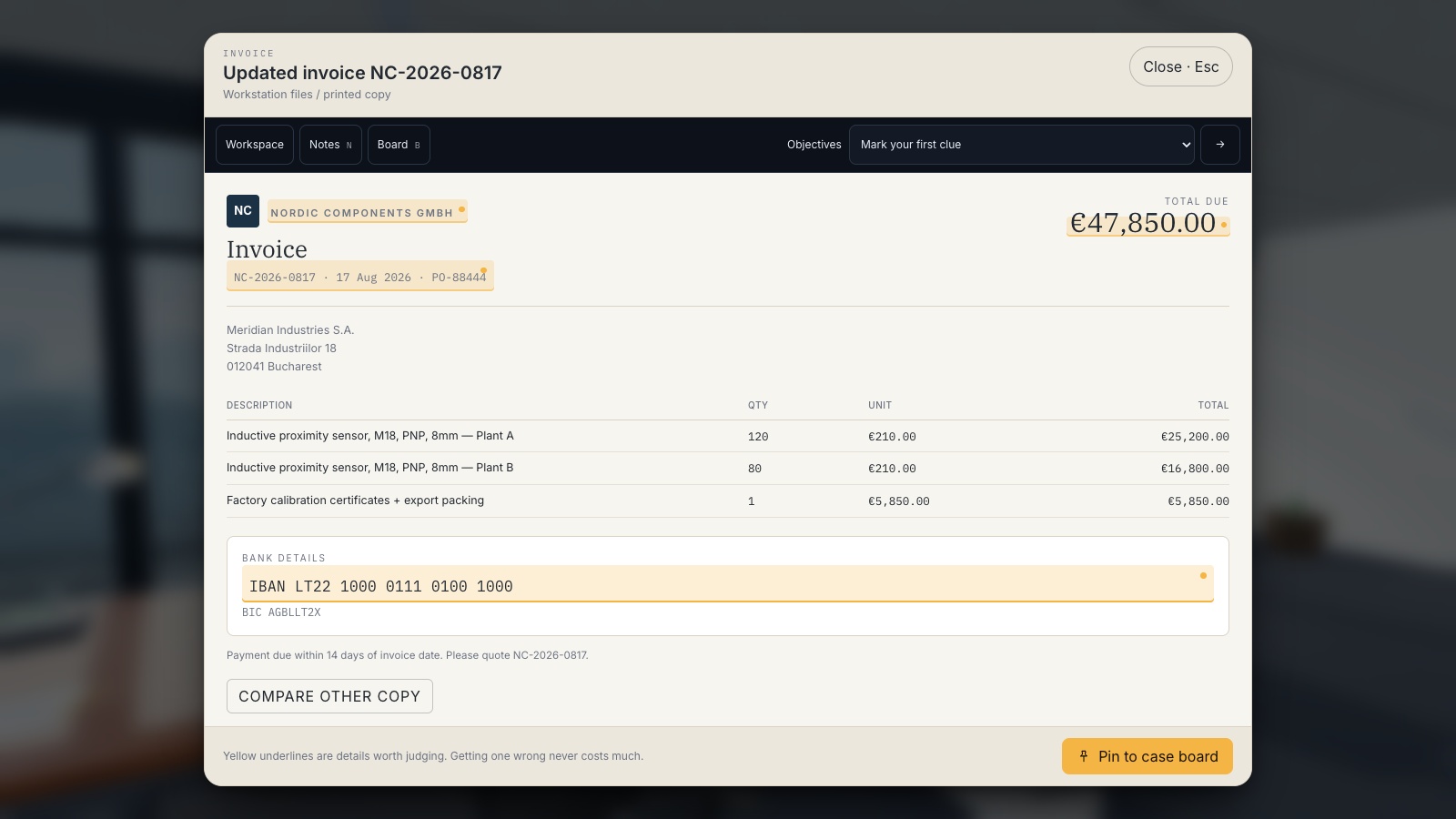
For March, ask the finance owner to supply the approved bank-detail change procedure and the location of verified supplier contacts. Prepare a fictional email requesting a new payment destination. Allow a small group to decide what happens next, then role-play the verification call. One participant observes whether the number came from the existing supplier record.
The FBI recommends independently verifying payment and account changes, including contacting the requester through a trusted route. Your exercise should rehearse your implementation of that check. End by recording any missing contact records or uncertainty about approval authority, then schedule a follow-up with a different supplier story.
| Field | Worked example |
|---|---|
| Objective | Verify a payment change before altering the supplier record. |
| Preparation | Confirm the approved process and provide a fictional contact directory. |
| Practice | Handle a plausible urgent request without using the new number in the email. |
| Debrief | Explain how the contact was chosen and who authorises the change. |
| Review | Try a changed request next quarter and verify that process gaps were closed. |
Expand image · Game screenshot · English interface
- Compare the changed details
Check which payment details changed and whether the request matches the expected invoice and work.
- Compare with trusted records
Compare with a trusted invoice, then verify changed bank details through the supplier contact already on record.
Section sources: Business Email Compromise
5. Use a repeatable session rhythm
Begin with the decision, not a long list of threats. Give enough context for participants to understand their role, let them choose an action and ask for the reasoning. Then explain the consequence of each plausible choice. Close with the local process and the next occasion on which they might use it. This rhythm works with a game, a printed card or a facilitated discussion.
Set session length according to the task and audience. Budget for instructions, accessibility needs and debriefing as well as the activity itself. Do a complete pilot before promising a duration. If a game takes longer than the available slot, select a suitable segment where the controls and decision remain understandable, or book a longer session.
6. Give October a focused campaign
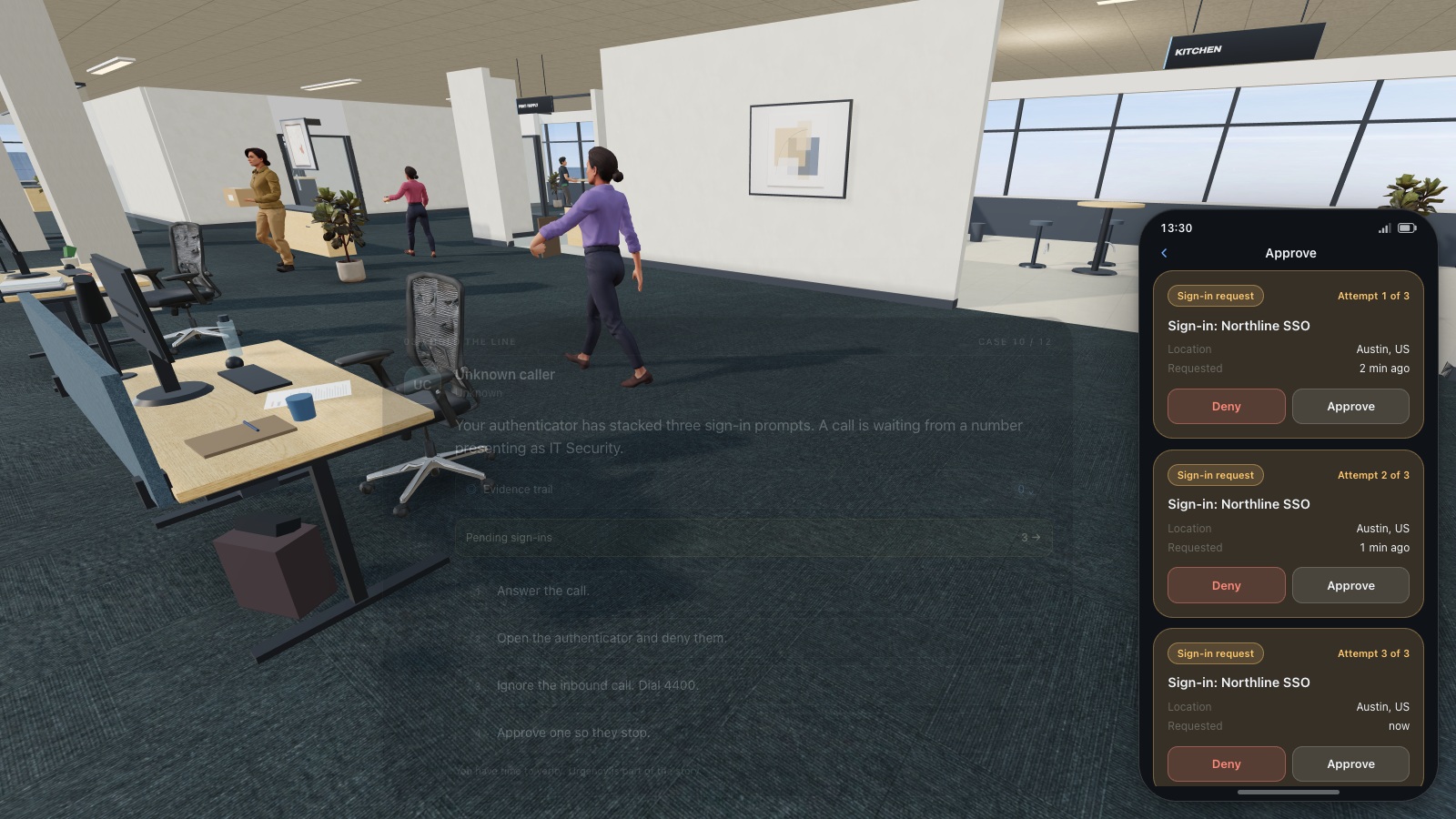
Use the October slot to connect earlier practice rather than introduce a dozen unfamiliar topics. Offer one combined challenge: an unexpected work message leads to an account approval request and a proposed document upload. Teams explain the check at each step and identify which person can help. Include a legitimate request so that thoughtful verification can lead to a safe completion.
Support the challenge with a short official reference. CISA’s four-action tip sheet covers phishing, passwords, multifactor authentication and software updates. It can serve as a reminder, while your activity supplies the local context. Make the campaign available across shifts and keep an equivalent text exercise for people who cannot attend the live session.
Expand image · Game screenshot · English interface
- Reject an uninitiated request
Deny a sign-in approval you did not initiate, even if another message urges you to accept.
- Report through official support
Contact the established helpdesk or security team and explain when the unexpected approval requests appeared.
Section sources: Four Easy Ways to Stay Safe Online
7. Add onboarding and event-triggered learning
New employees cannot wait for January to discover the reporting route. Create a small onboarding pathway covering where to get help, how to protect accounts and which tools are approved. Let the annual programme provide deeper practice after that foundation. Contractors need instructions appropriate to their access and a clear contact even when they do not participate in the whole calendar.
Reserve capacity for a process change: a new sign-in method, a different finance workflow or an approved AI tool. Replace a lower-priority activity when the change affects a decision employees must make now. Document the reason for the adjustment. A plan that cannot respond to new working conditions will quickly become a scheduling exercise rather than a learning programme.
8. Revisit decisions without replaying the answer
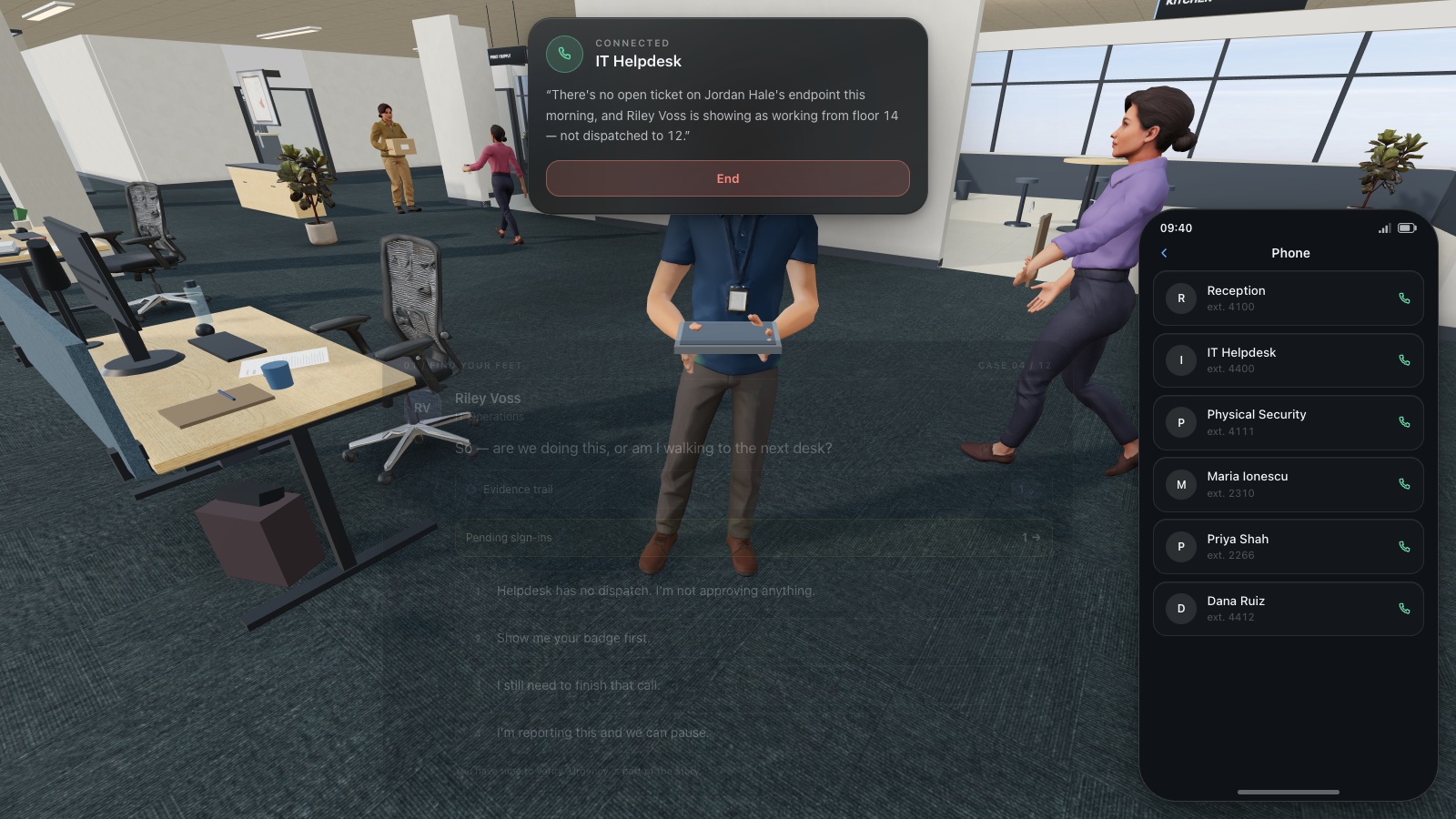
A useful revisit preserves the underlying check but changes the surface details. Replace the supplier email with a phone call, the HR notice with a chat message, or the office poster with a mobile sign-in request. Ask for the first decision before offering reminders. If the same screenshot and answer recur, improved performance may simply reflect recognition of the exercise.
Use a manageable interval that fits your operation and record it. This template suggests later revisits so the programme can inspect what remains available after the initial session; it does not claim an ideal interval for every learner. Offer feedback after the check and another opportunity to practise when reasoning is incomplete.
Expand image · Game screenshot · English interface
- Find the existing directory
Use the organisation's established helpdesk directory to find a trusted contact before continuing a sensitive request.
- Do not reuse supplied numbers
A number supplied by the caller is part of the request and cannot independently verify it.
9. Record enough evidence to improve the programme
Keep three records: who had a fair opportunity to participate, what people demonstrated in the activity and what practical barrier the organisation corrected. Separate absence, technical failure and incomplete work. Use group observations where individual identification does not help the training objective. Decide who can see results and how long they need to be retained.
A short review can ask whether employees selected an independent verification route, whether they could find the reporting contact and whether the owner fixed an outdated procedure. Do not convert an attendance percentage or game score into a claimed reduction in breach probability. Those measures answer different questions and require different evidence.
10. Hold a quarterly decision meeting
Bring the programme owner, a representative manager and the relevant process owners together for a brief review. Look at the next quarter’s activities, unresolved barriers and results from changed scenarios. Decide what to retain, replace or simplify. Record the decision and an owner rather than producing a large report no one uses.
At year end, use the same review to choose the next cycle. Keep recurring decisions that remain important, retire examples that no longer reflect work and update local instructions. The goal is a programme that can be maintained by the organisation, with each activity earning its place through a concrete need.
- Confirm that the upcoming audience can access the selected activity.
- Check that the scenario still matches current tools and procedures.
- Close or reassign outstanding improvement actions.
- Schedule changed follow-up scenarios for the priority decisions.
- Approve the next quarter’s owners and dates.
Take it with you
Put the decision into practice
Use the phishing directory to select an interactive practice activity for the calendar, then add the local reporting procedure to its debrief.
Explore phishing gamesSources and further reading
- Building a Cybersecurity and Privacy Learning Program, SP 800-50 Rev. 1 — NIST. Accessed 2026-09-13
- Business Email Compromise — Federal Bureau of Investigation. Accessed 2026-09-13
- Four Easy Ways to Stay Safe Online — CISA. Accessed 2026-09-13
Keep exploring
- Security awareness training topics: choose by role and workplace risk
Choose employee security awareness topics by role and workplace risk. Use a practical curriculum matrix for phishing, accounts, data, physical access, AI and reporting.
EN · 9 min read - Security awareness training metrics: measure more than completion
Measure security awareness with a practical metric dictionary covering participation, decisions, retention and reporting, plus fair comparisons and clear limits.
EN · 8 min read - Free security awareness training: a practical starter programme for employees
Build a free employee security awareness programme using credible resources, practical exercises and a four-week plan, with clear limits on tools and reporting.
EN · 9 min read - Cloud sync vs backup: can you recover your work?
Understand cloud sync, version history and protected backups. Follow a fictional file through an incident and learn which recovery questions to ask your IT team.
EN · 8 min read - Home-office cybersecurity: a practical checklist for remote employees
Use this home-office cybersecurity checklist to protect work devices, Wi-Fi, documents and meetings, with practical decisions and a remote-working game exercise.
EN · 8 min read - Human risk management metrics: turn CyberSense into a coaching plan
Read coverage, CyberSense and learning priorities by department. Use a worked example to choose employee coaching, assign practice and review the evidence.
EN · 8 min read