CyberPlay Editorial Team · Published · Updated · 10 min read
Guide and exercises in English
Expand image · Course video frame · English interface
Cyber security awareness training for universities should help students and staff verify account requests, share information with the right people and report mistakes through campus channels. Begin with a common induction, then add practice around the work each group actually does: accessing teaching systems, managing student records or collaborating on research. Connect a short lesson to a game decision and an exercise using your university’s real support process.
CyberPlay Courses provide video lessons with five decision checkpoints before the explanation. This English guide shows how to select them for a university programme and connect them with Find the Fake Login and Data Dash. Course narration and lesson content currently offer English and Romanian, so check the lesson language before inviting a multilingual cohort. The campus examples below are fictional teaching scenarios, not reports of incidents at the universities cited.
What you’ll take away
- Give everyone a trusted route to campus services and a reporting contact they can find before something goes wrong.
- Adapt the practice to new students, teaching and support staff, and researchers who handle different information.
- Check the app, recipients, data and permissions even when a collaboration tool or login page looks familiar.
- Review the learner’s explanation and the campus process alongside completion records; assign an owner to each unresolved gap.
1. Start with a campus decision people can practise
The UK National Cyber Security Centre’s higher education guidance recognises the importance of open teaching and research collaboration while identifying responsibilities for leaders, researchers and IT teams. That is a useful starting point for a learning programme: maintaining a secure account is shared work, but approving a research data transfer and checking a timetable message are different decisions.
Choose one observable outcome for the first session. For example, a new student can open the approved student portal independently when an unexpected email says access will expire. A departmental administrator can check the full recipient address before sharing a student list. A researcher can identify who approves a new collaboration service. Give each group the relevant campus contacts and explain what to do when that contact is unavailable.
Section sources: Cyber Security for Higher Education Institutions
2. Build a short course path for each audience
Cybersecurity awareness for students should begin with the systems they need for study and the help they can reach. Jisc’s information security learning module treats both staff and students as participants and connects its teaching to institutional policies and procedures. Use that principle when selecting your own programme: a general lesson needs a local route for applying it.
The following are suggested CyberPlay sequences. They are a starting selection, not a requirement to complete the whole catalogue. After each lesson, ask the learner to explain one decision in their own words. Someone who already knows the rule may need help locating the approved campus service instead of another explanation of phishing.
- Start Modern email phishing
- Practise an unexpected authentication request
- Learn how to explain what happened
| Audience and moment | Suggested course sequence | Campus action to rehearse |
|---|---|---|
| New students during induction | Modern email phishing → Deny it if you did not start it → I clicked. What now? | Open the student portal independently, reject an unexpected login approval and locate support. |
| Teaching and support staff handling shared records | Modern email phishing → Name the people before you share → Do not allow an app you did not choose | Check a recipient and sharing role, then verify an application before granting access. |
| Researchers joining a project or collaboration | Name the people before you share → Do not paste a secret into the wrong chat → I clicked. What now? | Confirm the authorised collaborators, data owner, approved service and reporting route. |
Section sources: Information security digital learning module
3. Rehearse a believable account request
Cambridge’s phishing guidance describes pressure around account deactivation and messages that imitate authority. Adapt those patterns to a fictional campus example: a message says a library account needs urgent verification before tomorrow’s seminar. Ask which action is requested and where the learner would check it independently. A convincing logo, correct course name or polished wording is insufficient grounds to enter credentials.
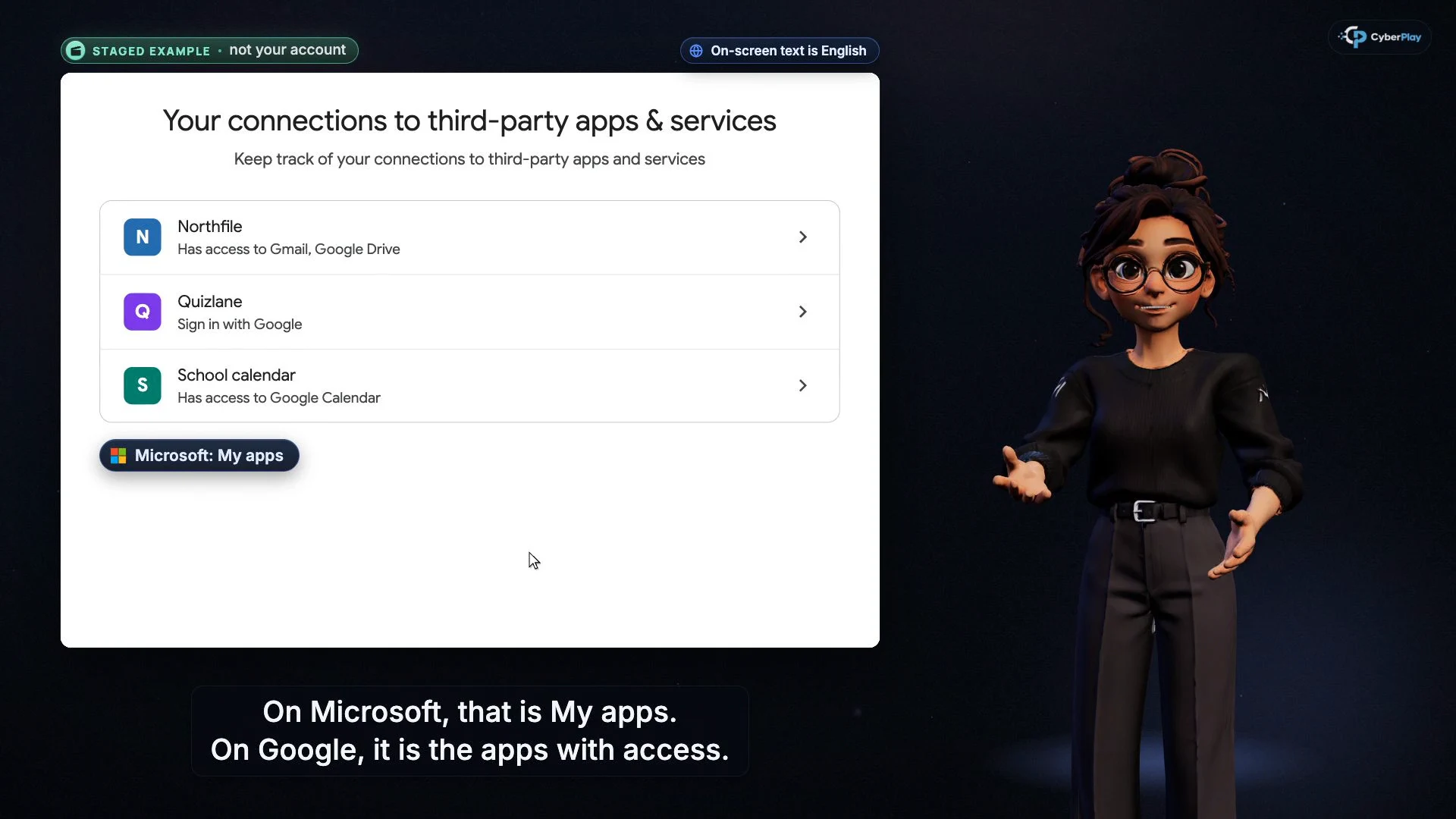
Then change the requested action. In Deny it if you did not start it, the learner practises responding to an unexpected authentication approval. Do not allow an app you did not choose shifts attention to application permissions. Ask whether the learner expected the app and whether its access fits the task. A familiar identity provider can display an application request that still needs checking. Provide a route to the approved software list or IT contact so that uncertainty has a practical next step.
Section sources: Phishing
4. Make research sharing a decision about people and purpose
UKRI’s Trusted Research and Innovation guidance expects organisations it funds to manage access to shared research data and agree its handling before sharing. It specifies access for people who need it and for the period they need it. Those are funder expectations within their stated scope; each university must use the rules, agreements and approvals relevant to its own project.
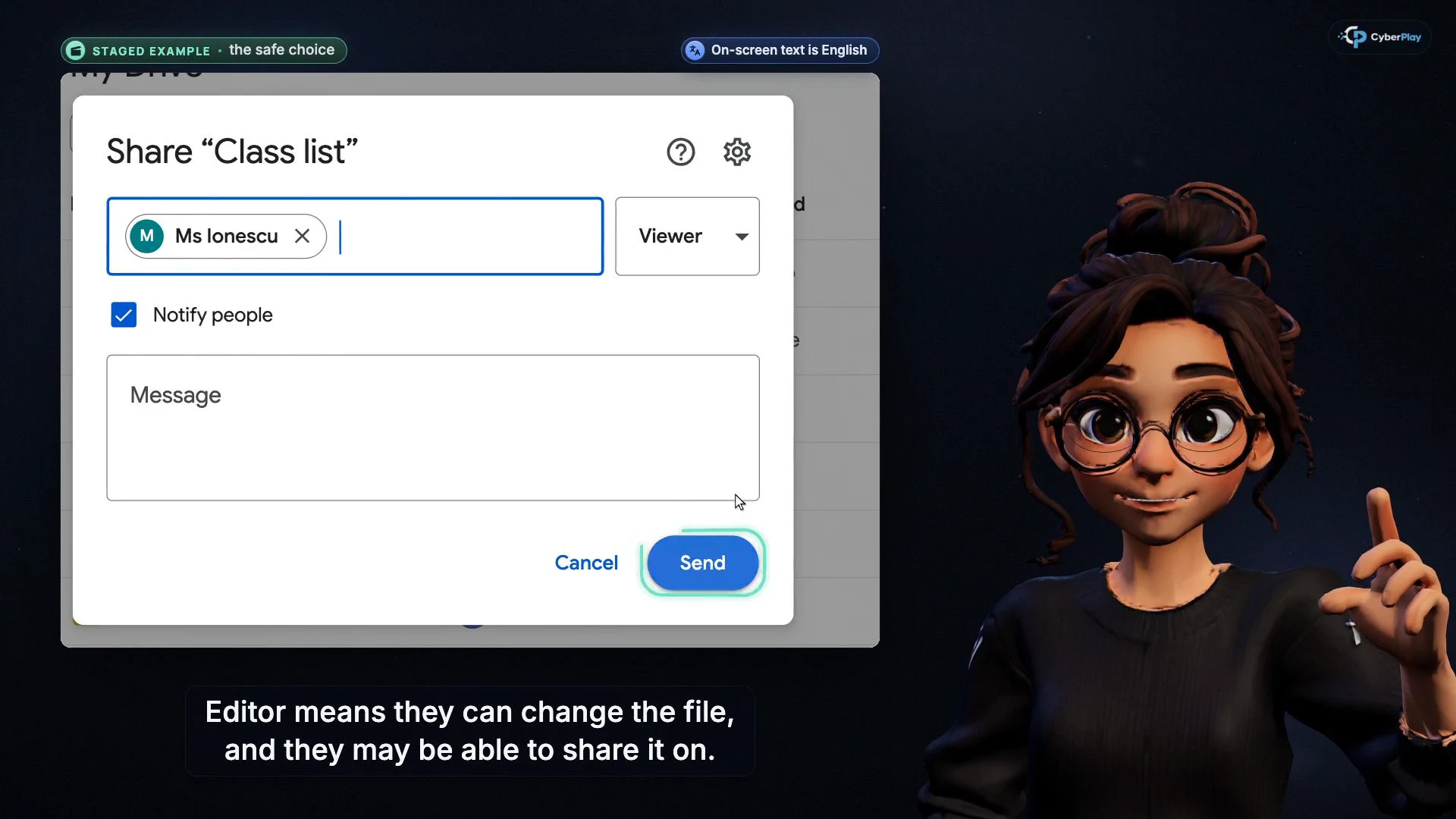
Use Name the people before you share with a fictional project folder. Ask the learner to identify the intended collaborator, check the full institutional address and choose the access needed for the task. Reading a draft may need viewing rights; editing an analysis requires a different decision. Review the contents as well as the link: hidden spreadsheet tabs and extra files can disclose information beyond the intended handover. At the end of a placement or collaboration, identify who reviews continued access. A public research output and a restricted participant dataset should not receive the same sharing decision by default.
Expand image · Course video frame · English interface
- Name the intended recipient
For campus work, confirm the whole institutional address, including collaborators outside your team.
- Choose the access needed
A collaborator who only needs to read should receive view access; follow the project’s approval rules before widening it.
Section sources: UKRI Trusted Research and Innovation: principles and expectations
5. Check the AI tool, account and permitted use
An AI service name alone does not establish that an account is approved for university information. Oxford’s student guidance distinguishes institutionally provided access from personal accounts and explains that internal or confidential university data should not go into the personal accounts it discusses. It also separates access to a tool from permission to use AI in an assessed task. Treat this as a concrete university example, then identify your own institution’s applicable guidance.
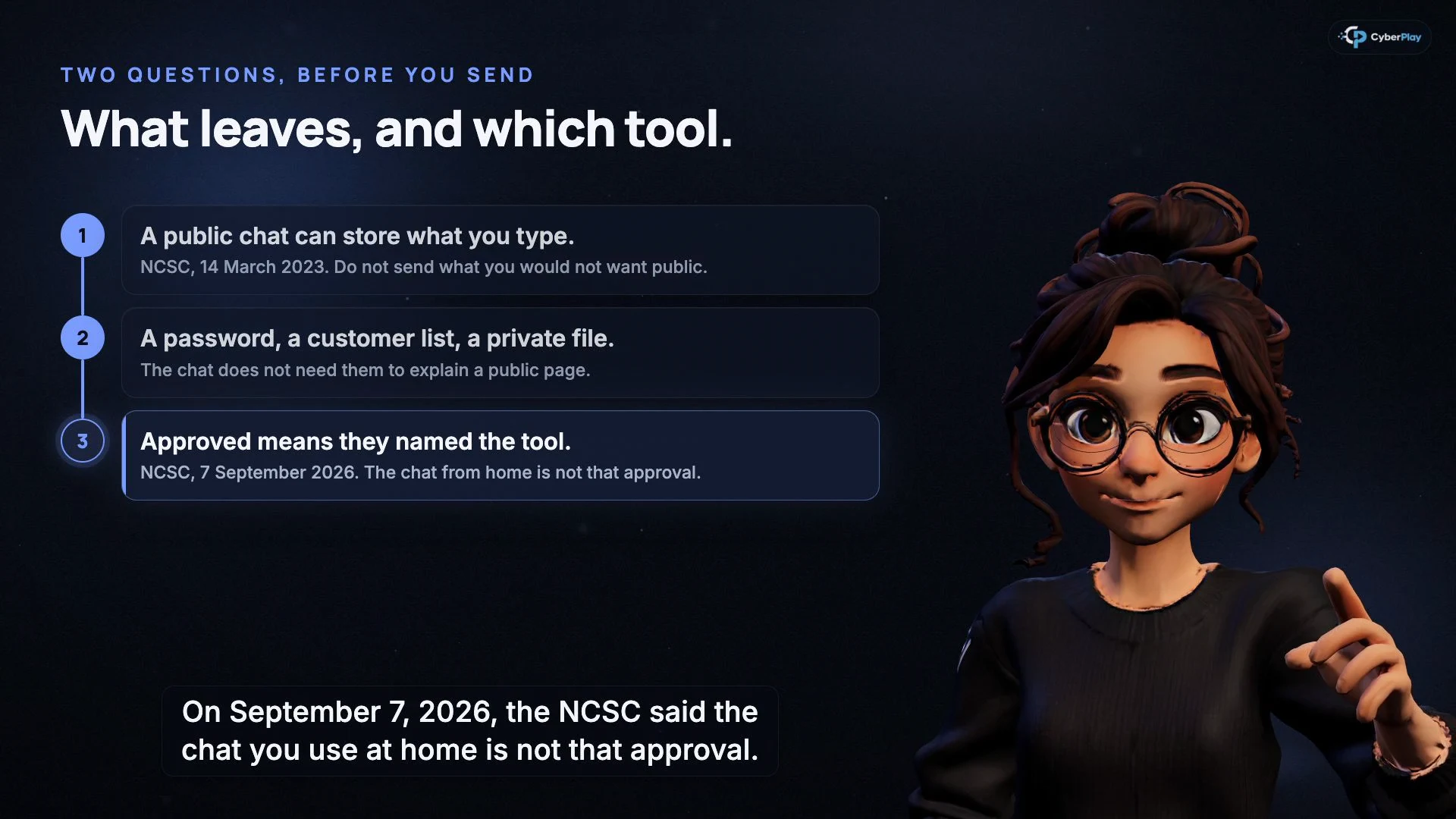
Do not paste a secret into the wrong chat teaches two useful checks: whether the information may leave and whether this is the approved tool. Apply them to teaching notes, an unpublished draft or a participant workbook. Confirm the account and workspace as well as the product name. A connection that lets an assistant read mail or files also grants access. Have the project or service owner resolve uncertainty before uploading or connecting; use made-up data for the practice.
Expand image · Course video frame · English interface
- Decide what may leave
Check whether student, research or collaborator data may be sent to the tool under university rules.
- Use the named institutional tool
A personal subscription does not establish university approval; use the approved account and workflow.
Section sources: GenAI FAQs for students
6. Use cyber security games for students and staff
Find the Fake Login gives the account-permission lesson a different setting. Its application scenarios contrast an unexpected app requesting mail, files and lasting access with an announced internal application requesting narrower calendar access. The player can inspect the publisher and permissions, reject or approve, and review the explanation. The setting is a fictional organisation; ask learners to identify the equivalent checks in their campus environment.
For a shorter discussion about access, Data Dash contrasts a useful magnet that collects nearby capsules with one that also reads private cargo. The extra access has an in-game consequence and a revocation decision. Ask what that means for a study helper requesting access to an entire drive. These games provide practice and explanations. A successful run does not establish that a student account, research service or university permission policy is secure.
7. Exercise: a collaboration shortcut with excessive access
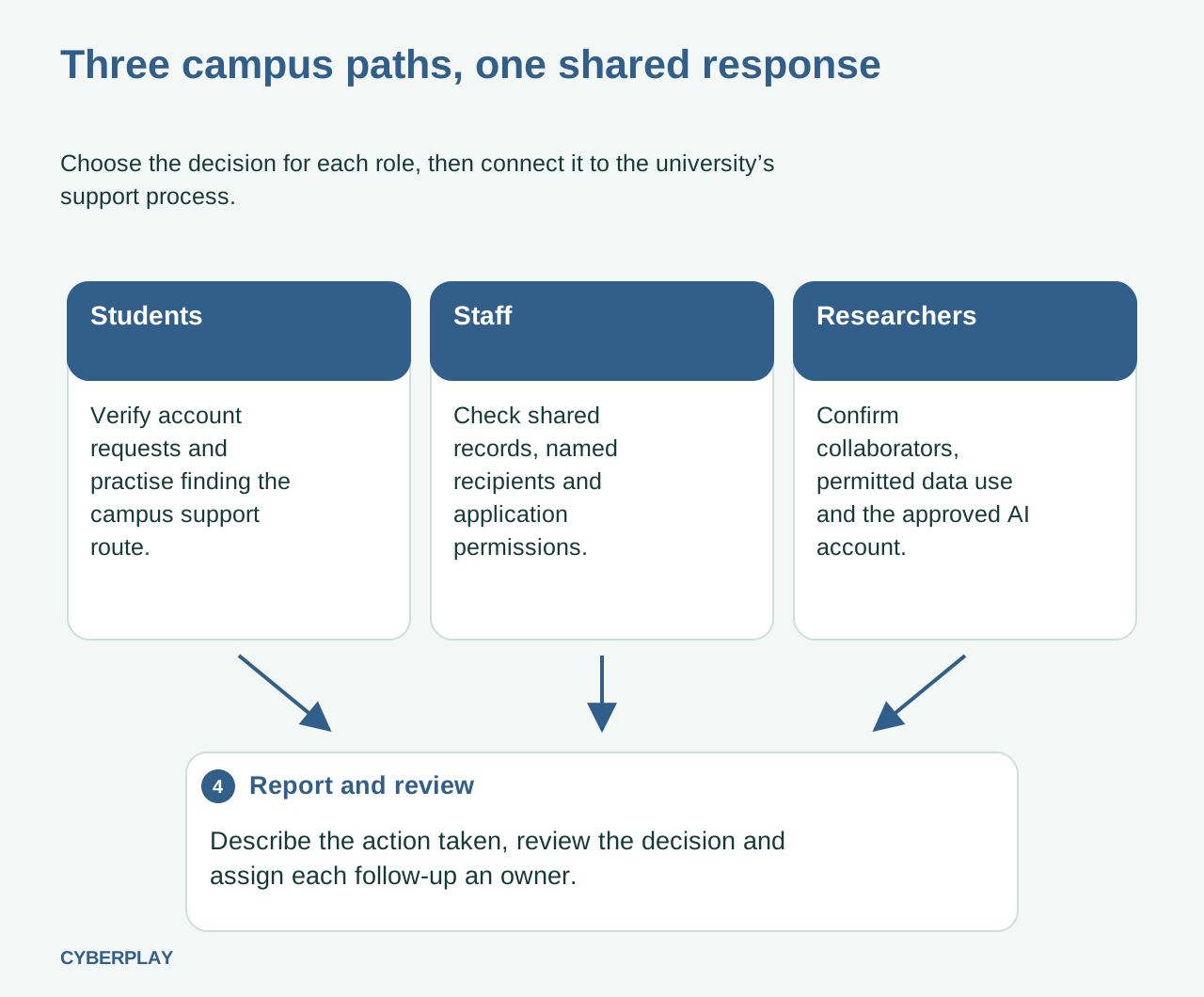
Use this fictional case with a research student, a supervisor and a support colleague. Give them a mock approved-services page and a fictional project contact. Ask each participant to state the next action and who owns the unresolved decision. No real research data or account approval is needed.
8. Practise the reporting handover before a real mistake
Make a report part of induction. Ask a learner to describe whether they only opened a page, entered credentials, approved an application, uploaded a file or changed sharing permissions. Include the approximate time, account or device, and the relevant message. I clicked. What now? supports this action-specific explanation. A vague statement that something looked suspicious gives the support team less to work with than a clear account of what happened.
Provide the actual campus route and a fallback for someone locked out of their university account. Practise with fictional details in the classroom rather than sending test incidents into the live help desk without coordination. If an action has already happened, stop further interaction and contact the designated team promptly. That team can assess sessions, app permissions and exposed information; changing a password alone should not be assumed to undo an application approval or retrieve a file already shared.
9. Revisit the decision when responsibilities change
Return to the same core habits when students begin group work, staff take on record-sharing duties or researchers join a new collaboration. Change the example so that learners must apply the rule: replace a library warning with a meeting invitation, or a class list with a restricted project folder. Check whether the learner can explain the permission and find the appropriate contact. An unavailable support route or unclear data owner is a programme action to resolve.
Use the learning records available in your workspace to review participation and decide who needs follow-up. Keep completion, an answer in a course, a game decision and an observed campus exercise distinguishable. Record the unresolved question, its owner and the next review. The university remains responsible for its identity controls, approved services and research governance. Start with the pathway closest to the cohort’s immediate work and use the CyberPlay universities page to explore the platform in that context.
Practise checking a collaboration app
Use Find the Fake Login to compare application requests, then explain which campus service would verify an unfamiliar tool and its permissions. Follow with the fictional lab exercise above.
Play Find the Fake LoginSources and further reading
- Cyber Security for Higher Education Institutions — UK National Cyber Security Centre. Accessed 2026-10-03
- Information security digital learning module — Jisc. Accessed 2026-10-03
- Phishing — University of Cambridge Information Services. Accessed 2026-10-03
- UKRI Trusted Research and Innovation: principles and expectations — UK Research and Innovation. Accessed 2026-10-03
- GenAI FAQs for students — University of Oxford. Accessed 2026-10-03
Keep exploring
- Cybersecurity awareness training for schools: a practical lesson plan
Plan teacher-led cybersecurity training for schools with video courses, student activities and games. Practise checking messages, sharing files and asking for help.
EN · 9 min read - Security awareness courses: build a programme that connects learning with practice
Build a security awareness programme with short video courses, realistic games and knowledge checks. See role-based examples and what each result can prove.
EN · 8 min read - Session and device-code phishing: why a real login page is not enough
Compare session-cookie theft, device-code phishing and OAuth consent. Learn the safe employee action with CyberPlay Courses and Find the Fake Login.
EN · 8 min read - Prompt injection training for employees: check what your AI assistant can do
Teach employees to check AI actions, protect work data and report mistakes. Pair CyberPlay Courses with Data Dash practice and a practical approval checklist.
EN · 8 min read - Cybersecurity training for banks: role-based scenarios and DORA considerations
Plan bank employee cybersecurity training around payment checks, identity verification and reporting, with DORA context and a practical role-based matrix.
EN · 8 min read - Security awareness for manufacturing: training for shifts and shared devices
Build manufacturing security awareness around shifts, shared terminals, suppliers and escalation. Includes a workforce matrix and a safe discussion exercise.
EN · 8 min read