Find the Fake Login — Cybersecurity Game
A short investigative awareness game about sign-in pages: decide whether each login flow is legitimate, suspicious or malicious — by investigating, not by judging the logo. Twenty scenarios in four chapters, played from a 3D workstation.

Find the Fake Login is a free browser-based cybersecurity game. A short investigative awareness game about sign-in pages: decide whether each login flow is legitimate, suspicious or malicious — by investigating, not by judging the logo. Twenty scenarios in four chapters, played from a 3D workstation.
Difficulty: Intermediate. Estimated play time: 12 minutes.
You work at a desk at Nexacore Industries — three monitors, a desk phone and an authenticator app. A sign-in turns up: after an email about mailbox storage, from a chat message, from a poster by the lift, from someone on the phone who says they are IT. Modern fake pages look finished, so appearance decides nothing.
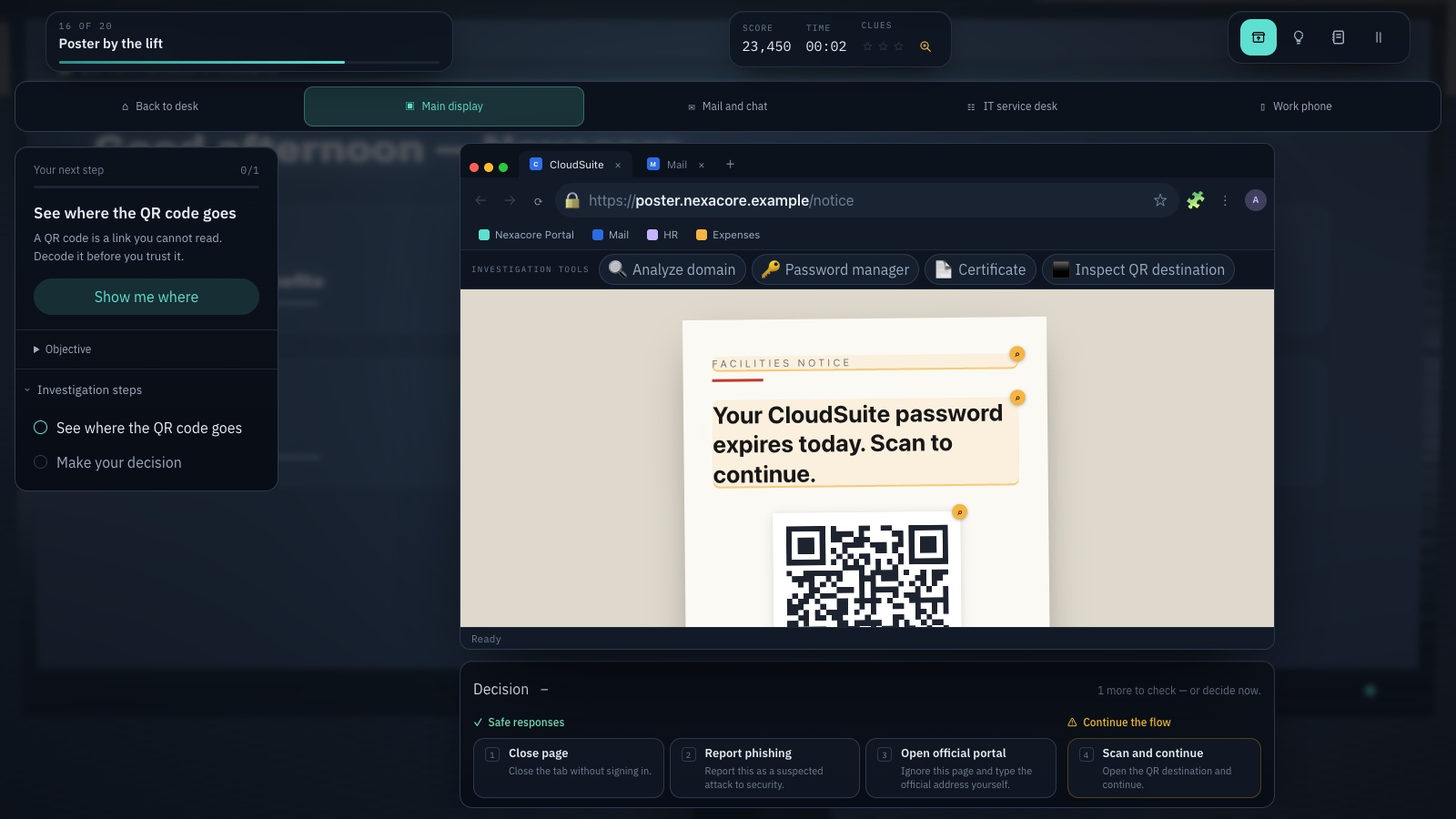
Twenty data-driven scenarios run in four chapters: Look Beyond the Logo (domains, URLs and password managers) · Authentication Under Pressure (MFA, resets and social engineering) · Beyond Passwords (OAuth, document lures and SSO popups) · Advanced Deception (QR codes, device codes and voice-led MFA).
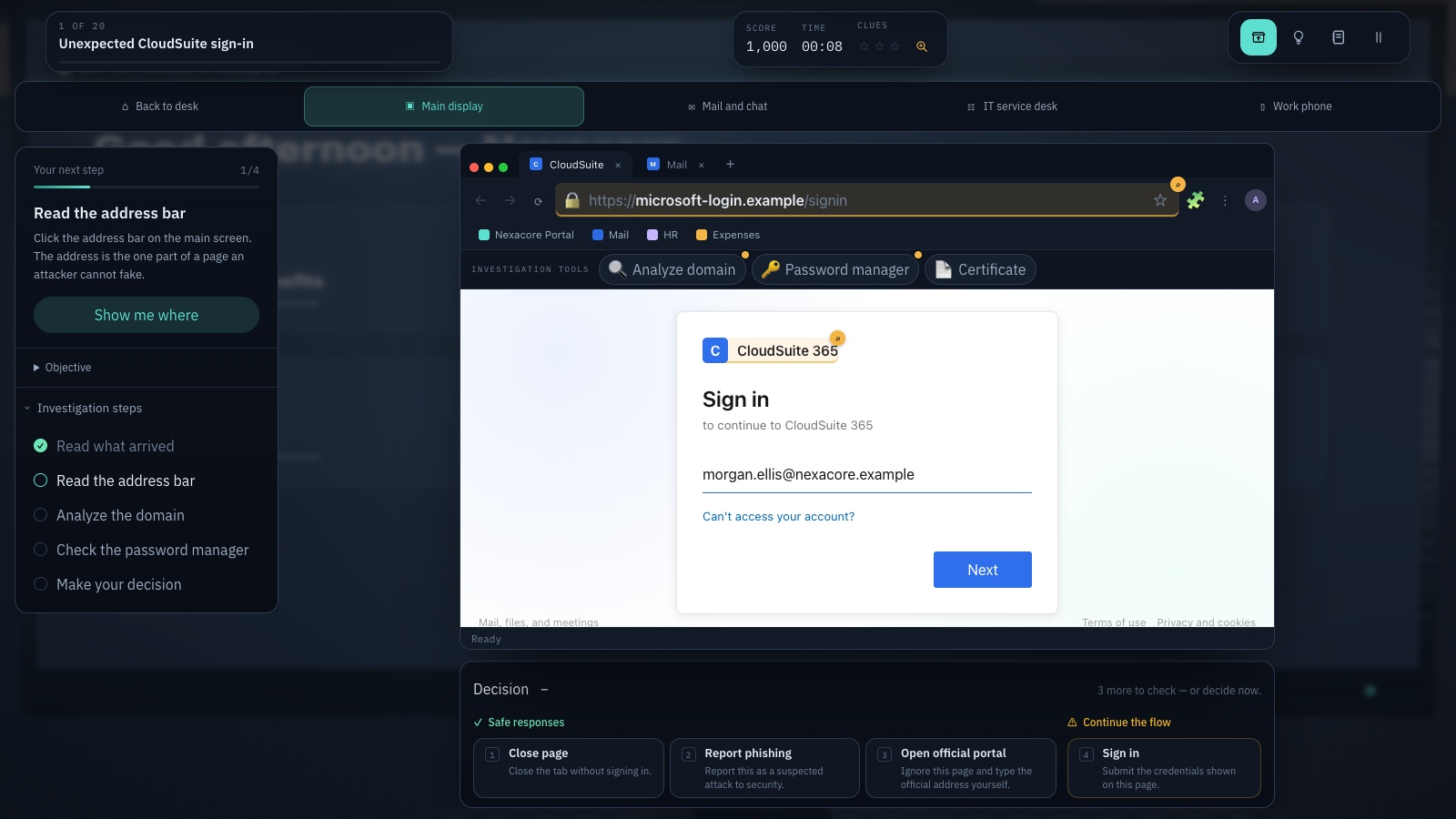
The investigation tools belong to the browser, not to the page: read the address bar, break the hostname into subdomains and registrable domain, open the password manager, inspect the certificate, review OAuth permissions, reveal where a QR code actually points. Click a clue inside the page to mark it in the notebook. Every check earns points; none of them gate the answer.
Not everything is an attack. Four of the twenty flows are genuine — a Monday-morning portal, a matching-number MFA prompt, an approved calendar app, a real identity-provider redirect — because a player who learns to distrust everything has learned the wrong thing. Refusing a real sign-in is graded as over-cautious, never as dangerous.
Training mode has no strict timer and unlimited hints. Challenge mode adds a timer, limited hints, ten shuffled scenarios and a score. Review mistakes replays only the scenarios you failed. Guidance points the camera at the object the next step needs, and can be switched off.
The game speaks all nine platform languages — English, Română, Français, Deutsch, Nederlands, Italiano, Español, Polski and Українська. Hostnames, registrable domains, punycode strings, certificate subjects and the deliberate lookalike spellings read identically in every one of them, because comparing those characters is the whole exercise; only the prose around the evidence changes.
A local, browser-only simulation. It never opens real phishing sites, never stores typed passwords, and uses .example destinations only.
What you will learn
- Read a hostname from the right: ownership lives in the registrable domain, and every label to its left is a subdomain an attacker can choose
- Treat HTTPS as encryption rather than trust — phishing sites routinely carry valid certificates
- Use a password manager as a phishing detector: saved credentials are bound to a domain, so a manager that suddenly will not fill is evidence
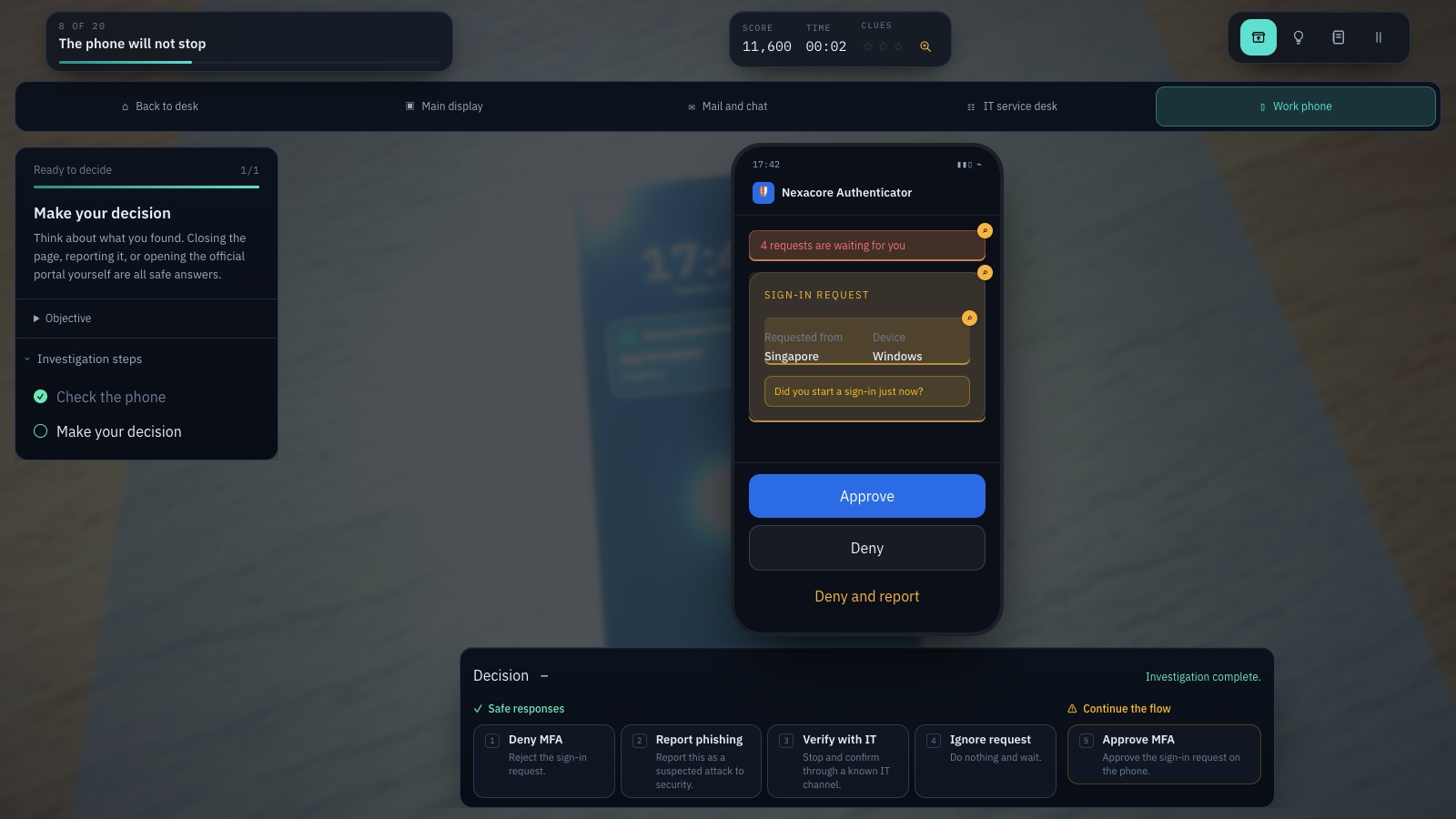
- Deny an authentication prompt you did not start, and actually compare the number when matching-number MFA asks you to
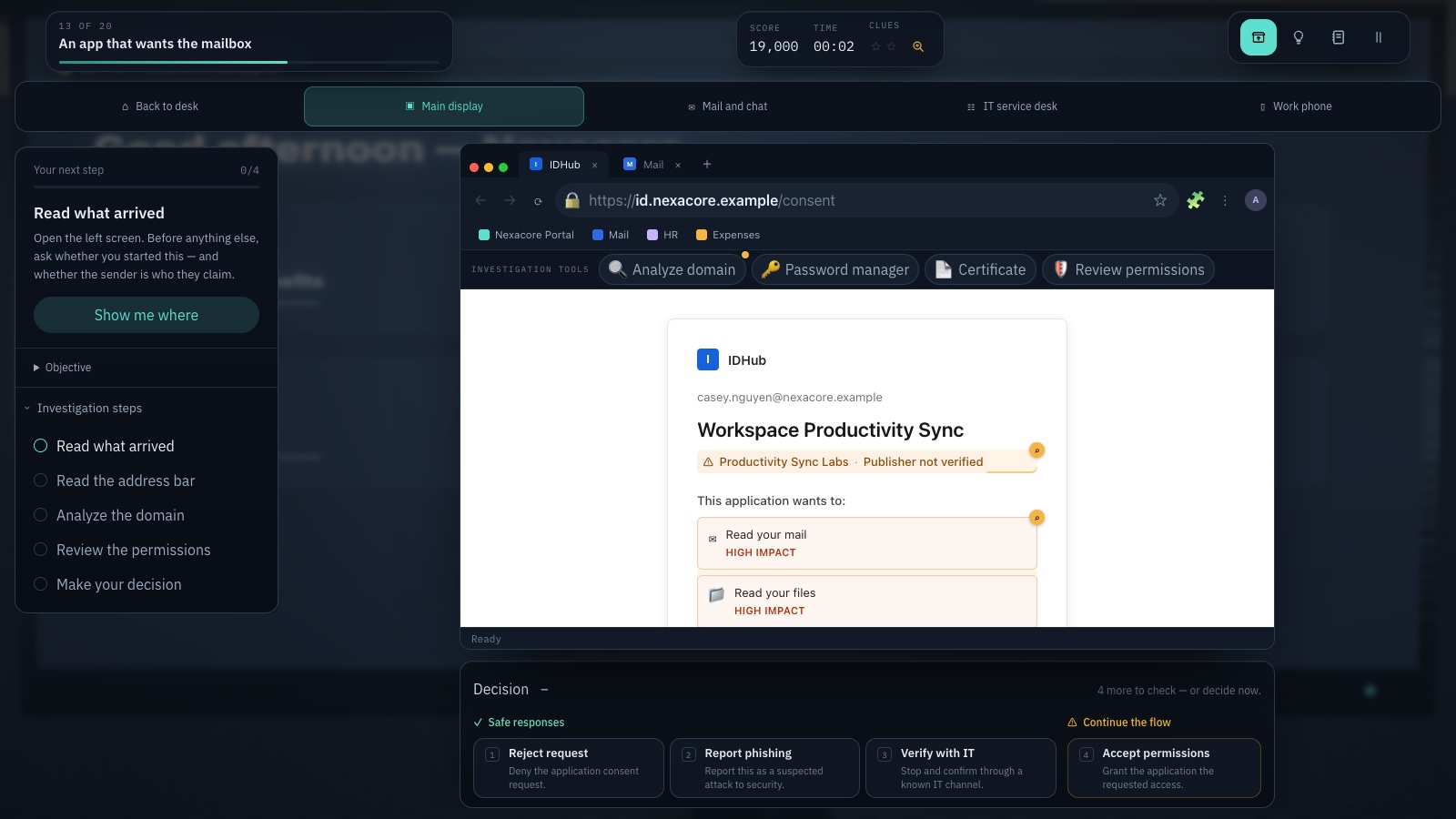
- Inspect an OAuth publisher and its scopes — a consent page can be genuine while the application is not
- Inspect a QR destination before treating a poster as a trusted channel
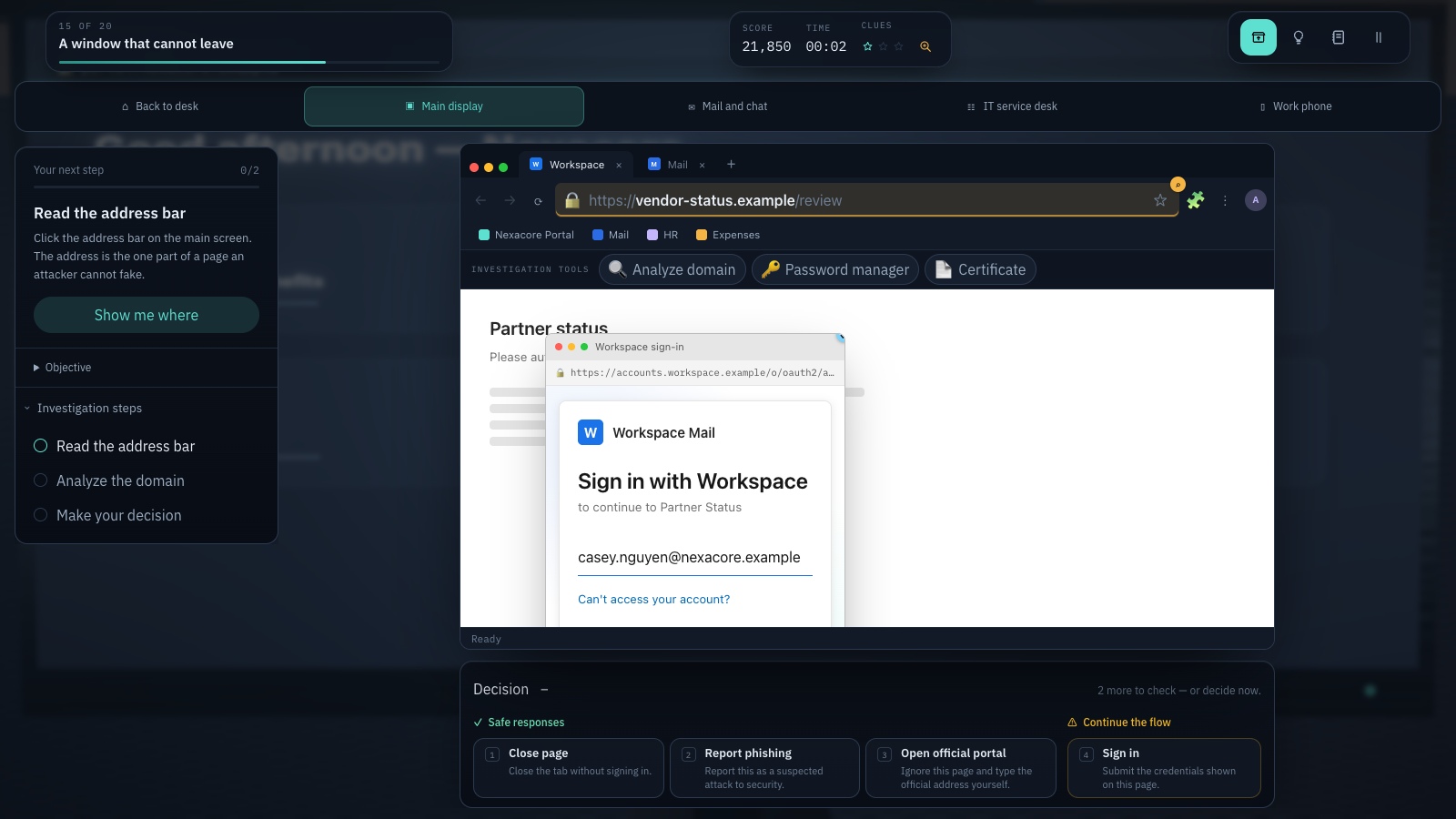
- Spot a browser-in-browser window by dragging it, and a device code as somebody else’s session
- Stop, open the official portal yourself, verify through a channel you already have, and report — uncertainty is a valid security decision
How to play
- Pick one of nine languages — English, Română, Français, Deutsch, Nederlands, Italiano, Español, Polski or Українська — and the company name used throughout the training.
- A login shows up on your workstation. Drag to look around; click a screen or the phone to look closer; Escape brings you back.
- Investigate: read the address bar, analyze the domain, hover the buttons, open the password manager, check the certificate.
- Click a clue in the page to add it to your notebook.
- Decide. Closing, reporting, or opening the official portal yourself are usually all fine. Signing in to a fake is not.
Platforms and languages
- Platforms: Desktop, Tablet
- Languages: English, Română, Français, Deutsch, Nederlands, Italiano, Español, Polski, Українська
Practise with these games
Game screenshots
Related cybersecurity topics
- Phishing Awareness Games
Practise spotting deceptive messages, suspicious sign-in pages and payment requests with free phishing awareness games.
- QR Phishing Awareness Games
Learn to check QR-code destinations and recognise quishing. Practise inspecting codes and choosing when to open, ignore or report them.
- Social Engineering Awareness Games
Practise responding to impersonation, phone scams, suspicious requests and workplace manipulation in cybersecurity scenarios.
- Password & Account Security Games
Learn about unique passwords, password managers, multifactor authentication and fake login pages through interactive security games.