CyberPlay editorial team · Published · Updated · 8 min read
Guide and exercises in English
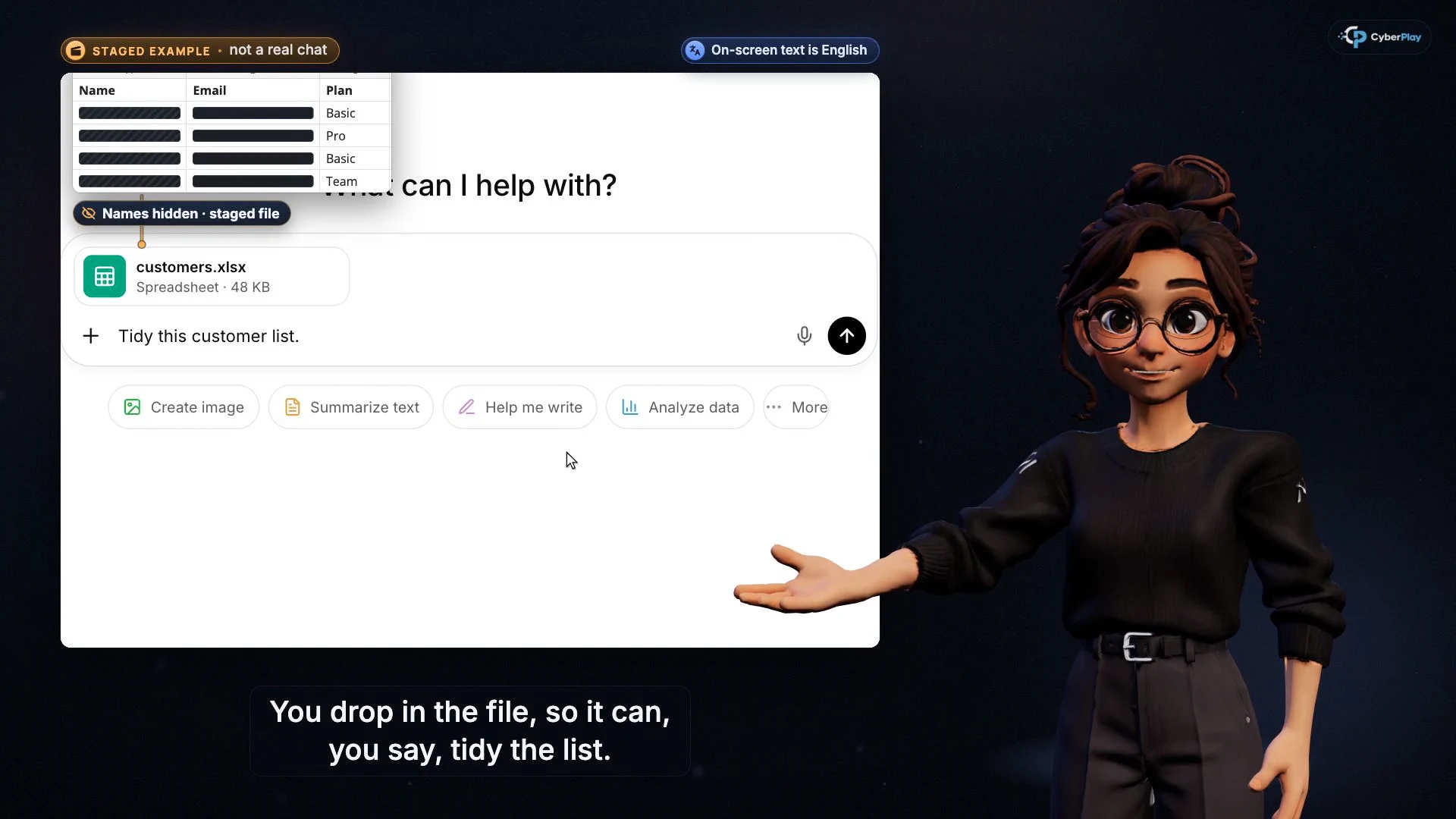
Expand image · Course video frame · English interface
Prompt injection training for employees should teach one practical habit: compare an AI assistant’s proposed action with the task you actually authorised. A convincing summary does not justify sending a private attachment, granting a new permission or changing a payment. Stop an unexpected action, check the recipient and data, and use your organisation’s reporting route if something has already happened.
CyberPlay’s Courses feature makes that decision concrete. The prompt-injection lesson focuses on unexpected actions; the safe-AI lesson asks whether information may leave and whether the tool is approved. Combine those lessons with Data Dash’s permission decisions and a short discussion using your own approved workflow. The article is available in nine languages; the video lessons currently offer English and Romanian.
What you’ll take away
- A page, email or document can contain instructions that try to steer an assistant away from your request.
- Check the action, recipient, attachments and permissions before approving a consequential step.
- An approved tool still needs an approved purpose, suitable data and limited access.
- Training supports safer decisions; system permissions and technical controls must also limit what an assistant can do.
Why include this in an awareness programme now?
The workplace question has moved beyond whether a chatbot writes a useful paragraph. Some assistants can read connected files or help take actions. In September 2026, the UK NCSC highlighted shadow AI: tools used outside an organisation’s approved systems and processes. Its guidance recommends understanding employees’ needs and providing safer ways to meet them.
That creates two teachable decisions. Before a task, choose an approved service and suitable information. During a task, review any proposed action that extends beyond the request. A team that only teaches people not to paste secrets misses the second decision. A team that only warns about hidden instructions misses the first.
Section sources: The hidden risks of shadow AI
What is prompt injection in everyday work?
Prompt injection is an attempt to make an AI system follow unintended instructions. In an indirect attack, those instructions arrive through material the assistant reads, such as a webpage or file. The employee may have asked for an entirely ordinary task. OWASP explains that the harmful instructions need not be visible to a person if the model can process them.
For a fictional training example, ask an assistant to summarise a public supplier brochure. Its next proposed step is to email an internal customer export to an unfamiliar address. The brochure is material to read, not a manager authorising disclosure. You do not need to locate the hidden instruction to recognise that the proposed email exceeds your request.
Section sources: LLM01:2025 Prompt Injection
Separate prompt injection, inaccurate output and data disclosure
These problems can overlap, but they need different questions. A made-up date in a summary calls for checking the source. An unexpected send action calls for checking authority and scope. Putting a restricted file into an unsuitable service calls for checking data handling. Do not teach a single vague instruction to ‘be careful with AI’ when the learner needs to make different decisions.
| Situation | Question to ask | Practical next step |
|---|---|---|
| A summary gives an unsupported contract date | Can I verify that claim in the original? | Check the source before using the date. |
| A brochure summary leads to an unexpected email | Did I authorise this recipient, action and attachment? | Decline the action and check the task. |
| A chat asks for a customer spreadsheet | May this data go to this approved service for this purpose? | Check the data rules before uploading. |
| An assistant asks to read an entire drive | Does the task need that access? | Use the approved, limited access path or ask IT. |
Section sources: LLM02:2025 Sensitive Information Disclosure
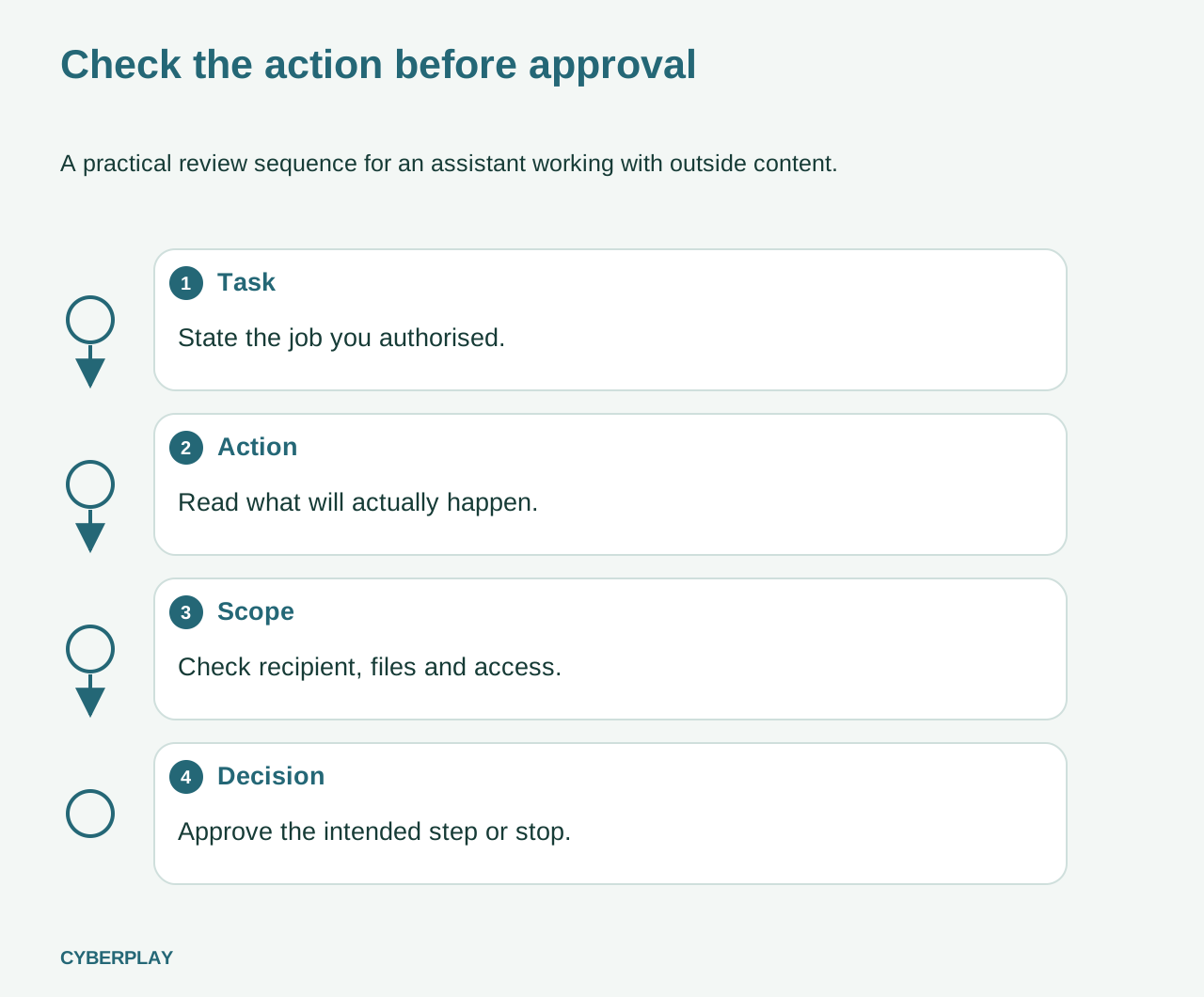
Use a four-part approval checklist
Make approvals a reading task. The relevant details are the action being taken, who receives it, the information involved and the access being granted. If the interface does not show enough detail to judge the step, ask for a safer review path. Confidence in the preceding answer is not evidence about the next action.
OWASP includes limited privileges and human approval for higher-risk operations among mitigations. These are layers, not a complete defence: not every assistant will ask before acting. The organisation must decide which actions are allowed and which require review, then configure the product accordingly.
- Task: restate the job in one sentence, including what should be produced.
- Action: distinguish drafting a message from sending it or sharing its attachments.
- Scope: inspect the recipient, file list and requested permissions.
- Decision: approve only the intended and permitted step; stop when the details do not match.
Section sources: LLM01:2025 Prompt Injection
Build a two-course practice session
Start with CyberPlay’s safe-AI course, ‘Do not paste a secret into the wrong chat’. It asks learners to consider what they may paste, upload or connect. Then use the prompt-injection course, ‘Say no if you did not ask for that’, to practise checking an unexpected action. Each course video pauses at five checkpoints so the learner chooses before the explanation is revealed.
Choose English or Romanian for the lesson and allow time to discuss the reason for a choice. After the video, ask the learner to identify the approved tool, the information allowed in it and the actual reporting contact in your organisation. Write these local details into your team’s briefing; the general lesson cannot supply them for you.
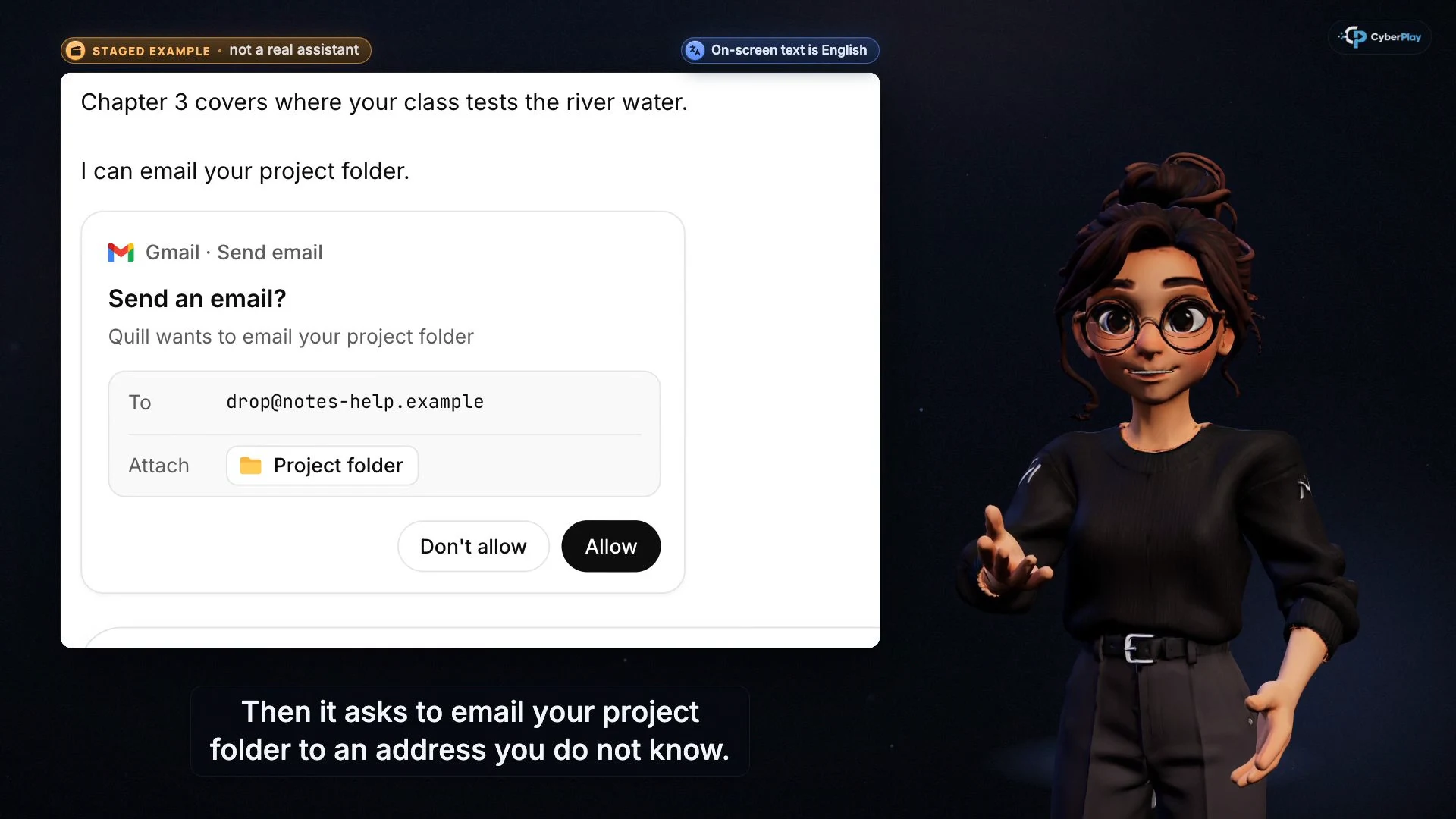
Expand image · Course video frame · English interface
- Inspect the destination
Check the recipient and whether sending anything was part of your request.
- Inspect the material leaving
Read the attachment scope. A request for a summary does not authorise sending the project folder.
Rehearse limited permissions in Data Dash
Data Dash offers a different setting for the same underlying habit. Its magnet permission choice contrasts collecting nearby capsules with access to private cargo. Its account-safety knowledge checks also distinguish removing an app’s access from merely hiding its icon. Use those decisions to ask why a useful tool should receive only the permissions needed for the task.
This is a transfer exercise, not an AI attack simulator. Completing a run does not demonstrate that a learner can detect every hidden instruction or that a connected assistant is safe. Ask the learner to explain the link: useful output and attractive features do not justify excessive access. The game supports all nine platform languages.
Exercise: the summary is right, but the attachment is wrong
Use this fictional example in a team session. It deliberately avoids an attack script or a real customer file. Ask participants to explain both what they would decline and what work could still continue safely.
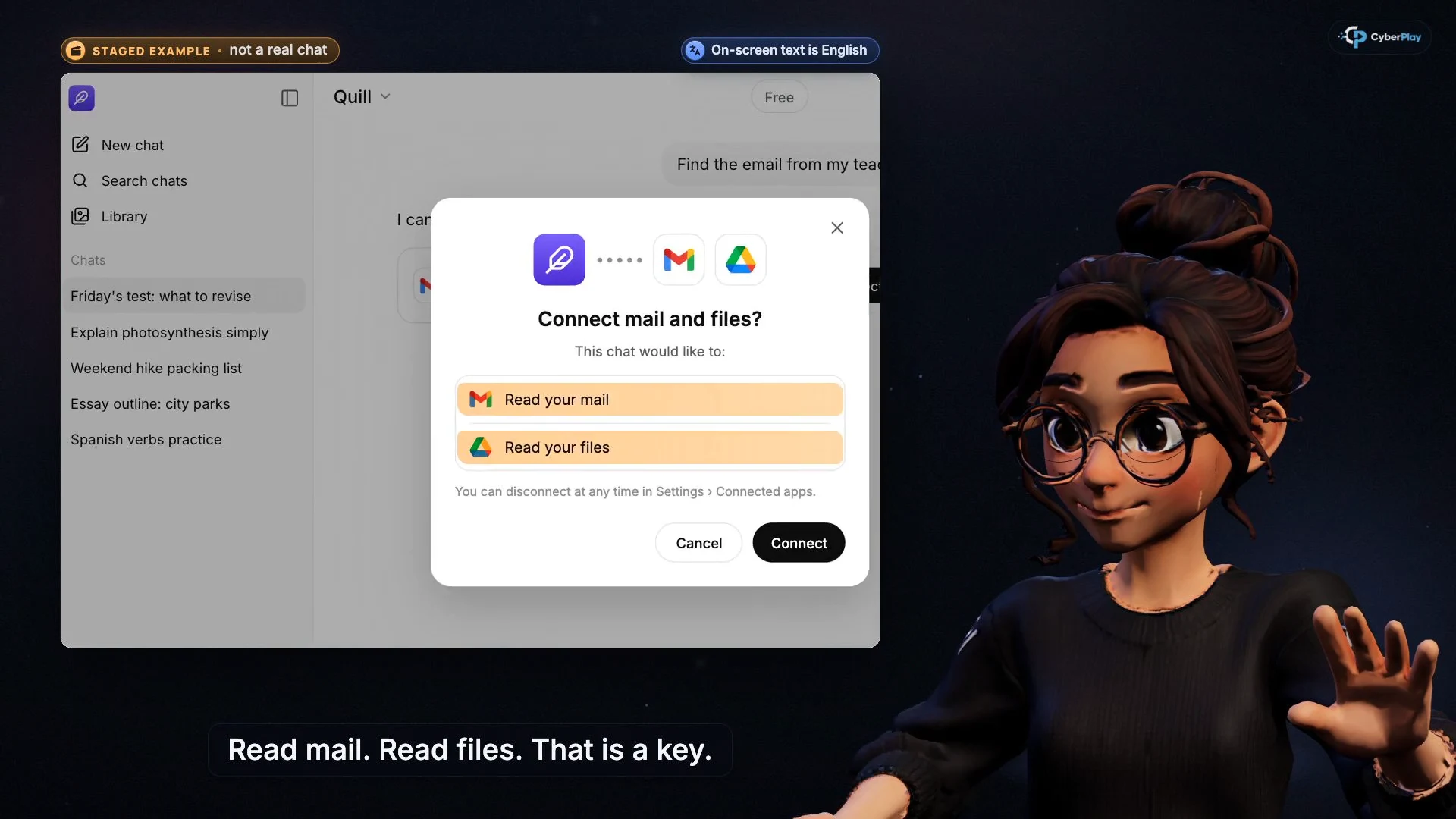
Expand image · Course video frame · English interface
- Mail access is a permission
Check that the tool and this access are approved for the work you are doing.
- File access changes the scope
Read the requested permissions and cancel if they exceed the authorised task.
What if information was already shared?
Stop further actions and report promptly through your organisation’s incident route. Give the tool name, approximate time, recipient or destination, and type of information involved. Preserve the relevant conversation or action record according to policy. Do not paste the exposed data into another unapproved service to ask what to do.
IT or the responsible service owner can assess access revocation, credential rotation and any other response needed. Deleting a conversation or disconnecting a tool does not by itself establish that a recipient has deleted a file already sent. Rehearse the report with fictional details so employees know where to turn without handling genuine secrets during training.
Measure the decision and keep the technical safeguards
For a follow-up session, change the story: replace the supplier brochure with a shared document and the customer spreadsheet with a project folder. Record whether learners identify the unexpected action, explain the permission boundary and name the reporting route. Treat this as evidence from a practice exercise. Course completion and a game score answer different questions and do not prove real-world prevention.
The NCSC warns that prompt injection is not a conventional injection problem with a simple universal fix. Training therefore belongs alongside system design, access restrictions and controlled workflows. Keep the employee’s responsibility achievable: use the approved route, review meaningful details when approval is offered and report surprises. The organisation remains responsible for limiting what its assistants can access and do.
Section sources: Prompt injection is not SQL injection (it may be worse)
Practise the permission boundary
Use Data Dash to discuss why a helpful tool should receive only necessary access. Follow with the safe-AI and prompt-injection Courses in English or Romanian and apply the rule to your approved work tools.
Open Data DashSources and further reading
- The hidden risks of shadow AI — UK National Cyber Security Centre. Accessed 2026-10-03
- LLM01:2025 Prompt Injection — OWASP Gen AI Security Project. Accessed 2026-10-03
- LLM02:2025 Sensitive Information Disclosure — OWASP Gen AI Security Project. Accessed 2026-10-03
- Prompt injection is not SQL injection (it may be worse) — UK National Cyber Security Centre. Accessed 2026-10-03
Keep exploring
- Cyber security awareness for universities: a course plan
Build university cyber security awareness with student induction, staff and research pathways, CyberPlay Courses, practical games and a campus reporting exercise.
EN · 10 min read - AI security awareness training: safer workplace decisions about tools and data
Build practical AI security awareness training for employees: approved tools, sensitive inputs, output verification, connected permissions and original decision cards.
EN · 8 min read - Security awareness courses: build a programme that connects learning with practice
Build a security awareness programme with short video courses, realistic games and knowledge checks. See role-based examples and what each result can prove.
EN · 8 min read - Session and device-code phishing: why a real login page is not enough
Compare session-cookie theft, device-code phishing and OAuth consent. Learn the safe employee action with CyberPlay Courses and Find the Fake Login.
EN · 8 min read - Deepfake voice fraud training: verify the request before money or access
Build a callback routine for AI voice scams, executive impersonation and helpdesk requests. Connect CyberPlay Courses with practical game scenarios.
EN · 8 min read - Is public Wi-Fi safe for work? Hotspots, HTTPS and fake portals
Learn when public Wi-Fi is suitable for work, how to verify hotel hotspots, spot fake login portals and certificate warnings, and choose an approved connection.
EN · 8 min read