CyberPlay editorial team · Published · Updated · 8 min read
Guide and exercises in English
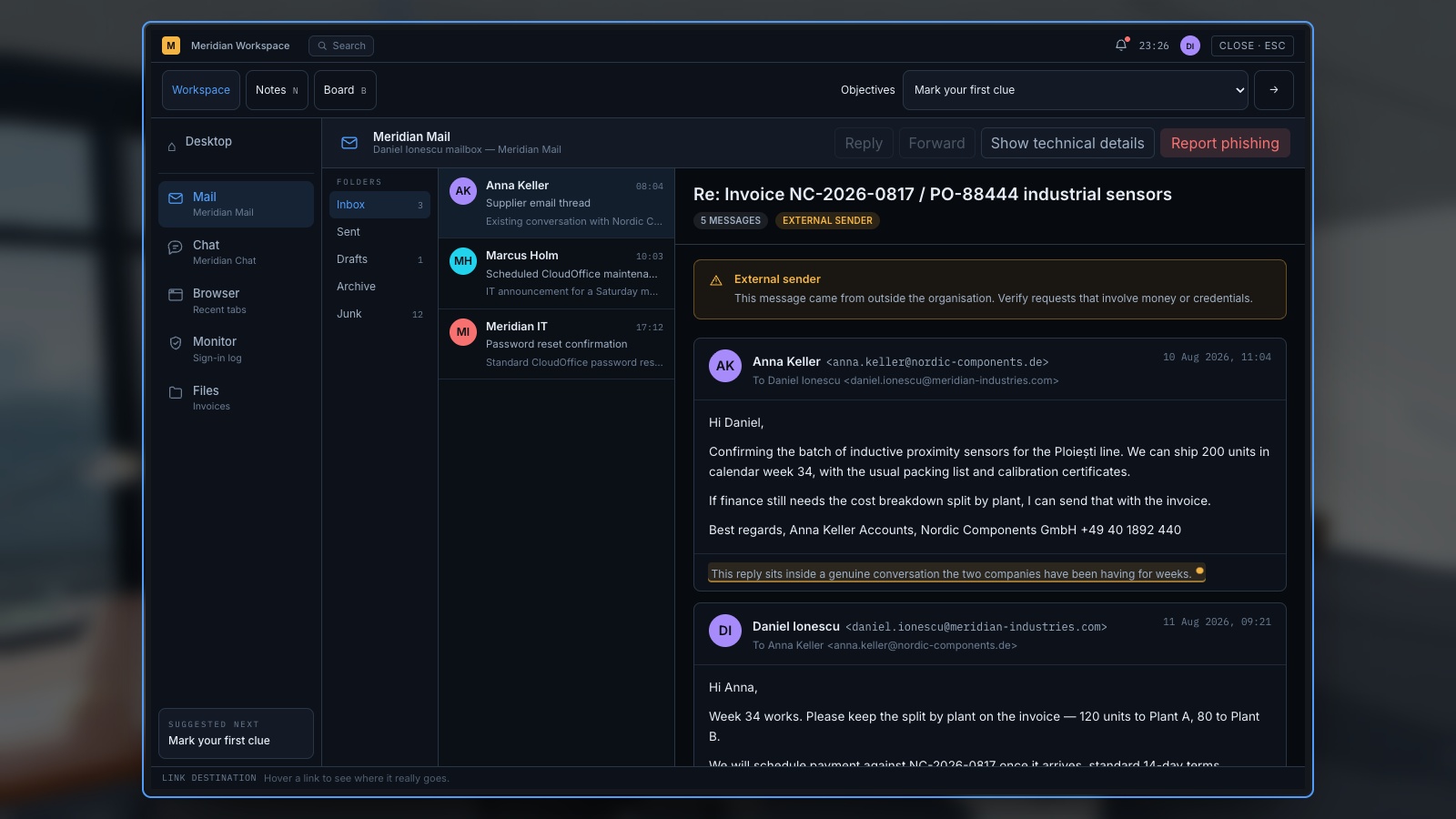
Good phishing email examples for training should help employees decide what to do with a request, not simply find a spelling mistake. Show the message, explain the employee’s context and ask for an action before revealing the answer. Include legitimate messages too. If every exercise is malicious, learners can succeed by rejecting everything without learning how to complete work safely.
The examples below are original fictional training cards. All names, messages and example domains are invented; they are not evidence of an actual attack. Keep them as discussion material or adapt them within an authorised training programme. No functioning login page, live attachment or real personal information is needed to practise inspection, independent verification and reporting.
What you’ll take away
- Examine the requested action and the recipient’s context.
- A familiar display name, polished language or HTTPS is not enough to trust a request.
- Reach important services through a known route rather than an unexpected message.
- Include legitimate controls and explain when it is reasonable to proceed.
1. Teach a repeatable inspection sequence
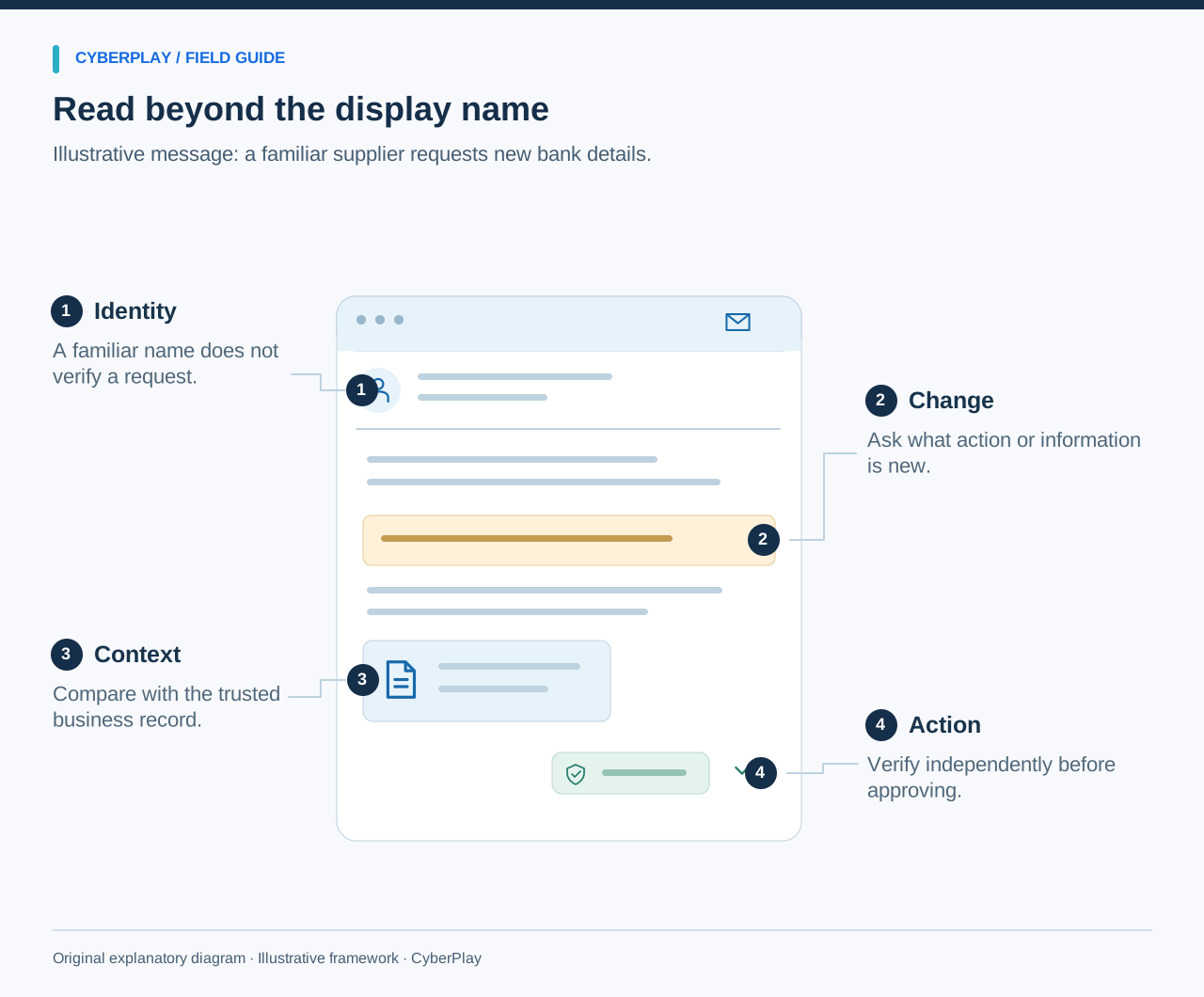
Ask four questions: what action is requested, did the recipient expect it, how can it be checked independently and what should be reported? Let participants use the information in the card rather than guessing facts that are not supplied. If the evidence is insufficient, a safe decision can be to pause and verify; employees do not have to deliver a forensic verdict.
The NIST Phish Scale treats human detection difficulty as dependent on message cues and alignment with the recipient’s context. Use that insight when choosing examples: an HR update during a real benefits window may deserve more scrutiny than an implausible prize. Vary the story without making the exercise depend only on obvious errors.
Section sources: NIST Phish Scale User Guide
2. HR example: an unexpected benefits deadline
Fictional message: From “People Team” at benefits@staff-review.example. Subject: Confirm your benefits by 16:00. Body: “Your selection is incomplete. Open the benefits review page at staff-review.example and sign in with your work account to avoid a delay.” Context: the employee has not been told that the organisation is changing its benefits system.
The issue is the unexpected sign-in request and unverified destination. The appropriate next step is to open the known HR portal or contact HR through the existing directory. A deadline can be real, so urgency alone does not prove fraud. The learner should explain how the request will be checked without entering credentials into a page supplied by the message.
- Requested action: provide work credentials at a newly presented destination.
- Useful check: access the established HR portal independently.
- Debrief: where is the genuine benefits announcement or HR contact stored?
3. Invoice example: the supplier changes its bank details
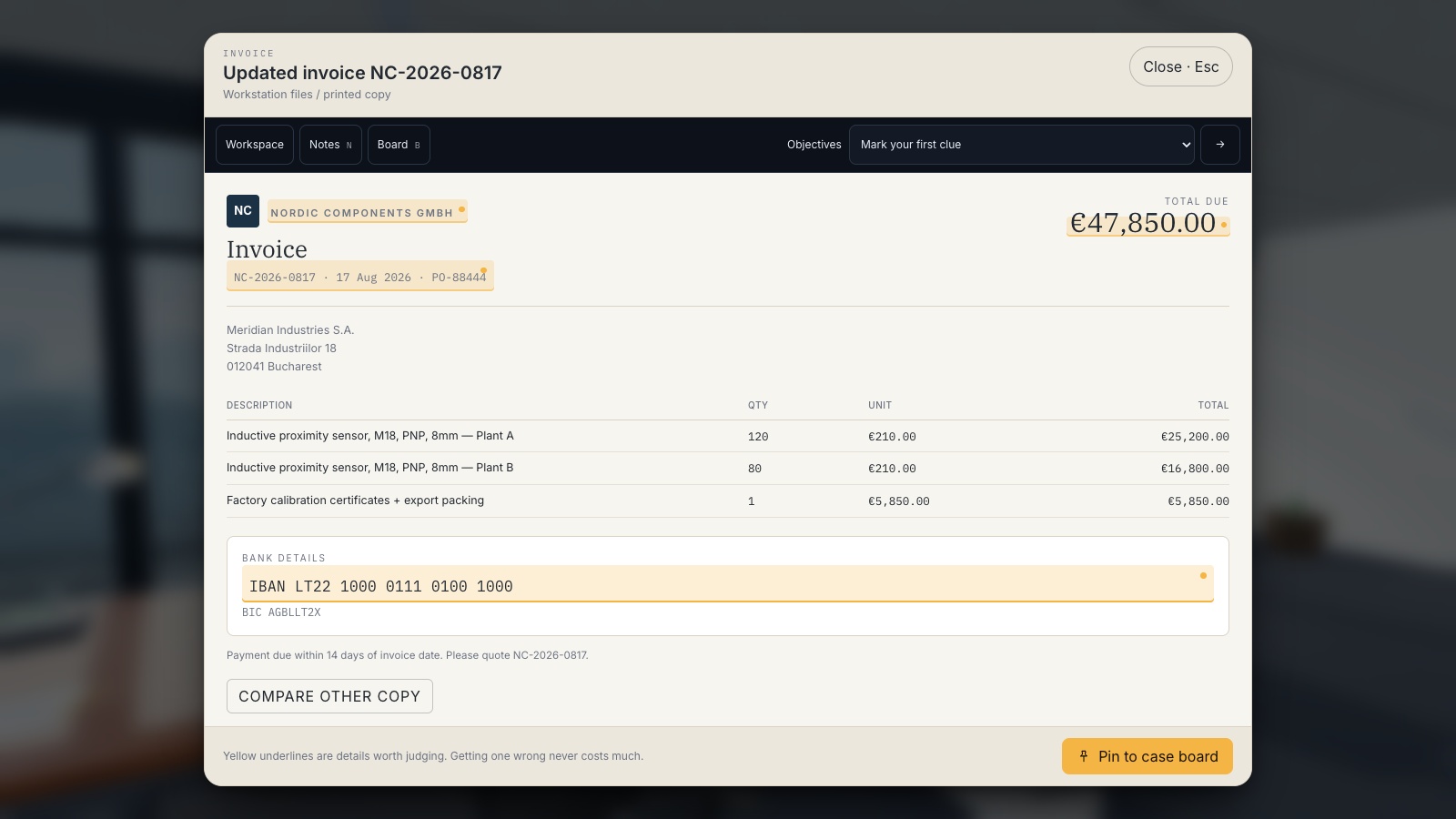
Fictional message: From “Mira, Northfield Supplies” at accounts@northfield-supplies.example. Subject: Revised bank details for invoice NF-204. Body: “Our account changed this week. Please update the payment destination before today’s transfer. Call the new number in this message if you need confirmation.” Context: the company really uses this fictional supplier and expects an invoice.
Do not treat a plausible invoice or an existing relationship as authorisation for the changed payment route. Use the organisation’s supplier-change process and an independently held contact. The FBI specifically recommends verifying changes in account numbers or payment procedures. In the exercise, the facilitator should supply a fictional pre-existing directory entry so the learner can demonstrate the check.
Expand image · Game screenshot · English interface
- Compare the changed details
Check which payment details changed and whether the request matches the expected invoice and work.
- Compare with trusted records
Compare with a trusted invoice, then verify changed bank details through the supplier contact already on record.
Section sources: Business Email Compromise
4. Delivery example: a small redelivery charge
Fictional message: From “Parcel Desk” at notification@parcel-status.example. Subject: Delivery needs your confirmation. Body: “Your parcel could not be delivered. Confirm your address and pay a small redelivery charge using parcel-status.example before the end of the day.” Context: the employee has ordered office supplies, but the order record names a different carrier.
The requested address and payment information should be checked through the actual order record or carrier route already known to the employee. A small charge can still involve exposing payment details. Ask the learner to separate the plausible background fact—an order exists—from the unverified claim that this sender controls its delivery. Do not ask anyone to open a training payment page.
5. Sign-in example: a security alert asking for a code
Fictional message: From “Service Security” at alert@account-check.example. Subject: Unusual access detected. Body: “Reply with the code from your sign-in app so our support team can secure your account.” Context: the employee has not contacted support or initiated account recovery.
A claim to be protecting the account does not justify supplying an authentication or recovery code to an unexpected requester. Use the service’s known application or legitimate support route and report the message through workplace procedures. CISA’s account-security reference recommends multifactor authentication; practice should also explain that an unexpected request to approve access or share a code needs careful handling.
Section sources: Four Easy Ways to Stay Safe Online
6. Legitimate control: an expected HR reminder
Fictional message: From “People Team” at people@organisation.example. Subject: Benefits choices are open. Body: “The annual benefits window is open. Use the Benefits tile in the normal employee portal. The same announcement is on the intranet.” Context: the dates match an announcement already available in the established portal, and the employee reaches that portal through a saved bookmark.
Under the facts supplied, proceeding through the known portal is reasonable. The learning point is not that this sender address guarantees safety. It is that the employee can independently confirm the task and complete it through an approved route. Ask the group which facts supported proceeding and what would change their response, such as a new request for a recovery code.
7. Legitimate control: an invoice verified through the process
Fictional message: From a regular supplier contact with an invoice number matching a purchase order. It requests no account change. Context: finance compares the invoice with the purchase order and receipt of goods inside the approved system, and the normal approval workflow authorises payment to the existing verified account.
The appropriate response is to continue through that workflow when all required checks pass. The exercise should reward evidence-based progress, not universal suspicion. A valid-looking email by itself would be insufficient; the independent business records and approval process matter. Ask what should happen if the invoice amount differs or a later message introduces a new payment destination.
8. Practise reading destinations without clicking them
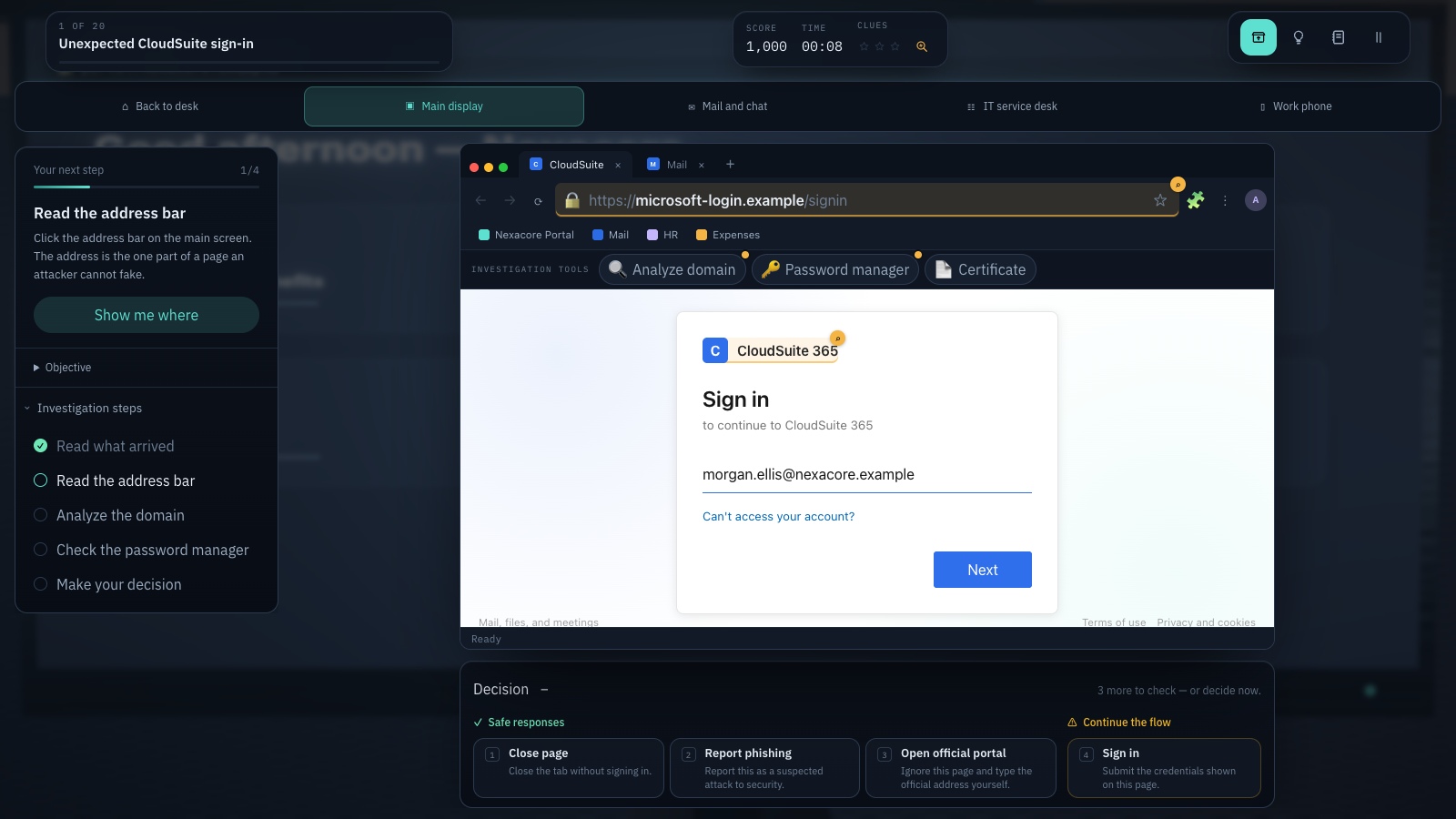
Show destinations as plain text so the facilitator can discuss them safely. In https://portal.organisation.example/login, the fictional host is portal.organisation.example. In https://organisation.example.account-review.example/login, the organisation-like wording is part of a longer host under account-review.example. The examples illustrate why seeing a familiar word is not enough to identify the destination.
For a real service, a padlock or HTTPS indicates an encrypted connection; it does not establish that the service is the organisation the message claims. Do not require beginners to solve every complex URL. Teach a robust alternative: close the unexpected route and use a known bookmark, official app or independently verified address when the request involves sensitive action.
Expand image · Game screenshot · English interface
- Inspect the registrable domain
Read the registrable domain carefully; familiar words elsewhere in an address do not establish its owner.
- Use your known portal
Reach the service through a known portal and consider the context from your approved password manager.
9. Run the cards as a practical team exercise
Mix suspicious and legitimate cards. Give each participant the role and context, then ask them to choose “proceed through the approved route”, “pause and verify” or “report a concern”. Ask for a reason before revealing the facilitator notes. Some suspicious cards can reasonably lead to both verification and reporting; explain the local procedure rather than treating the labels as mutually exclusive.
Use text versions alongside any illustrations and give everyone enough reading time. Avoid collecting personal emails or asking employees to forward real customer messages to create examples. After the first round, change one meaningful fact: the expected portal differs, a payment destination changes, or the request is independently confirmed. See whether the decision changes for a sensible reason.
10. Close with reporting and further practice
Finish by showing the real reporting control or published contact and what to do after an accidental interaction. Employees should be able to describe what happened without fearing that a mistake makes reporting pointless. Explain what information helps the response team and avoid asking learners to investigate or forward dangerous content outside the approved process.
Use CyberPlay’s phishing directory for interactive practice after the cards. Choose a game with a decision that matches your objective, then discuss how it relates to the organisation’s own workflow. At a later session, use a new message and record the first response. Keep conclusions specific to the exercise rather than declaring someone permanently resistant to phishing.
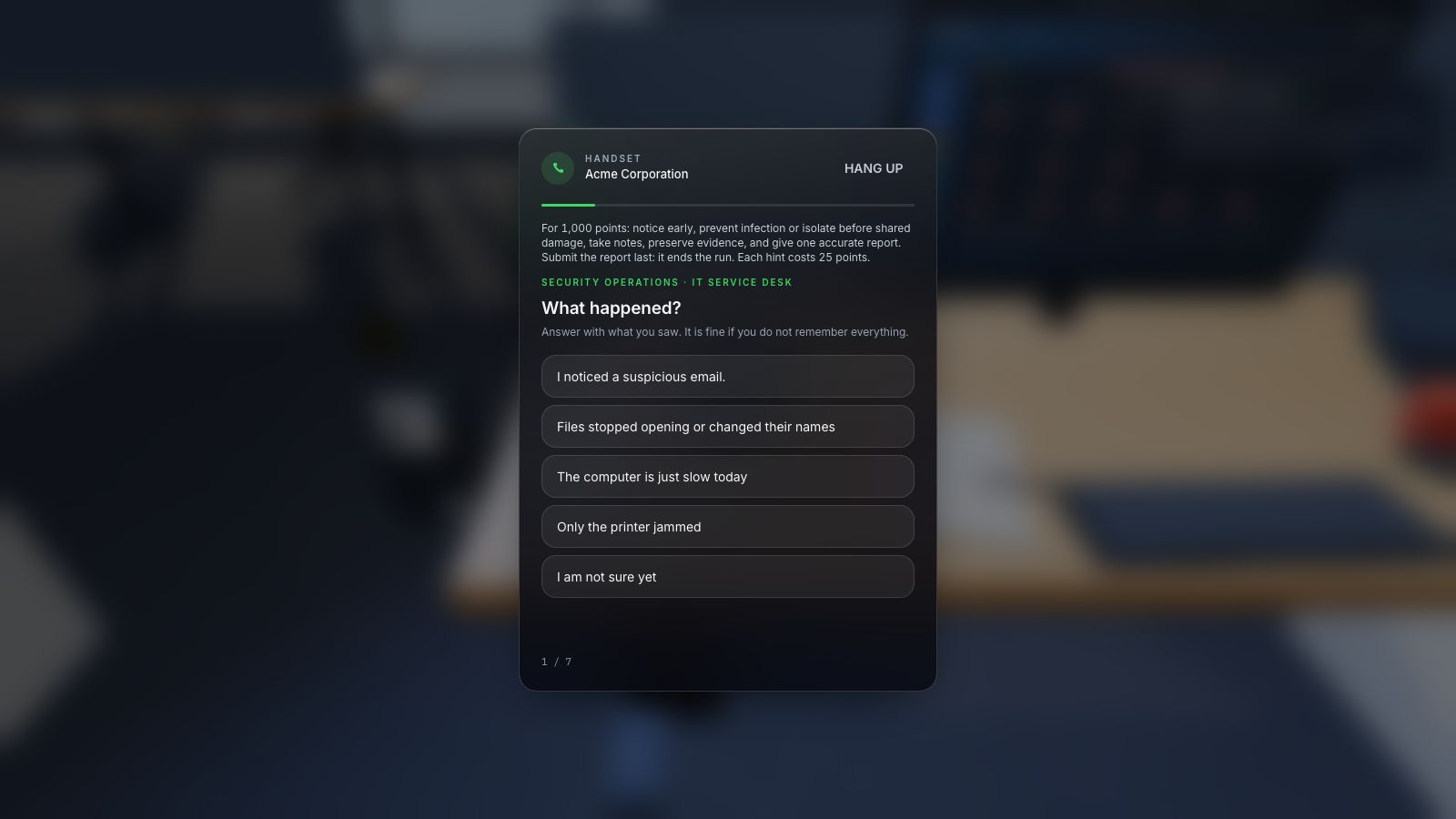
Expand image · Game screenshot · English interface
- Include time and device
Report the observed symptoms, when they appeared, and the affected device through the organisation's approved reporting route.
- Distinguish observation from diagnosis
Separate direct observations from suspected causes so responders can investigate without treating an early guess as fact.
Put the decision into practice
Practise inspecting requests in a phishing game, then return to the examples and explain the independent check for each one.
Explore phishing gamesSources and further reading
- NIST Phish Scale User Guide — NIST. Accessed 2026-09-13
- Business Email Compromise — Federal Bureau of Investigation. Accessed 2026-09-13
- Four Easy Ways to Stay Safe Online — CISA. Accessed 2026-09-13
Keep exploring
- Phishing training games: practise the decisions behind a suspicious message
Use phishing training games to rehearse inspection, independent verification and reporting. Includes a fictional supplier message and a practical session plan.
EN · 8 min read - QR-code phishing training: check the destination before the decision
Teach employees to handle QR-code phishing with destination checks, independent verification and realistic parking, workplace poster and sign-in exercises.
EN · 8 min read - Social engineering training exercises: rehearse impersonation and payment checks
Run practical social engineering exercises for fake IT support, supplier payment changes and voice impersonation, with dialogue cards, verification steps and debriefs.
EN · 8 min read - How to spot a fake login page—even when it uses HTTPS
Check a login page’s real address, password-manager signals and request context. Learn why HTTPS is not proof of trust, with an English practice exercise.
EN · 8 min read - Prompt injection training for employees: check what your AI assistant can do
Teach employees to check AI actions, protect work data and report mistakes. Pair CyberPlay Courses with Data Dash practice and a practical approval checklist.
EN · 8 min read - Session and device-code phishing: why a real login page is not enough
Compare session-cookie theft, device-code phishing and OAuth consent. Learn the safe employee action with CyberPlay Courses and Find the Fake Login.
EN · 8 min read