CyberPlay editorial team · Published · Updated · 8 min read
Guide and exercises in English

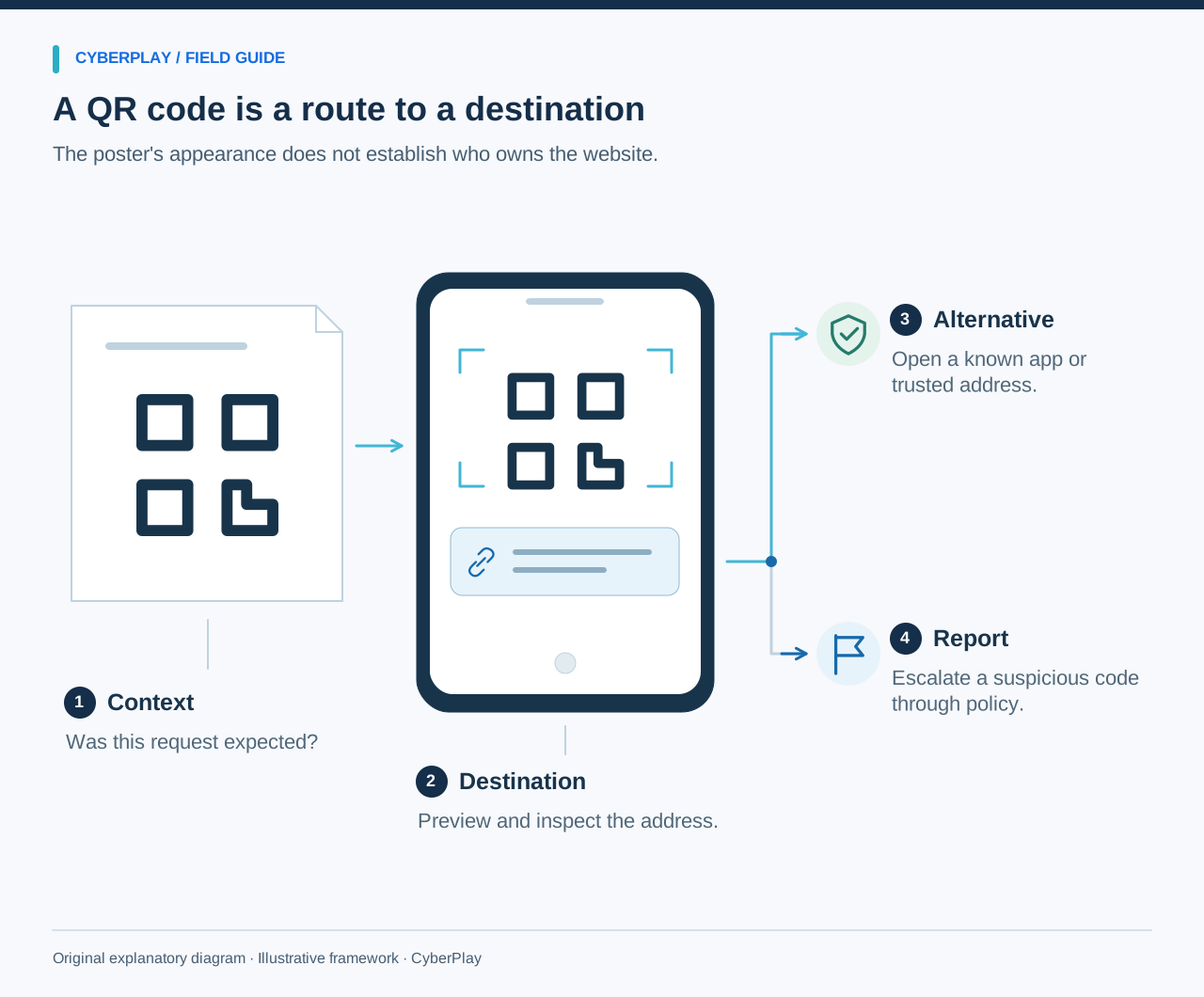
QR-code phishing, sometimes called quishing, uses a QR code to bring someone to a deceptive destination or request. The important training skill is not recognising whether a square pattern looks malicious. It is understanding the context, inspecting the destination where possible and checking consequential requests independently before sharing information or granting access.
Use QR-code phishing training to extend the same decisions employees practise with messages and websites. This guide offers three original scenarios, a destination-reading exercise and a facilitator plan. The mock destinations use reserved example names and should remain discussion text. No one needs to scan a live code, enter credentials or pay money to learn the principle.
What you’ll take away
- A QR code is a way of carrying information; its appearance does not establish trust.
- Preview the destination where the device allows it, and inspect the request.
- Use a known service route for unexpected sign-in or payment demands.
- Practise legitimate uses as well as suspicious ones.
1. Explain the mechanism without making every code suspicious
Many QR codes are used for ordinary tasks such as menus and ticket access. The risk depends on the destination and what the person is asked to do. The NCSC describes QR codes in phishing emails as a route that can disguise a link and move a user to a personal phone. Its guidance also distinguishes that context from routine use in settings such as restaurants.
Teach employees to pause at a meaningful boundary: opening an unfamiliar destination, entering an account secret, making a payment or authorising a device. Do not claim that every scan causes an infection. A useful exercise lets people recognise a reasonable use and identify the point where an unexpected request needs independent verification.
Section sources: QR Codes: what is the real risk?
2. Practise previewing and reading the destination
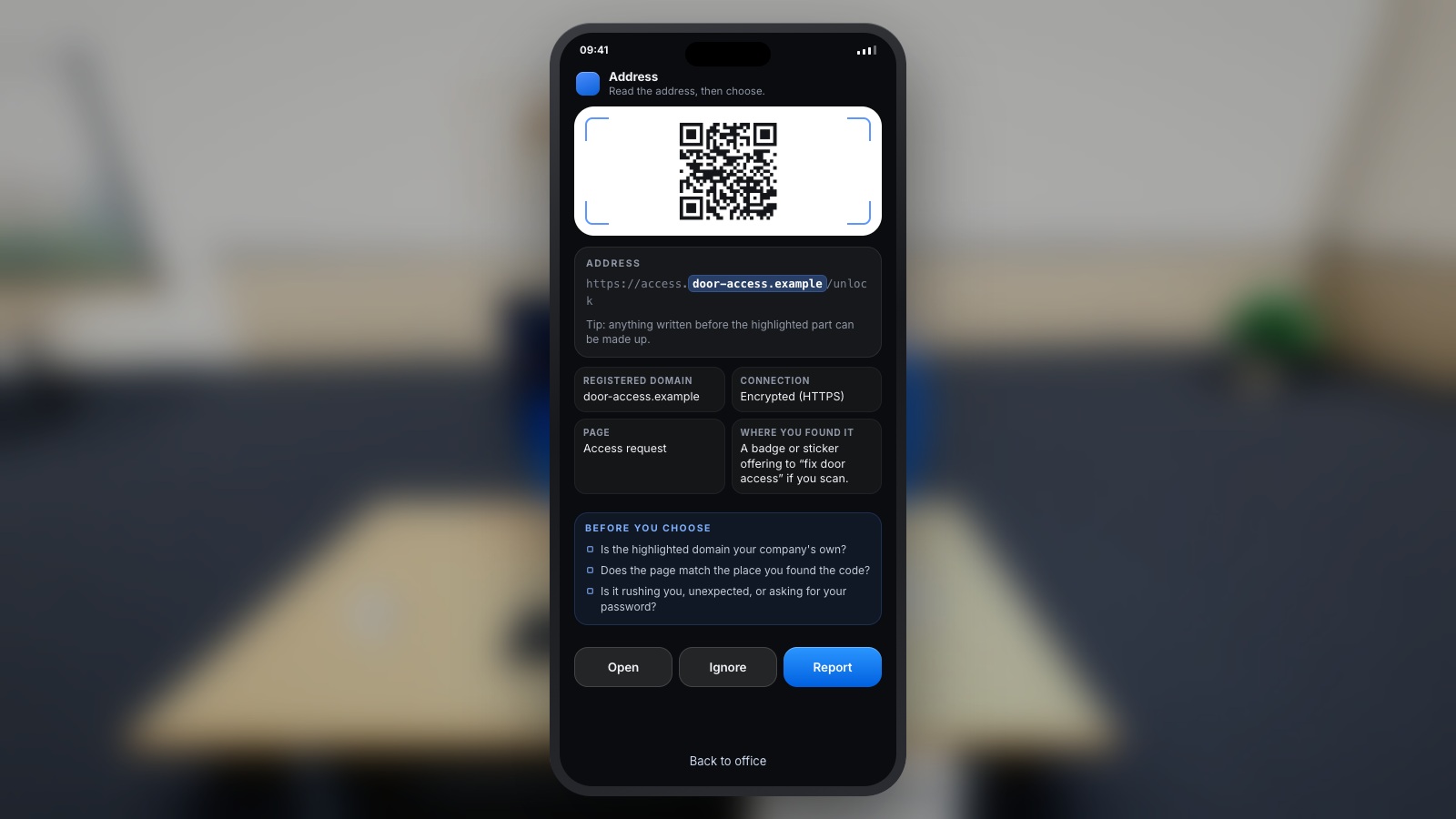
Show a text representation of the preview a phone might display. Ask the learner to identify the host and compare it with the service they intended to reach. Avoid assuming every camera interface behaves identically. If the preview is truncated, confusing or unavailable, the safe alternative for a consequential task is to use the independently known app or website.
The FTC advises checking a QR destination before opening an unexpected code and contacting the organisation through a known route when a message seems plausible. That gives the facilitator a concrete teaching point. The goal is a sensible verification decision, not a memory test of every possible URL pattern.
Expand image · Game screenshot · English interface
- Preview the destination first
Preview the destination when possible and consider the requested action before providing information or granting access.
- Choose a trusted alternative
If the destination remains uncertain, reach the service through a trusted alternative and verify the request independently.
Section sources: Scammers hide harmful links in QR codes to steal your information
3. Scenario: the unfamiliar parking-payment sticker
Original fictional poster: “Parking payment moved online. Scan here to avoid a penalty.” The sticker sits on a payment machine and the preview shows parking-payments.example. The learner has no prior information connecting that destination with the car park operator. A small-print line says card details are needed immediately.
Ask the learner to choose an independent route to the operator, such as the established app or information verified through the venue. The exercise does not require deciding whether the sticker is criminal from its appearance. It asks whether there is enough evidence to give payment information. The facilitator can later reveal a legitimate operator route so that the task has a safe way to finish.
4. Scenario: a workplace survey asks for a password
Original fictional poster: “New staff wellbeing survey. Scan to join the prize draw.” The poster carries a familiar company-style logo. The preview is staff-survey.example, and the next screen asks for a work password. Context: no survey is listed in the known employee portal and the organiser is not identified.
The requested password is a consequential change from simply reading a survey. Ask the employee to use the established internal portal or contact the responsible team through the directory. A workplace location and familiar branding are useful context, but they do not resolve whether the destination and request are approved. Ask facilities or HR to explain how legitimate posters are identified and how concerns should be reported.

Expand image · Game screenshot · English interface
- Placement does not prove trust
A code beside familiar office equipment can still lead elsewhere; its location does not authenticate the destination.
- Verify the actual destination
Check the destination and the expected workplace process before following a code that requests information or access.
5. Scenario: an email tells you to scan to keep access
Original fictional message: “Your mailbox access expires today. Scan the code on your phone to keep it active.” It claims to come from support, but the employee did not start an account update. The destination preview contains account-restore.example and asks the employee to sign in.
The appropriate next step is to use the known work service or legitimate support route. Scanning on a phone does not make a request safer simply because the original message appeared on a work computer. NCSC scam guidance highlights how authority and urgency can pressure a recipient into acting. Ask the learner which facts can be checked independently and which claims come only from the requester.
Section sources: Phishing scams: how to spot and report them
6. Use this original destination comparison
Keep these examples as text. The .example names are fictional teaching material, and the exercise assumes the approved service is the imagined organisation.example domain. In actual work, the organisation must publish the real route employees should use. A known domain still does not mean every request associated with it is appropriate; the task and context matter too.
| Text shown in preview | What to notice | Useful decision |
|---|---|---|
| https://portal.organisation.example/survey | The fictional portal host matches the independently known service. | Check that the task is expected and permitted before proceeding. |
| https://organisation.example.staff-survey.example/login | A familiar name appears before a different domain. | Use the independently known portal; do not infer ownership from a familiar word. |
| https://short-link.example/a7 | The displayed address does not reveal the eventual service. | Use a known route for a sensitive task if the destination cannot be established. |
| https://parking-payments.example/card | The name describes parking but does not establish the operator. | Verify the payment route with the operator. |
7. Include a legitimate QR-code use
Original control: an employee is at a staffed reception desk, expecting to complete a visitor form. The receptionist confirms the approved process, the same form is accessible through the known organisation site, and it requests only the information required by that process. The learner reaches the form through the known site after checking the context.
Under these supplied facts, completing the permitted form is reasonable. Ask what would change that answer: a new password request, an unrelated payment, an unexpected device approval or a destination the host cannot explain. This teaches proportionate judgement. A training session in which the correct answer is always “never use QR codes” misses an opportunity to practise safe completion.
8. Run a short facilitator exercise
Prepare the three scenario cards and the legitimate control. Give each participant a role and enough context to make a decision. Show the poster or message first, then reveal the destination preview when the learner asks to inspect it. Finally, show what information or approval the destination requests. Let the person revise their decision as new evidence appears.
Keep a text equivalent beside any illustration, and do not depend on a participant having a personal smartphone. A facilitator can reveal each stage on paper or a shared screen. Ask participants to explain both a safe next step and how the original task could still be completed. That balances caution with workable behaviour.
9. Explain reporting after someone has already interacted
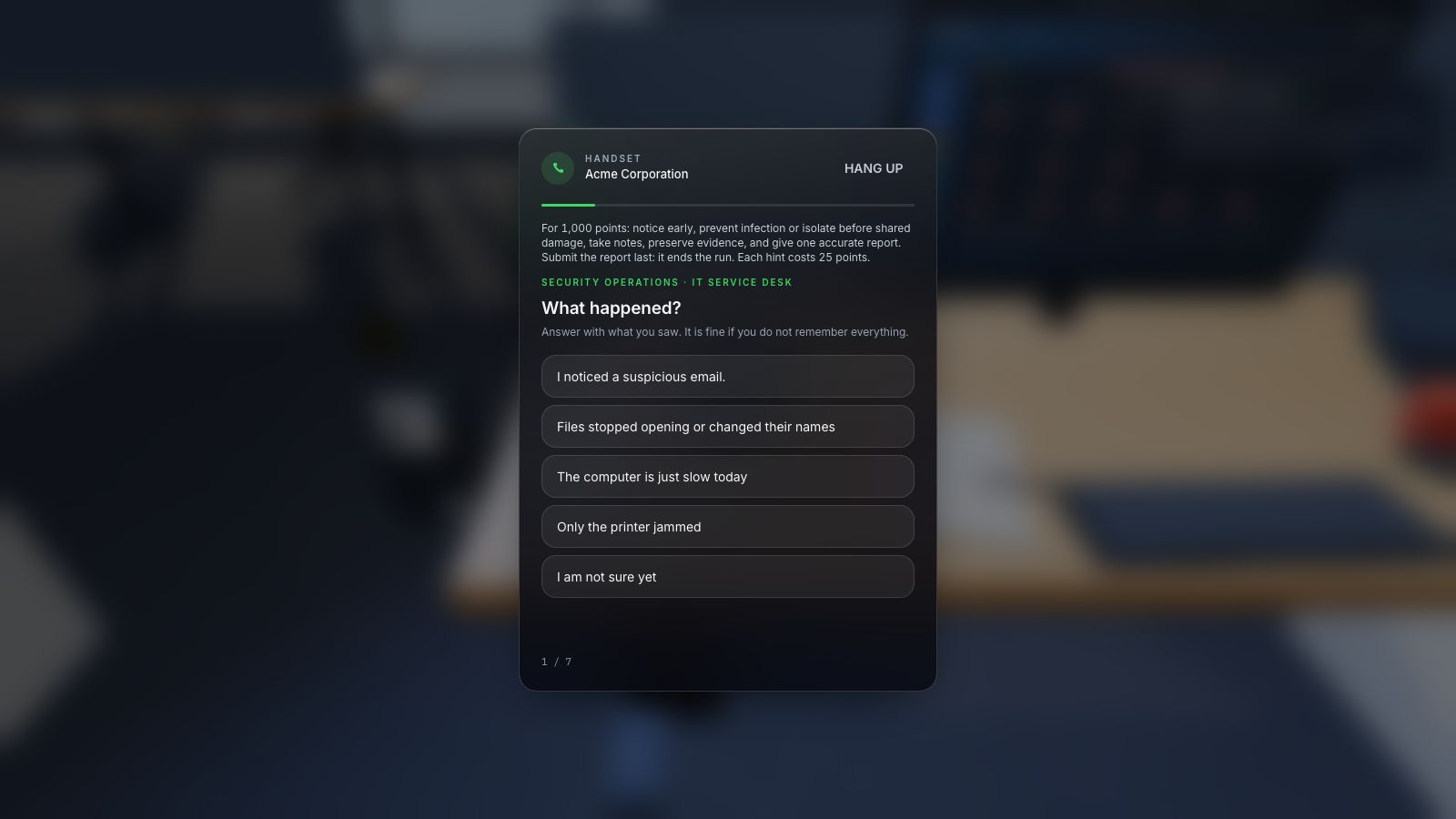
The reporting discussion should cover what happened, not only whether the person thinks they made a mistake. Did they preview a destination, open a page, enter information, approve access or download something? These are different facts for the response team to assess. Teach the local reporting route and encourage a prompt, accurate account without making the employee investigate further.
Do not tell learners to submit the same credentials again to test the page or forward a suspicious code to colleagues for opinions. The organisation should provide approved handling instructions. For personal payment concerns, use the independently known financial provider route; workplace response questions should go to the authorised internal team.
Expand image · Game screenshot · English interface
- Include time and device
Report the observed symptoms, when they appeared, and the affected device through the organisation's approved reporting route.
- Distinguish observation from diagnosis
Separate direct observations from suspected causes so responders can investigate without treating an early guess as fact.
10. Connect QR practice to broader phishing skills
Use CyberPlay’s QR-phishing topic directory to select an interactive scenario after the discussion. Review the game description and controls before assigning it, then ask which moment required checking the destination or the request. Connect that moment to the real reporting and verification routes available to employees.
At a later session, change the format: turn the poster into an email, or the payment request into an account approval. Ask whether the same principle still applies. Evaluate the decision and reasoning on that scenario; a score in a QR game alone does not prove that a learner will handle every workplace QR request safely.
Put the decision into practice
Explore QR-phishing games and practise checking the destination, the request and the independent route to the real service.
Explore qr phishing gamesSources and further reading
- QR Codes: what is the real risk? — UK National Cyber Security Centre. Accessed 2026-09-13
- Scammers hide harmful links in QR codes to steal your information — US Federal Trade Commission. Accessed 2026-09-13
- Phishing scams: how to spot and report them — UK National Cyber Security Centre. Accessed 2026-09-13
Keep exploring
- Phishing email examples for training: inspect, verify and report
Use fictional phishing email examples for HR, invoices, deliveries and sign-ins, plus legitimate controls. Each includes a safe decision, verification route and debrief.
EN · 8 min read - Phishing training games: practise the decisions behind a suspicious message
Use phishing training games to rehearse inspection, independent verification and reporting. Includes a fictional supplier message and a practical session plan.
EN · 8 min read - Security awareness activities for employees: 12 practical exercises with debriefs
Run 12 practical security awareness activities with clear objectives, suggested timings, equipment, accessible alternatives and useful workplace debriefs.
EN · 10 min read - How to spot a fake login page—even when it uses HTTPS
Check a login page’s real address, password-manager signals and request context. Learn why HTTPS is not proof of trust, with an English practice exercise.
EN · 8 min read - Prompt injection training for employees: check what your AI assistant can do
Teach employees to check AI actions, protect work data and report mistakes. Pair CyberPlay Courses with Data Dash practice and a practical approval checklist.
EN · 8 min read - Session and device-code phishing: why a real login page is not enough
Compare session-cookie theft, device-code phishing and OAuth consent. Learn the safe employee action with CyberPlay Courses and Find the Fake Login.
EN · 8 min read