CyberPlay editorial team · Published · Updated · 8 min read
Guide and exercises in English
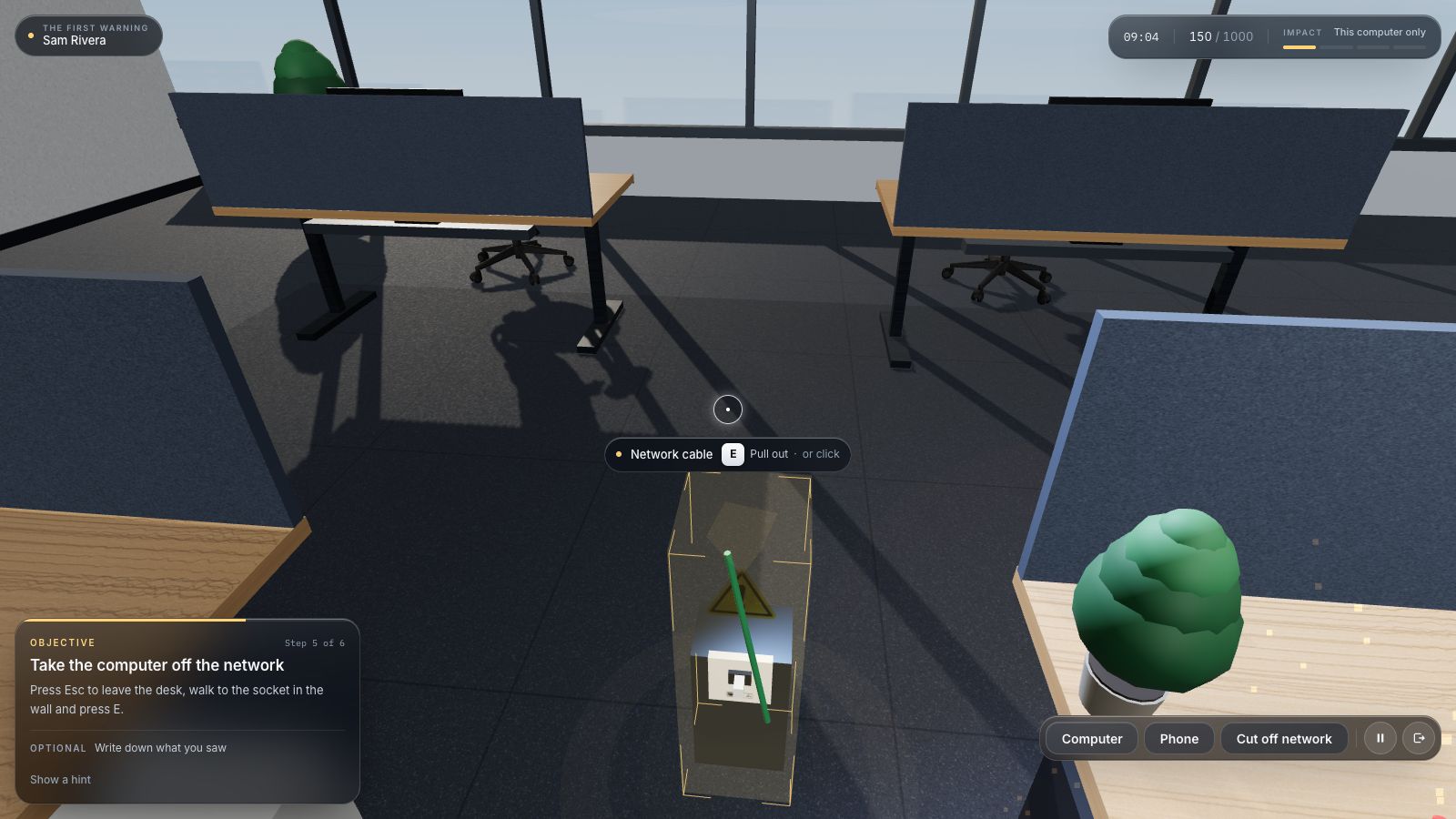
If several work files suddenly become unreadable or change names, especially alongside a ransom message or similar reports from colleagues, stop ordinary work and use your organisation’s incident procedure. Follow its approved instructions for the affected device and contact the designated response team promptly. Report what you observed and what you already did; you do not need to prove ransomware before raising a concern.
A slow application on its own is not a ransomware diagnosis. This guide helps employees recognise a concerning pattern and make a useful handoff in the first few minutes. It does not turn a frontline employee into the technical incident commander. The right containment action depends on the system, the employer’s procedure and any operational or safety consequences.
What you’ll take away
- Report a concerning pattern without waiting for a ransom note.
- Follow the approved containment procedure for your device and role.
- Give responders times, symptoms, device details and actions already taken.
- Leave forensic investigation, restoration and external communications to authorised owners.
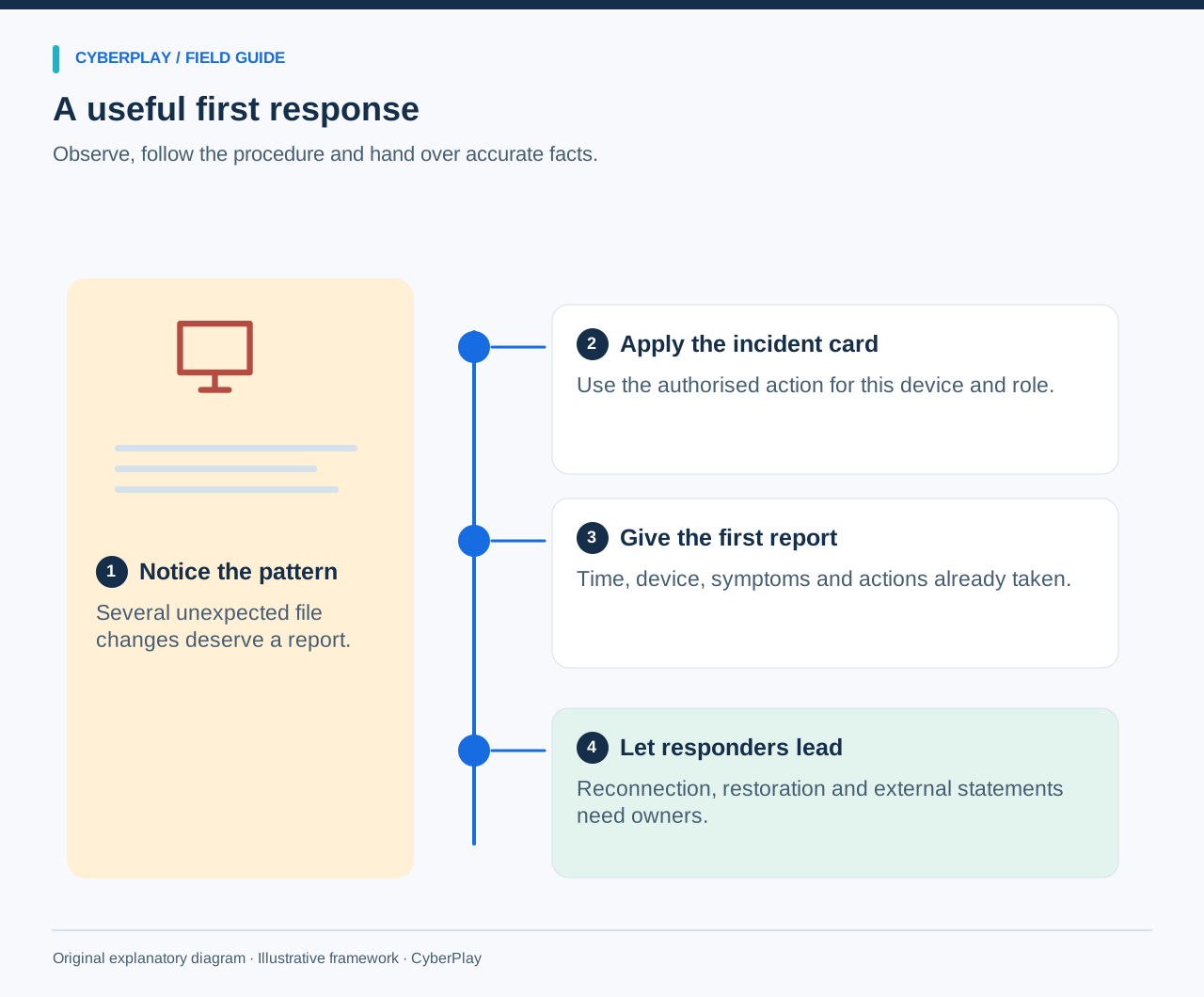
1. Use a short first-response card
Stop editing affected material and do not keep opening unusual files to see whether the problem spreads. Use the organisation’s known incident contact or documented fallback. State whether the device is still connected and ask for the next instruction if the local procedure is unclear. In safety-critical environments, follow the established operational escalation route before changing equipment.
If the approved procedure tells you to disconnect your ordinary work laptop from network connections, follow that instruction. Do not generalise that action to shared switches, production machinery or systems you do not manage. The purpose of the first response is to limit further interaction and give authorised responders an accurate starting point.
- Stop ordinary work on the affected device.
- Follow the approved device-specific containment instruction.
- Contact the designated incident channel or its fallback.
- Report observations and actions, including mistakes or uncertainty.
- Wait for authorised directions before reconnecting or restoring.
2. Recognise a pattern without inventing a diagnosis
Ransomware can prevent access to data or devices and may be accompanied by a demand for payment. A ransom note is an obvious reason to escalate, but a report can be useful earlier. Several files becoming unreadable, unexpected extensions, a burst of changes and another employee describing similar trouble form a more concerning pattern than one isolated error.
Ordinary software faults, storage failures and legitimate large synchronisations can produce some similar symptoms. Do not claim a particular malware family or point of entry unless the response team has established it. “Three shared files changed names at about 14:20” is more useful than “The whole company has been hacked.”
| Observation | What it supports | What it does not prove |
|---|---|---|
| One slow application | A problem worth checking through normal support. | Ransomware or a company-wide incident. |
| Several files suddenly unreadable or renamed | A pattern to report promptly. | The exact cause or every affected location. |
| A colleague reports similar unusual changes | Possible wider impact to mention. | Permission to inspect the colleague’s device. |
| A payment demand on screen | Urgent escalation through the incident procedure. | That payment will restore access or that every attacker claim is true. |
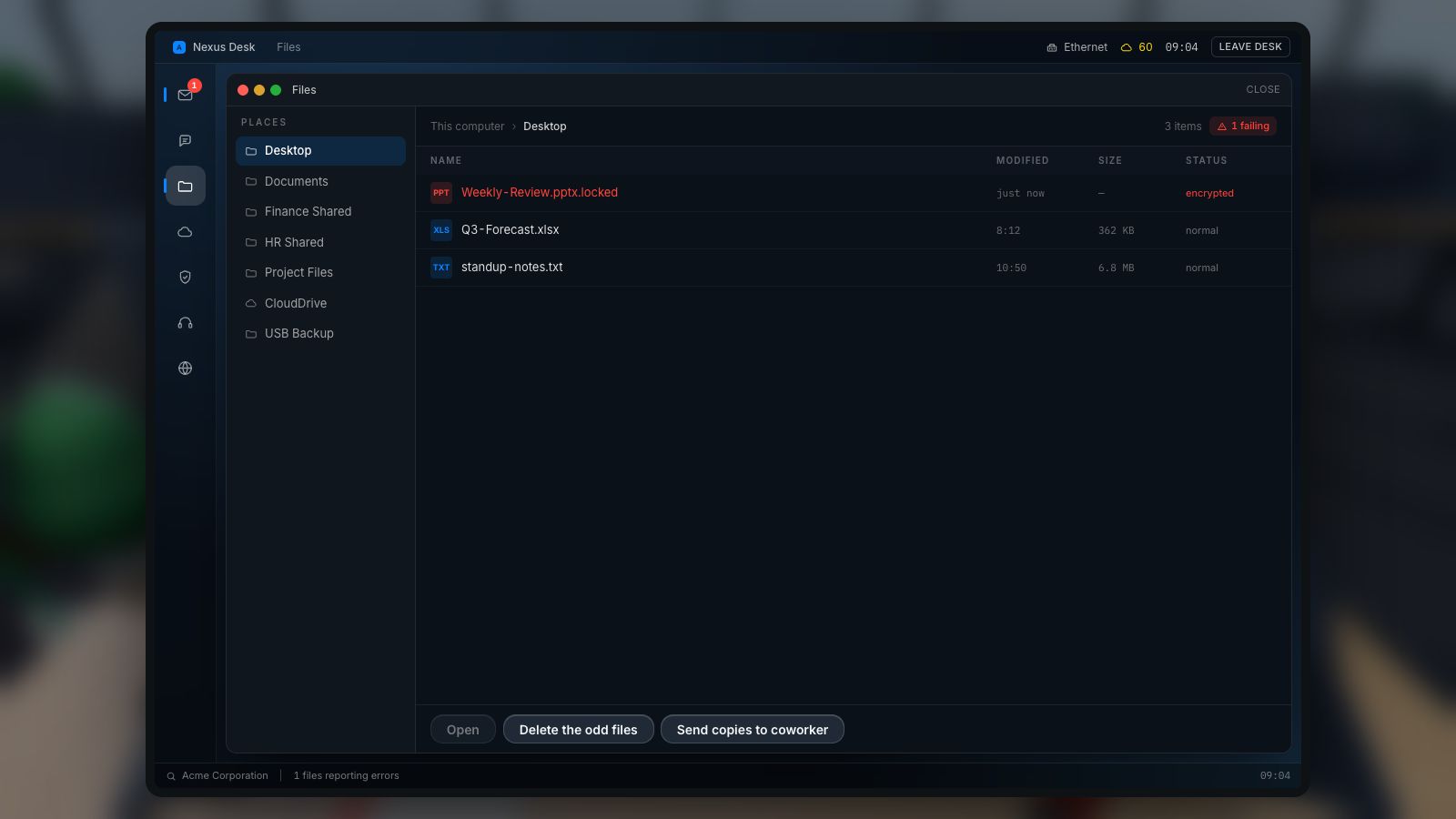
Expand image · Game screenshot · English interface
- Look for wider patterns
Look for additional unusual changes; one file error alone does not establish the cause or diagnosis.
- Follow the incident process
Use the approved incident process and response contacts; technical containment belongs to the authorised team and procedure.
Section sources: Responding to a ransomware attack
3. Know where employee action ends
NCSC’s ransomware response guidance includes disconnecting affected devices from network connections. Its broader recovery steps address organisations managing an incident. Employees should apply their employer’s authorised procedure for their role and device; the existence of a public checklist does not grant permission to wipe computers or change the whole network.
Powering down, restarting, changing security settings or attempting removal can have consequences for evidence, availability and recovery. Do not improvise those actions. If a suspicious event involves medical, industrial or other operational equipment, reach the responsible operational and security contacts immediately. Personal safety and the established equipment procedure govern the action.
Section sources: Responding to a ransomware attack · Incident Response Recommendations, SP 800-61 Rev. 3
4. Give IT a useful first message
Your report should let the responder locate the issue and reconstruct the beginning of the timeline. Use the asset label or device name if readily available without further risky interaction. State the application or workspace affected and whether anyone else has reported similar symptoms. Mark approximate times as approximate.
A fictional first report could read: “Around 14:20, two project spreadsheets on my work laptop stopped opening and their filenames changed. A colleague reported the same problem. I stopped editing. I disconnected this laptop from Wi-Fi under our incident card and called this number from the approved contact list. I have not restarted or restored anything. I am available on the agreed callback number.”
| Report field | Useful detail |
|---|---|
| When | First observed time, time zone and whether approximate. |
| Where | Work device or asset identifier and affected application. |
| What changed | Visible errors, filename changes, demands or related colleague reports. |
| What happened before | Recent ordinary actions, such as opening an attachment, without guessing causation. |
| What you did | Any isolation, restart, click, credential entry or attempted restore. |
| How to reach you | The approved callback route and immediate business dependency. |
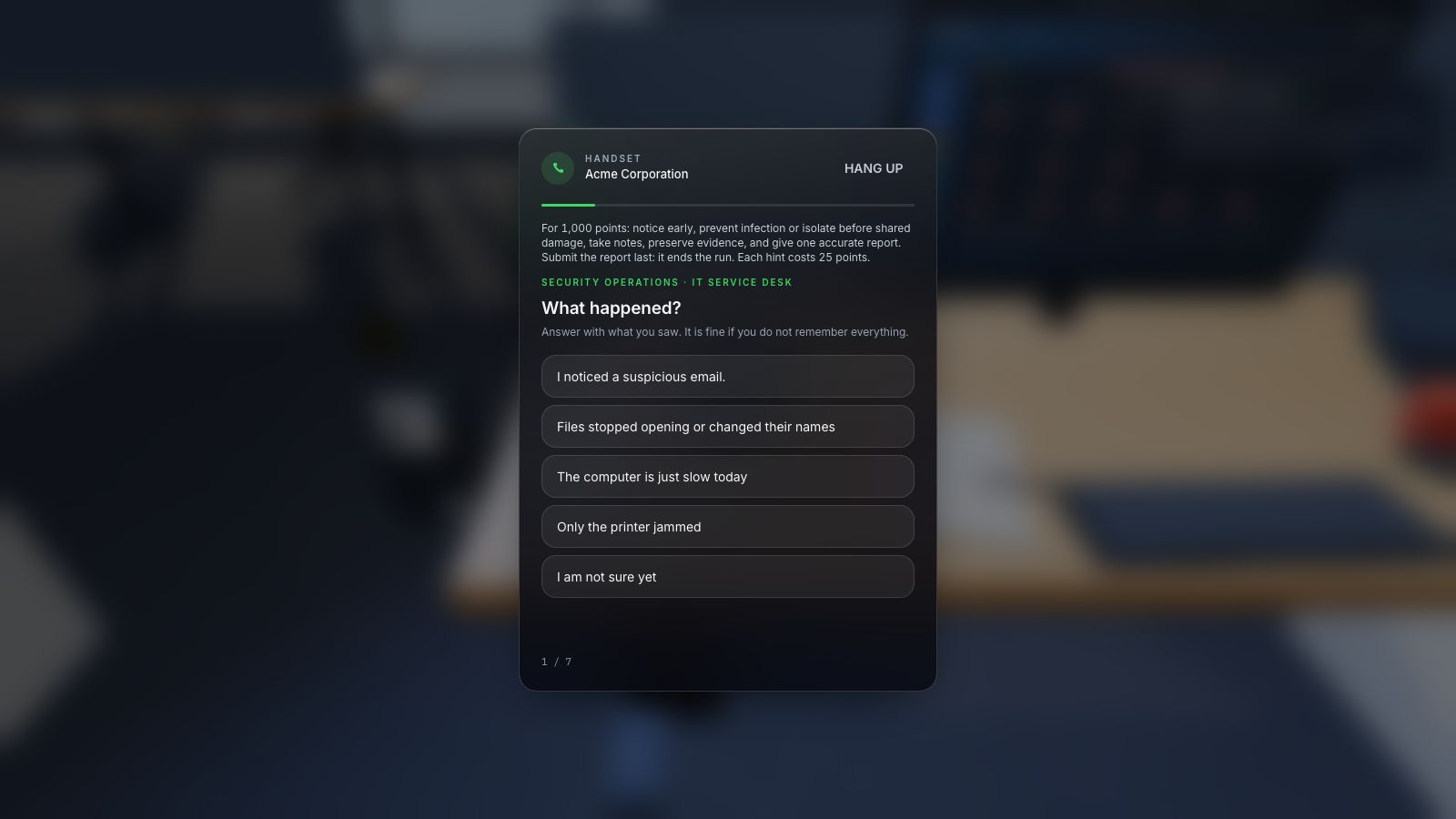
Expand image · Game screenshot · English interface
- Include time and device
Report the observed symptoms, when they appeared, and the affected device through the organisation's approved reporting route.
- Distinguish observation from diagnosis
Separate direct observations from suspected causes so responders can investigate without treating an early guess as fact.
5. Use a trusted channel and preserve context
If email or chat is unavailable, follow the documented incident fallback rather than joining a new group promoted by an unexpected message. An attacker may use disruption to offer false recovery help. Independently verify instructions that ask you to install software, enter a code or move company data to a new location.
Keep the original suspicious message or on-screen information available as policy permits. Describe it or use the approved evidence-submission method; do not forward a dangerous attachment to colleagues or publish screenshots with customer data in a public channel. Avoid sending more sensitive information than responders need. Let them decide whether a file or device should be collected for investigation.
Section sources: Incident Response Recommendations, SP 800-61 Rev. 3
6. Leave restoration and external decisions with their owners
Do not connect a backup drive or restore an older file onto the suspect device while waiting. The response team needs to assess the system, recovery source and dependencies. An older copy may be usable but incomplete, and a recent copy may also be affected. Explain what work is most urgent and when you last saw a correct version instead of promising a recovery time.
Do not negotiate with a claimant, promise payment or tell customers that data was stolen based only on a message on screen. Business, security, legal and communication owners assess those decisions through the incident plan. Your role is to provide facts and use the approved continuity process. Personal cloud uploads or improvised exports can create another information-handling problem during the disruption.
Section sources: Responding to a ransomware attack
7. Practise the handoff in Ransomware Reaction
Ransomware Reaction provides a fictional workstation with changing files, network connectivity, a helpdesk call and a response timeline. Its Locked Out scenario begins with slowness, sync anomalies and a colleague’s concern before a ransom note appears. The player can examine the pattern, use the simulated endpoint-isolation control and report it.
This guide, the CyberPlay interface and Ransomware Reaction are available in English. The picture shows actual gameplay with English text. The scenario compresses events for practice; its timing does not promise how quickly an actual incident develops or can be stopped. After play, translate the fictional disconnect action into your organisation’s real device-specific instructions, including cases where only an authorised operator should act.
8. Test the report before showing a ransom note
Use an unfamiliar symptom sequence to check the decision after the game. Ask for a short report and the source of the employee’s next instruction. The exercise stays on paper or in discussion; do not create a real outage, rename production files or call responders without an agreed exercise arrangement.
9. Prepare the contact and handoff before they are needed
Find the current incident card, primary contact and fallback while normal systems work. Confirm which immediate actions employees are authorised to take on ordinary laptops and which require another role. Ask the plan owner to resolve unclear instructions; a generic poster cannot substitute for an operationally appropriate procedure.
After practice, record one concrete improvement: an outdated number, a missing fallback or an unclear device instruction. Give it an owner and confirm the correction. A team tabletop can then rehearse coordination, while technical recovery needs separate authorised testing. Game completion demonstrates participation; the stronger learning check is whether the employee handles a new scenario with an accurate report and an appropriate handoff.
- Current primary and fallback contact details are accessible.
- Device-specific actions and their limits are understood.
- The report template avoids passwords and unnecessary sensitive data.
- Business continuity and external communications have named owners.
- A changed practice scenario checks judgement after the initial lesson.
Section sources: Incident Response Recommendations, SP 800-61 Rev. 3 · Mitigating malware and ransomware attacks
Practise this decision in English
Use Ransomware Reaction to rehearse the decisions explained in this guide. The guide, CyberPlay interface and this game are available in English.
Play Ransomware ReactionSources and further reading
- Responding to a ransomware attack — UK National Cyber Security Centre. Accessed 2026-09-13
- Incident Response Recommendations, SP 800-61 Rev. 3 — NIST. Accessed 2026-09-13
- Mitigating malware and ransomware attacks — UK National Cyber Security Centre. Accessed 2026-09-13
Keep exploring
- Ransomware tabletop exercise for non-technical teams: a facilitator guide
Run a ransomware tabletop for non-technical teams with fictional injects, clear roles, escalation decisions, continuity questions and a downloadable facilitator pack.
EN · 8 min read - Cloud sync vs backup: can you recover your work?
Understand cloud sync, version history and protected backups. Follow a fictional file through an incident and learn which recovery questions to ask your IT team.
EN · 8 min read - Security awareness training plan: a 12-month calendar with practical activities
Use an editable 12-month security awareness training calendar with decision objectives, role-based activities, debrief questions, owners and useful review measures.
EN · 8 min read - Prompt injection training for employees: check what your AI assistant can do
Teach employees to check AI actions, protect work data and report mistakes. Pair CyberPlay Courses with Data Dash practice and a practical approval checklist.
EN · 8 min read - Session and device-code phishing: why a real login page is not enough
Compare session-cookie theft, device-code phishing and OAuth consent. Learn the safe employee action with CyberPlay Courses and Find the Fake Login.
EN · 8 min read - Deepfake voice fraud training: verify the request before money or access
Build a callback routine for AI voice scams, executive impersonation and helpdesk requests. Connect CyberPlay Courses with practical game scenarios.
EN · 8 min read