Ransomware Survival — Cybersecurity Game
You are acting COO of AcmeWorks, a 75-person European firm, for thirty business days. Cash, a security budget that does not refill on its own, the day’s IT hours, morale and three client deadlines all compete with the boring work that actually stops ransomware — and the campaign that arrives in the last third of the month is assembled from every deferral you made.

Ransomware Survival is a free browser-based cybersecurity game. You are acting COO of AcmeWorks, a 75-person European firm, for thirty business days. Cash, a security budget that does not refill on its own, the day’s IT hours, morale and three client deadlines all compete with the boring work that actually stops ransomware — and the campaign that arrives in the last third of the month is assembled from every deferral you made.
Difficulty: Advanced. Estimated play time: 45 minutes.
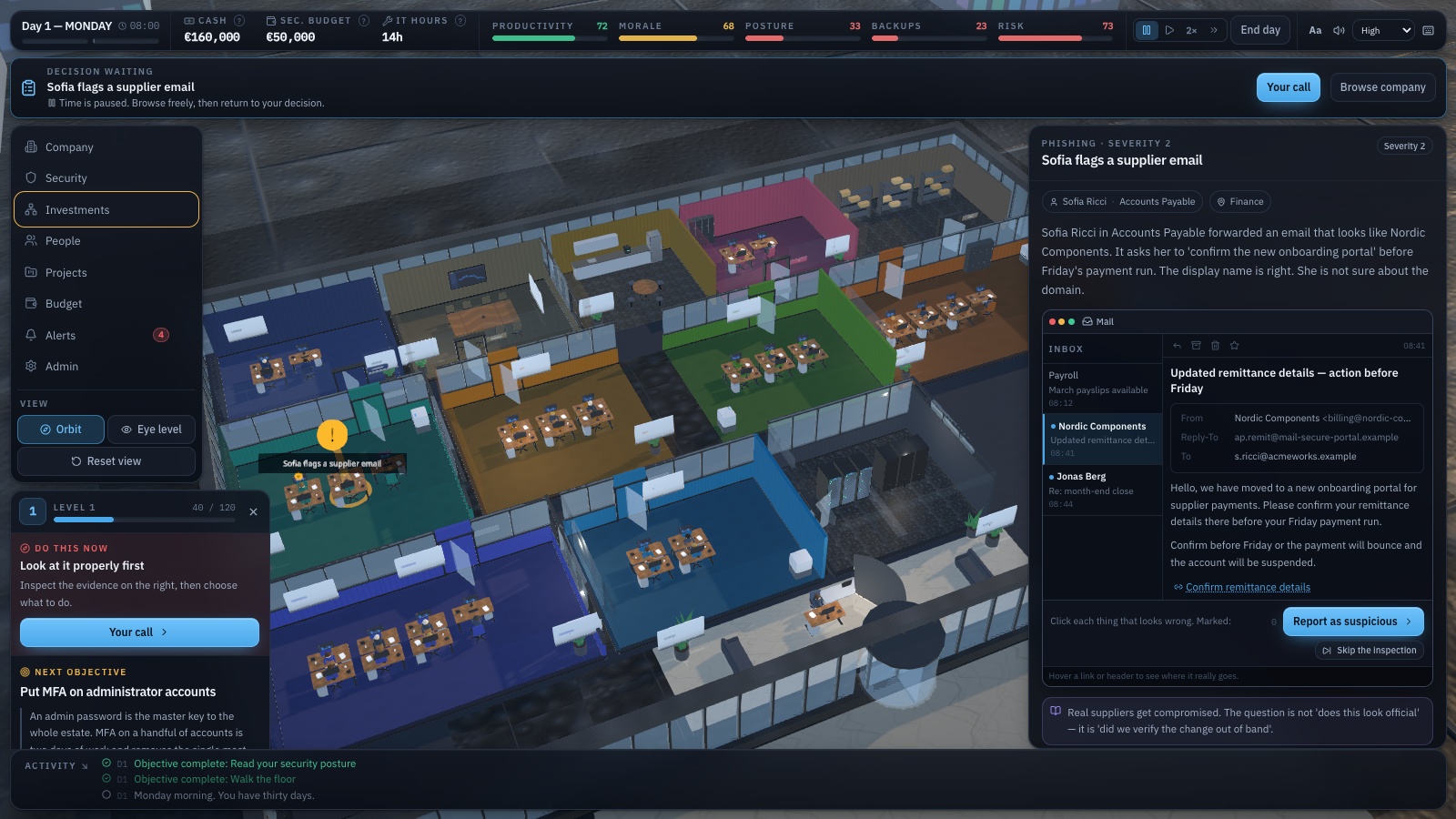
A walkable 3D office floor of thirteen departments and twenty named people, run from a management HUD. Ten visible meters — cash, security budget, productivity, morale, reputation, security posture, operational risk, backup readiness, detection and recovery — sit over twenty-eight hidden security variables that the attack engine actually reads.
Days one to five are a scripted on-ramp: a supplier email Finance is unsure about, a four-hour ERP patch window, a backup volume at 95%, the CEO’s remote-access exception, and a supplier that has changed its bank details. After that a deck of fifty-four weighted events is seeded against the state you have built, and events appear in the building — a beacon over the department and a marker on the person it happened to — not only as popups.
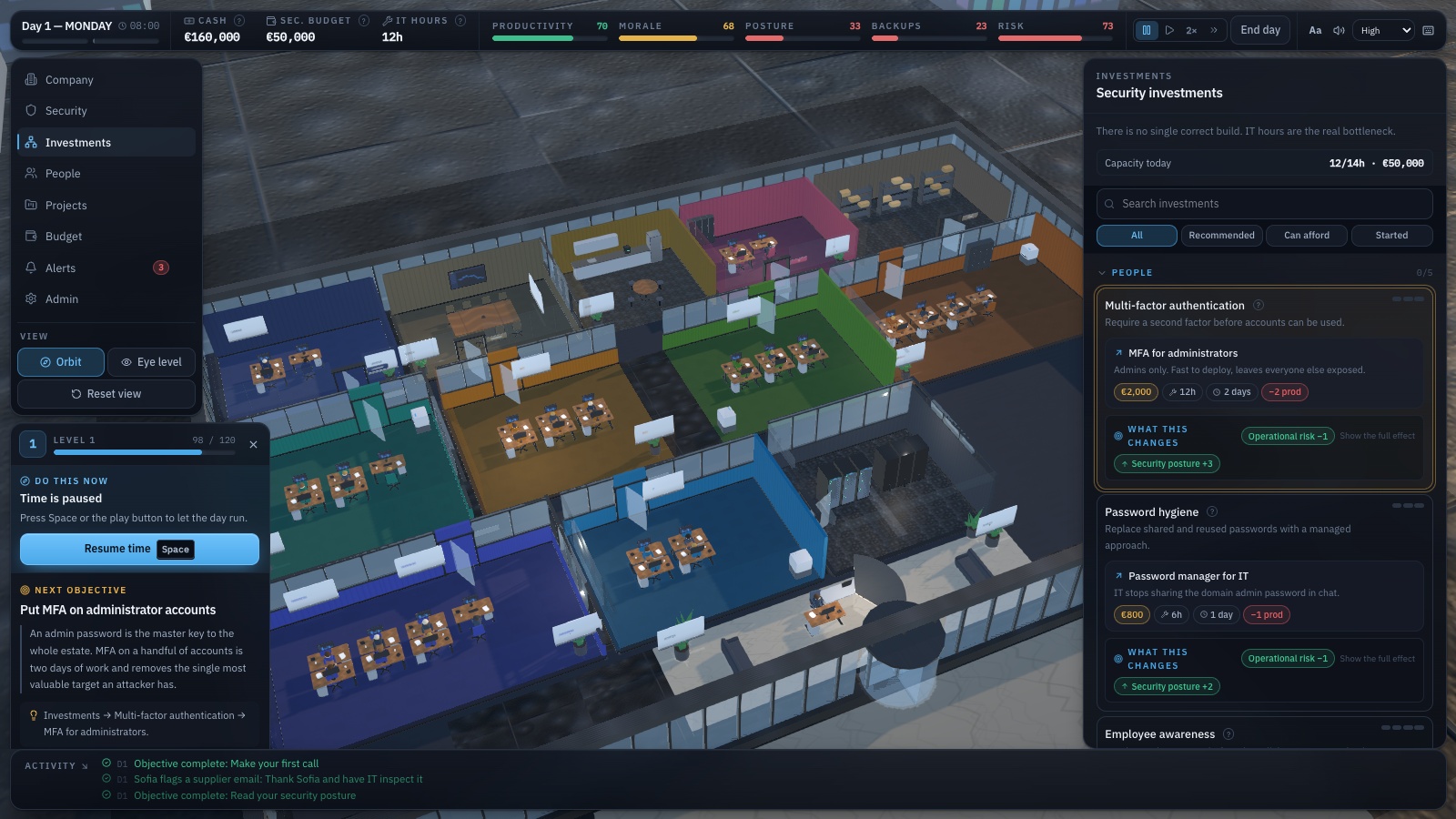
Twenty-five security controls across identity, awareness, endpoint, patching, network, email, cloud, logging, SIEM, monitoring, backups, disaster recovery, incident response, comms, legal and vendor management are bought as multi-day projects. Every level states its cost, IT hours, days and productivity hit, and reads out of the same tables the attack engine uses which entry paths get less likely and which kill-chain stages become blockable — so the explanation cannot drift from the simulation.
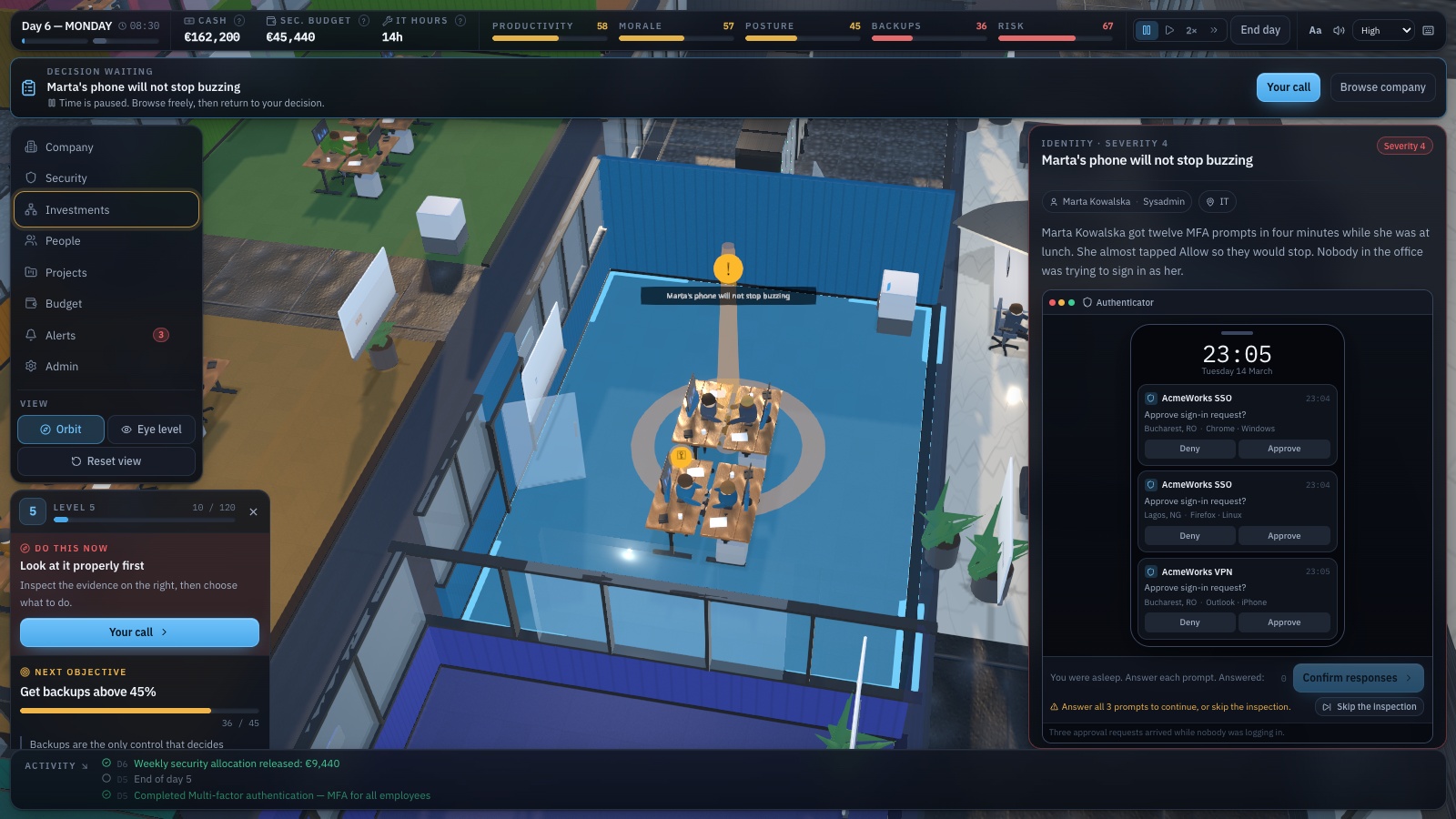
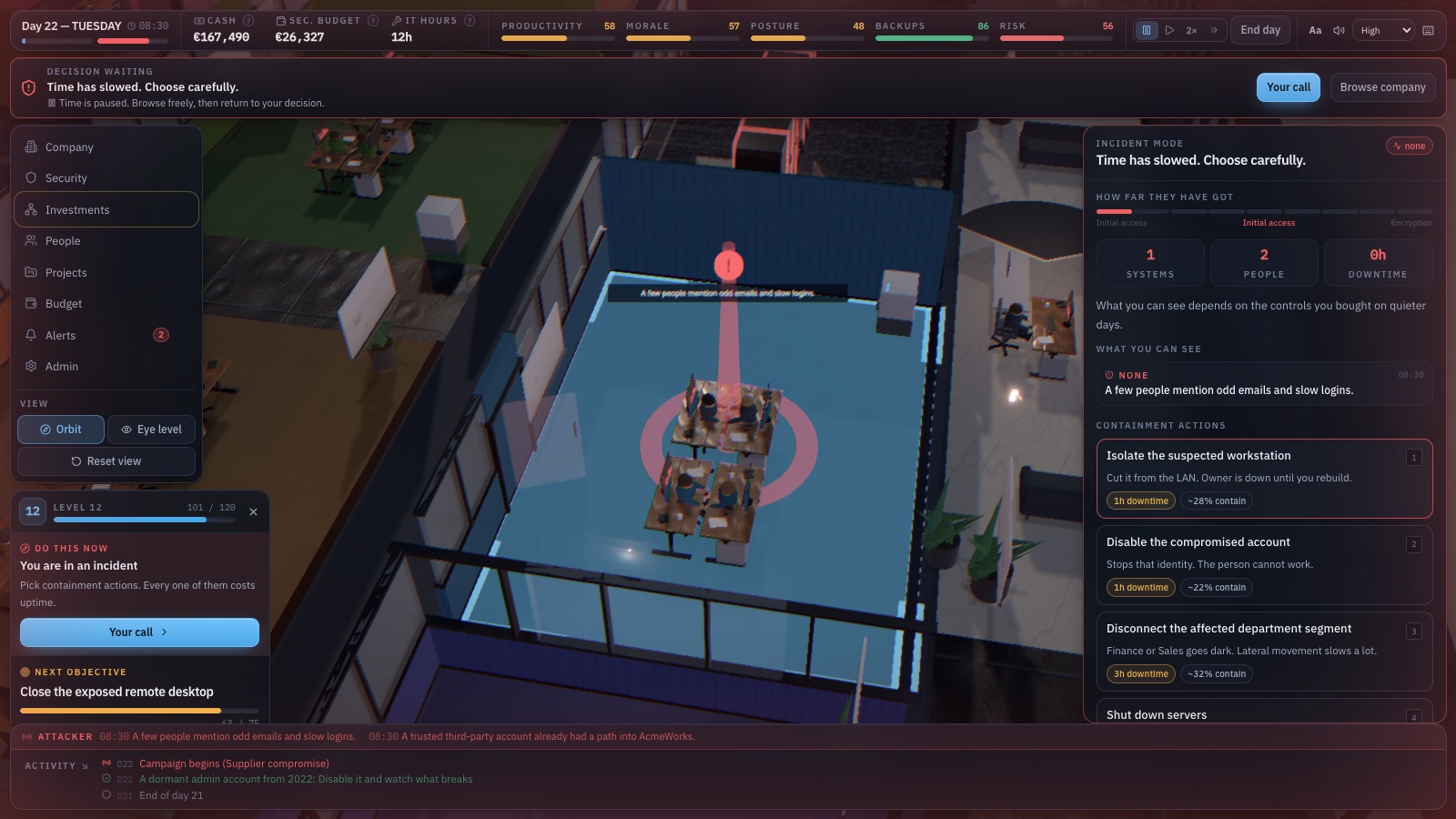
Somewhere between day 18 and day 30 a campaign starts along one of six vectors: phishing, stolen credentials, exposed RDP, vendor compromise, malicious software or OAuth abuse. What you can see when it does depends on the monitoring you bought on the quiet days — nothing, an EDR alert, a SIEM correlation, or an analyst’s sentence. Then you contain, restore, or pay. Before deciding you can inspect the evidence in the tool a real person would be looking at: a mail client, a phone lock screen, a detection console, a backup console.
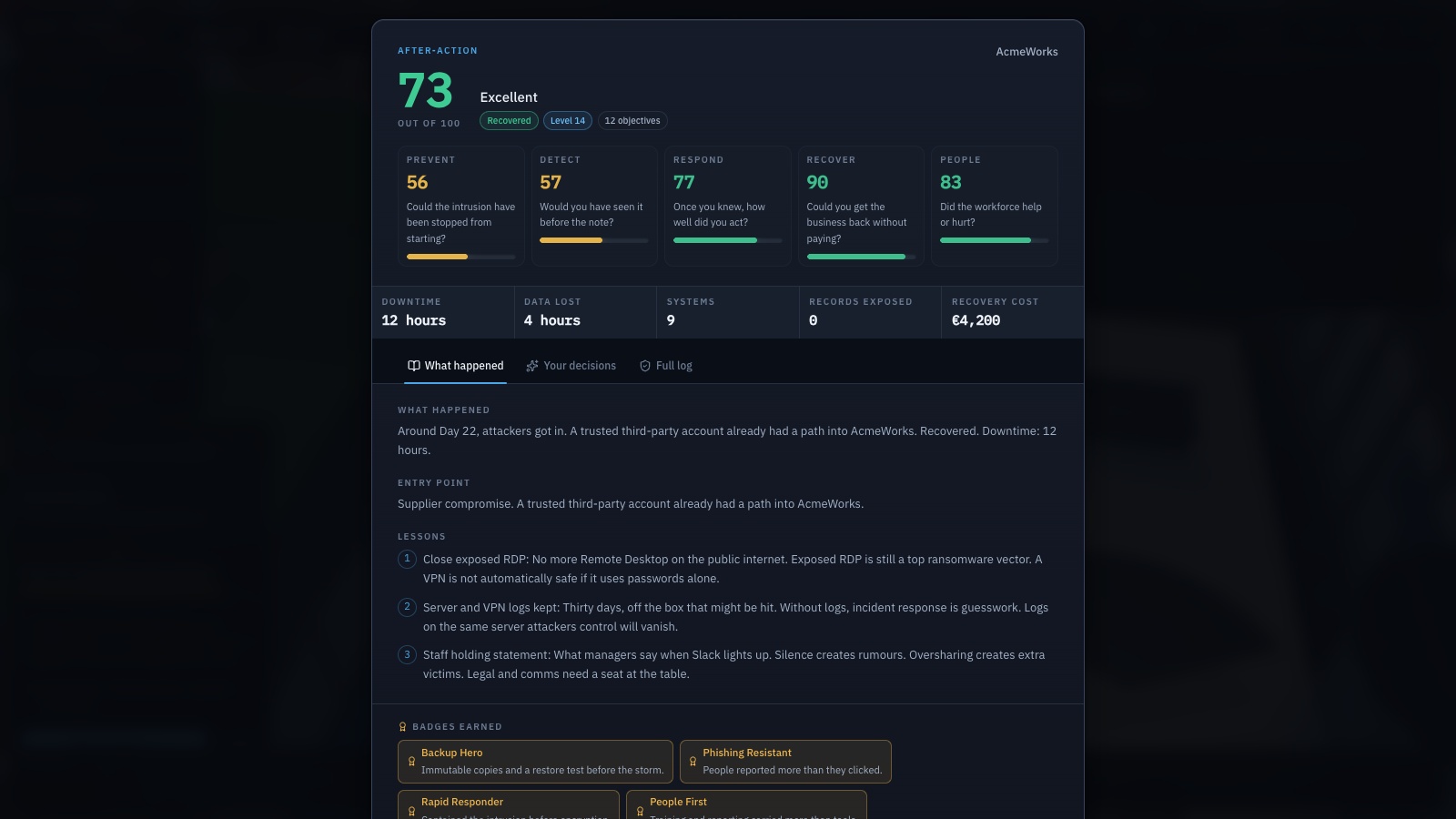
The debrief is a report, not a grade: a score out of 100 across Prevent, Detect, Respond, Recover and People, the entry point, your strongest and weakest decision, the warning you missed, and what a different mix would have done to the last two days. Four training modes — individual, team, facilitated workshop, assessment — change whether the clock stops for a decision and whether consequences are explained as they land. The seed is printed, so the same event and attack shape can be replayed against a different strategy.
What you will learn
- Backups decide whether a ransom demand is a crisis or an invoice you can refuse
- A copy the attacker can reach is not a backup — modern ransomware deletes the copies before it encrypts anything
- An untested backup is a rumour; the restore is the thing that has to work
- Without monitoring, the first honest signal that something is wrong is the ransom note
- Ransomware spreads on the rights nobody removed, across the network nobody segmented
- Your suppliers’ security is your security — standing vendor admin is somebody else’s problem becoming yours
- At 3am nobody invents a good decision; the plan is made while everyone is calm
- Every option costs money, hours or goodwill — there is no option that costs nothing
How to play
- Name the company, then pick a language, an industry, a difficulty and a training mode — the setup screen lists the rules each one changes before you choose.
- Read the morning briefing and start the day. The office runs at 1×, 2× or 4×, and Space pauses it.
- Spend the security budget and the day’s IT hours in Investments; each control level shows what it costs and what it changes before you commit.
- Answer events where they happen — and where the game offers an inspection surface, read the mail client, the phone, the detection console or the backup console before you decide.
- When the campaign starts, work the incident panel: isolate the workstation, disable the identity, disconnect the segment, call the retainer, or start restoring.
- Read the after-action report — the score, the entry point, the decision that decided it, and the seed to replay a different strategy against.
Platforms and languages
- Platforms: Desktop
- Languages: English, Română, Français, Deutsch, Nederlands, Italiano, Español, Polski, Українська
Practise with these games
Game screenshots
Related cybersecurity topics
- Phishing Awareness Games
Practise spotting deceptive messages, suspicious sign-in pages and payment requests with free phishing awareness games.
- Ransomware Awareness & Response Games
Explore ransomware decisions through interactive games covering suspicious attachments, containment, reporting and recovery planning.
- Password & Account Security Games
Learn about unique passwords, password managers, multifactor authentication and fake login pages through interactive security games.
- Backup & Recovery Awareness Games
Practise backup and recovery decisions. Explore the difference between synchronising files and maintaining recoverable copies.