CyberPlay editorial team · Published · Updated · 8 min read
Guide and exercises in English
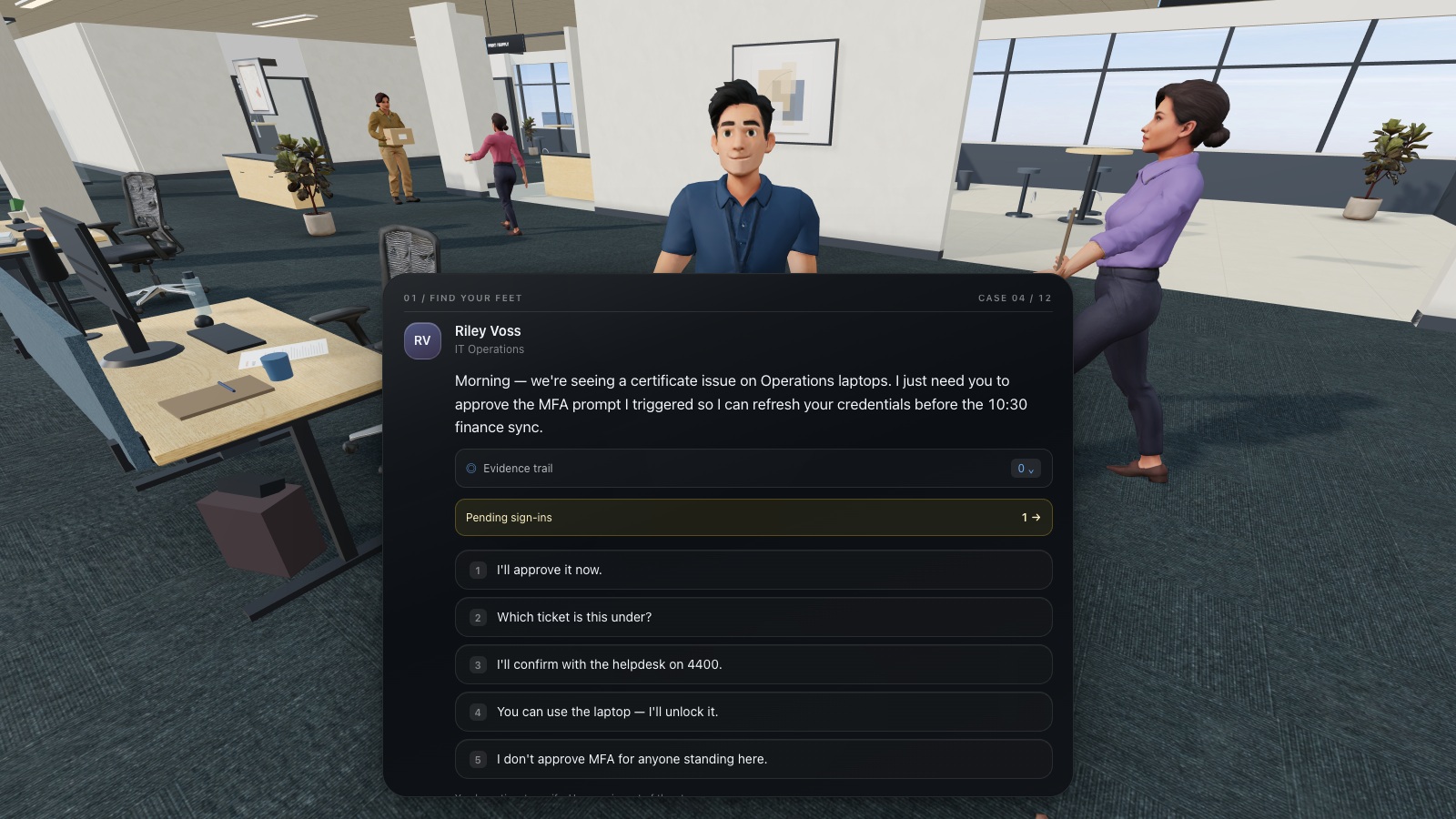
A useful SoSafe alternative comparison begins with your team’s requirements: the decisions employees need to practise, the languages they use, the systems administrators depend on, and the evidence the organisation must retain. “More engaging” is too broad to settle those questions without seeing an actual activity.
CyberPlay offers security learning through browser games and can be evaluated for that role within a wider programme. This guide uses SoSafe’s official product pages and CyberPlay’s current product implementation, checked on 13 September 2026. It identifies what is documented and what still needs verification. It does not claim that a European audience, game format or attractive interface automatically establishes legal compliance or better outcomes.
What you’ll take away
- SoSafe already offers gamified, story-based learning and phishing simulations.
- Compare specific learner decisions and feedback across both products.
- Verify languages, accessibility, privacy terms and integrations for your exact use case.
- Consider complementary game practice when replacing the wider platform is unnecessary.
Describe the problem in terms of employees and work
Ask which part of the current programme is failing to meet expectations. Employees may understand a message but be unsure where to report it. A regional team may need better language coverage. Administrators may be spending too long coordinating assignments. Each problem needs different evidence from a replacement.
Write a brief containing the target audience, priority decision, required languages, access environment, reporting needs and responsible owner. Keep the brief short enough for both vendors to answer directly. If the problem is uncertain, run a small observation session first. Watching a learner use the current process often reveals more than asking whether they like the programme.
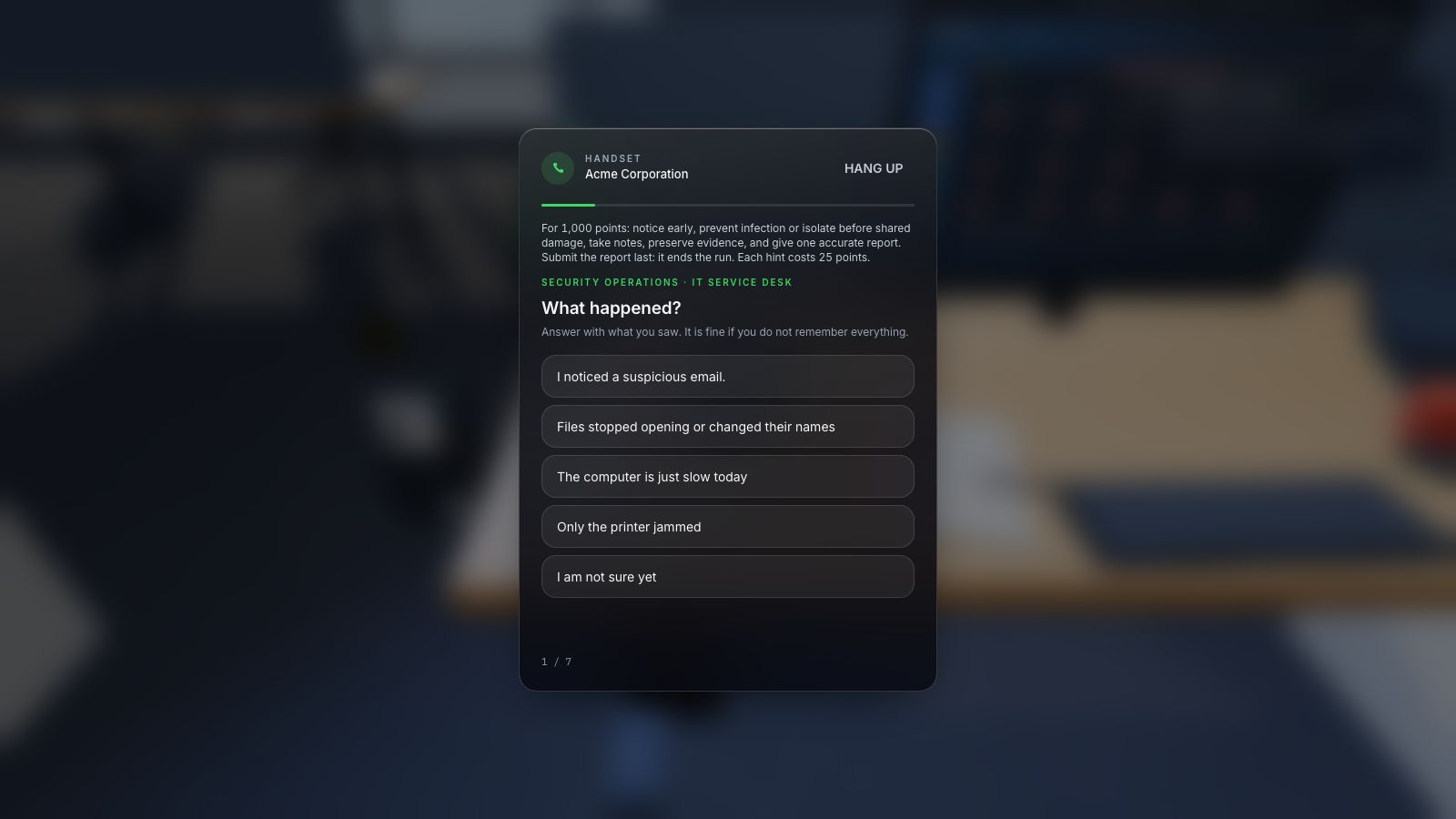
Expand image · Game screenshot · English interface
- Include time and device
Report the observed symptoms, when they appeared, and the affected device through the organisation's approved reporting route.
- Distinguish observation from diagnosis
Separate direct observations from suspected causes so responders can investigate without treating an early guess as fact.
Acknowledge SoSafe’s existing learning approach
SoSafe’s training page describes gamified and story-based learning, role-based content, personalised learning paths and printable materials. Its phishing page describes simulations, reporting functionality and analytics. Therefore, the comparison should not suggest that gamification or practical interaction is absent from SoSafe.
Vendor descriptions do not settle how a particular employee will experience a particular module. Ask to inspect the exact lesson, language and feedback sequence you would use. If a vendor cites a performance percentage, request the measurement method, population and comparison before applying it to your own forecast. This guide does not reproduce vendor outcome claims as independently verified results.
Section sources: Security awareness training · Phishing simulations
Compare the capabilities that matter to your programme
Use this dated matrix as a starting point. “Documented” describes the published offer or current product feature; “unverified” identifies something this comparison has not established. Every essential requirement should be demonstrated in your environment and confirmed in the proposed commercial arrangement.
| Area | SoSafe published offer | CyberPlay position to evaluate |
|---|---|---|
| Learning experience | Gamified, story-based and role-based lessons documented | Security practice through browser games |
| Phishing workflow | Simulation and reporting functions documented | In-game practice available; equivalent delivered-email workflow unverified |
| Organisation records | Learning and simulation analytics described | Members, assignments and game results implemented; confirm plan and required export |
| Language suitability | Multilingual content described | Verify the complete selected game, including feedback |
| Print or facilitated option | Printable materials described | Use original article exercises where suitable; check each game’s alternatives |
| Identity and system integration | Demonstrate your required setup | SSO configuration implemented; specific end-to-end compatibility requires verification |
| Privacy and contractual fit | Review current agreement and supporting evidence | Review current agreement and supporting evidence |
Section sources: Security awareness training · Phishing simulations
Compare the same learning objective
Choose a realistic objective such as “Decline an unexpected sign-in approval and use the approved support route.” Ask each product to show how the learner encounters the request, what they can do, what happens after the choice, and how the explanation changes their next attempt. A points total alone cannot answer those questions.
Then introduce a legitimate control case: the learner initiated a sign-in and the prompt matches the expected process. The lesson should support the correct distinction instead of teaching blanket rejection. With CyberPlay, verify the actual mechanics of a relevant game; with SoSafe, inspect the chosen lesson. Keep a record of the activity version so the comparison remains interpretable.
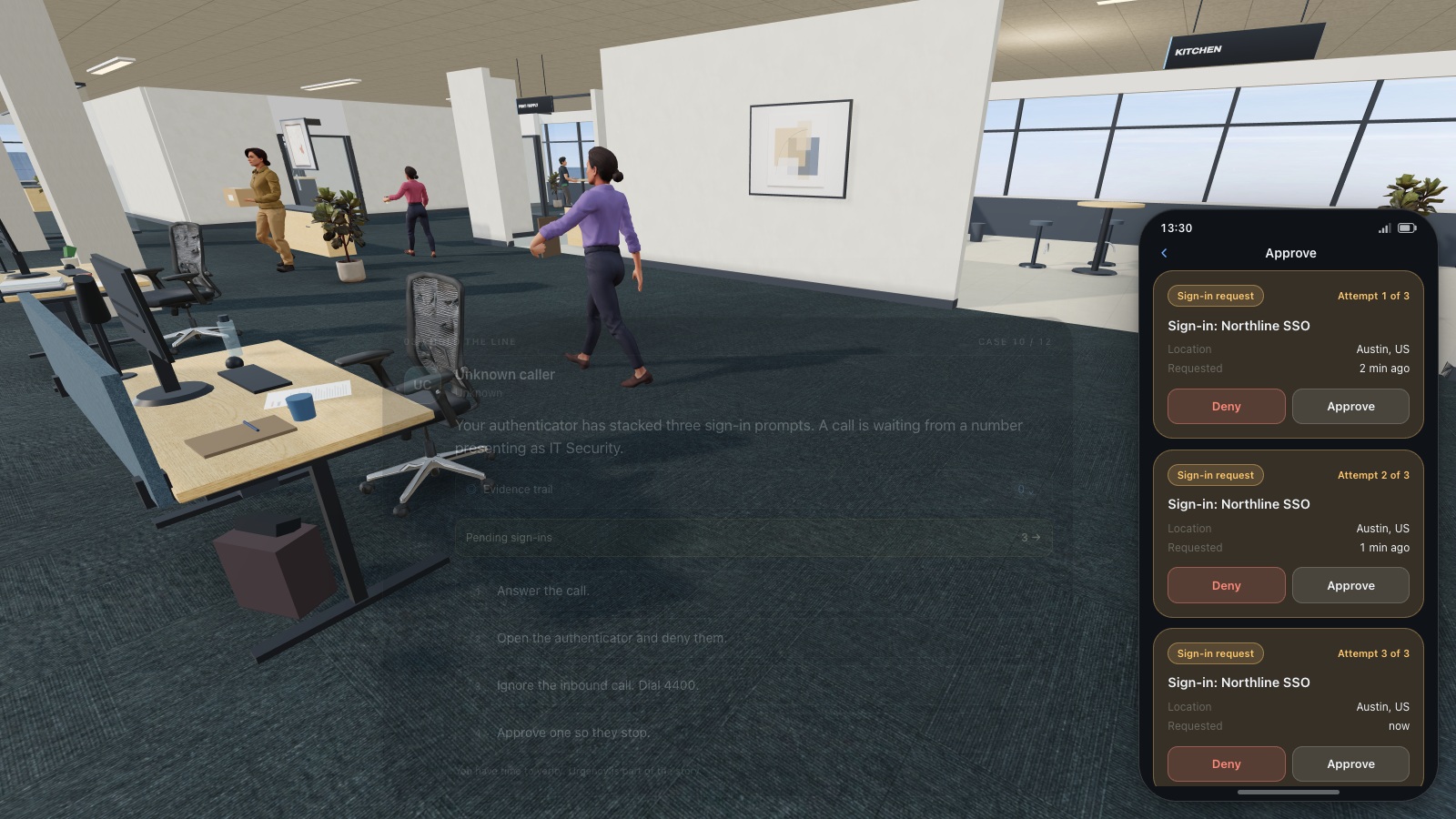
Expand image · Game screenshot · English interface
- Reject an uninitiated request
Deny a sign-in approval you did not initiate, even if another message urges you to accept.
- Report through official support
Contact the established helpdesk or security team and explain when the unexpected approval requests appeared.
Evaluate language beyond a catalogue count
For a multilingual team, select a real scenario in every required language. Check whether the instructions, choices, feedback, error states and support route are understandable. Ask a representative employee to explain the intended action in their own words. A translated home page or a language badge is not enough to establish suitability.
Localisation also concerns the situation. A payroll example, invoice format or form of address should feel plausible without relying on unfamiliar jargon. Romanian staff working with international suppliers may benefit from both Romanian and English scenarios. Decide which language employees will use in the real workflow and offer practice that reflects that reality.
Review privacy through concrete data questions
Ask each supplier what learner information is collected, why it is needed, where it is processed, who can access it and how it can be exported or deleted. Review the relevant contractual documents and supporting evidence with your organisation’s responsible team. A supplier’s location alone does not settle these questions.
Use a fictional pilot account to inspect the records an administrator can see. Does the interface expose detailed mistakes, overall results or both? Which roles receive access? Explain the programme’s purpose and data use to employees before launch. If works-council consultation or another internal process applies to your organisation, include its owner in planning rather than leaving it until rollout.
Test a realistic administration sequence
Give the programme administrator a normal week’s tasks: import or invite learners, organise a group, assign practice, follow up on an incomplete activity, inspect results and prepare the required report. Include a learner who changes department or language. These everyday tasks often determine whether a programme stays current.
CyberPlay includes organisation members, assignments and game-result records, with plan and permission conditions. Confirm the export fields and sign-in setup your team requires. For SoSafe, request the same practical demonstration for the proposed package. Do not assume that two products using the term “analytics” record the same events or calculate equivalent measures.
Use an original two-session pilot worksheet
Run a short first session with a representative group, then a later changed scenario. Keep the audience and objective stable while varying the surface details. The first session checks usability and immediate understanding; the later session provides a more useful view of whether the decision principle can be recalled. The interval should fit your evaluation plan.
NIST’s learning-programme guidance supports evaluation and improvement. Use the worksheet below to separate evidence from preference. A positive learner reaction is useful, but it should sit alongside observed decisions, access checks and the administrator’s workload.
| Pilot question | Session one | Later session |
|---|---|---|
| Can the employee state the consequential action? | Describe it before feedback | Describe it in a new scenario |
| Can they choose an independent check? | Observe the selected route | Change the sender or communication channel |
| Can they find the local reporting process? | Locate the approved route | Recall or locate it without coaching |
| Can they participate comfortably? | Test language, controls and alternatives | Confirm the same access remains available |
| Can the owner interpret the records? | Inspect actual result fields | Separate repeat play from a fresh assessment |
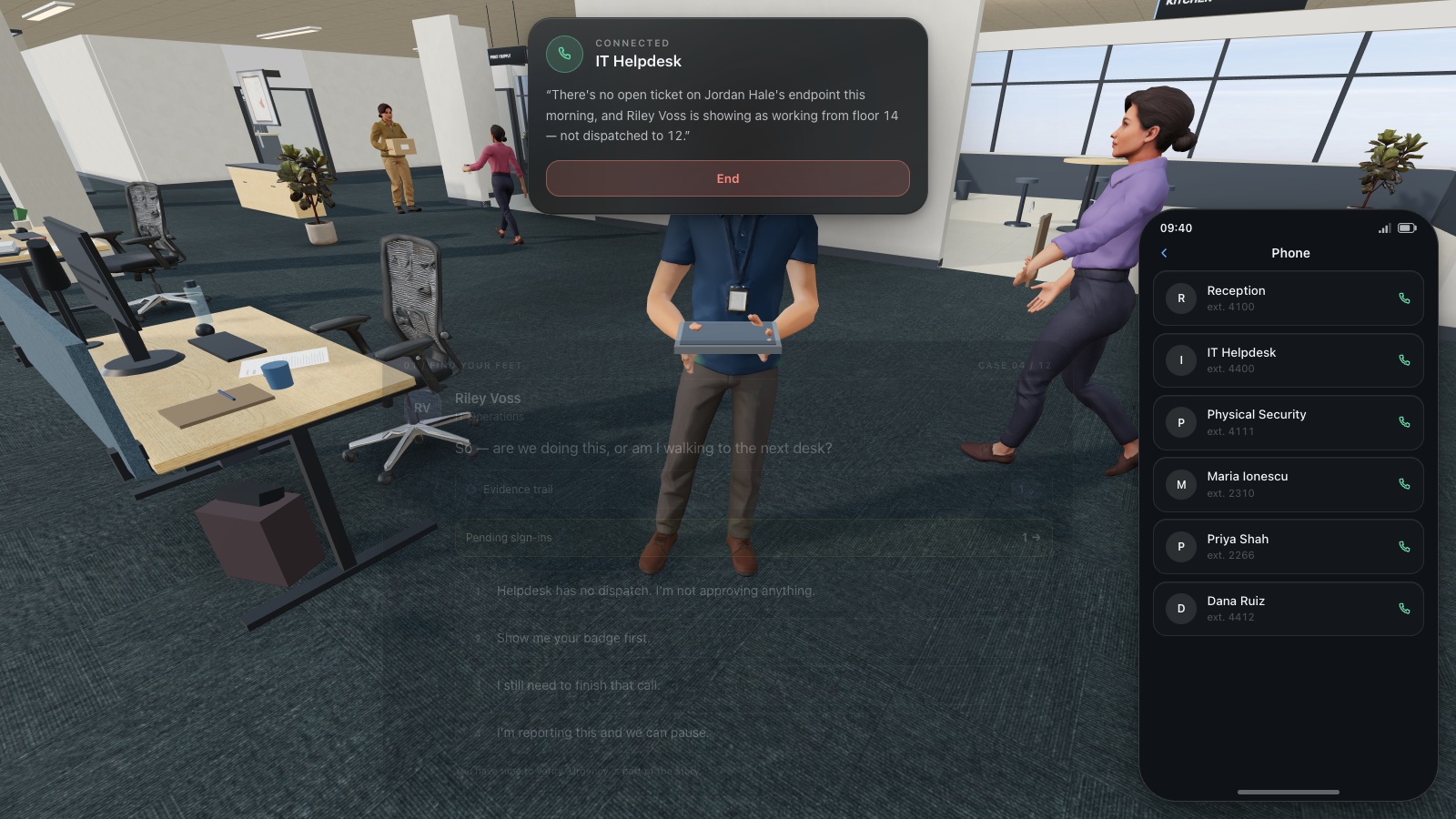
Expand image · Game screenshot · English interface
- Find the existing directory
Use the organisation's established helpdesk directory to find a trusted contact before continuing a sensitive request.
- Do not reuse supplied numbers
A number supplied by the caller is part of the request and cannot independently verify it.
Section sources: Building a Cybersecurity and Privacy Learning Program, NIST SP 800-50r1
Compare the offer and the effort required
SoSafe’s pricing page presents plans and features; obtain the current offer that applies to your organisation. For CyberPlay, check the current plan and access conditions for the intended users. Compare the same scope rather than an individual learning option against a complete organisational programme.
Include implementation, facilitation, identity setup, support, reporting and ongoing administration in the cost discussion. Clarify renewal terms and access to records after the agreement ends. This guide does not assert a fixed saving or publish an unsupported price comparison. The useful number is the cost of meeting your requirements with a workable programme, including the staff effort needed to run it.
Section sources: Pricing and plans
Choose replacement, complement or improvement
If your organisation depends on SoSafe’s simulation and reporting workflow and a replacement has not demonstrated the necessary functions, retaining that workflow may be the better fit. You can still evaluate a targeted CyberPlay game for a decision that needs more practice. Avoid replacing functioning controls merely to change the visual style of training.
Choose CyberPlay when the game experience addresses a defined learning need and the required operational conditions are confirmed. Write the decision with its boundaries: which audience, which activities, which records and which retained systems. Explore a relevant game, run the pilot, and let that evidence determine the next step for your European team.
Put the decision into practice
Explore the relevant CyberPlay games, choose a suitable challenge, and discuss how its decisions connect to your own workplace procedures.
Explore practice gamesSources and further reading
- Security awareness training — SoSafe. Accessed 2026-09-13
- Phishing simulations — SoSafe. Accessed 2026-09-13
- Pricing and plans — SoSafe. Accessed 2026-09-13
- Building a Cybersecurity and Privacy Learning Program, NIST SP 800-50r1 — NIST. Accessed 2026-09-13
Keep exploring
- Considering a KnowBe4 alternative? Compare training methods and platform fit
Compare KnowBe4 and CyberPlay by learning experience, simulations, administration and evidence. Use a practical pilot scorecard to decide what fits your team.
EN · 8 min read - Game-based learning vs gamification in security awareness: what changes for the learner?
Compare game-based learning, gamification and branching scenarios in security awareness using one practical objective, research limits and an evaluation worksheet.
EN · 8 min read - Security awareness training for employees: how to choose a programme
Choose security awareness training for employees with practical scenarios, accessible delivery and a clear pilot that checks learning, reporting and programme fit.
EN · 9 min read - Human risk management platforms: what should your organisation compare?
Compare Hoxhunt, KnowBe4, SoSafe, usecure and CyberPlay with an educational HRM buying checklist. Examine signals, coaching, language support and evidence in a demo.
EN · 8 min read - Cyber security awareness for universities: a course plan
Build university cyber security awareness with student induction, staff and research pathways, CyberPlay Courses, practical games and a campus reporting exercise.
EN · 10 min read - Cybersecurity awareness training for schools: a practical lesson plan
Plan teacher-led cybersecurity training for schools with video courses, student activities and games. Practise checking messages, sharing files and asking for help.
EN · 9 min read