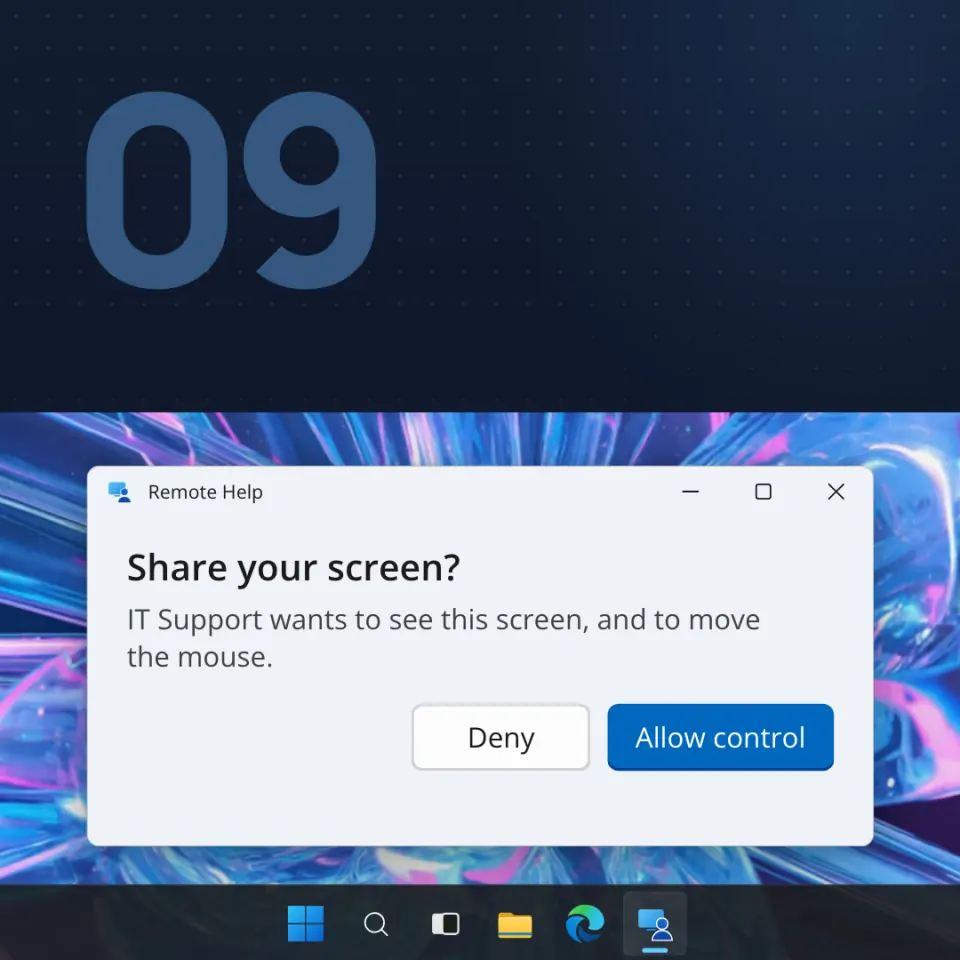
Someone says they are IT support, or Microsoft, or your bank. They want to see your screen, or to move the mouse for you. The app they name can be completely real, and the person can still be the wrong one. This page gives you one decision to make before you let anyone on.
What it is
A fake support or remote-access scam starts with someone you did not call. They claim to be IT, Microsoft, a bank, a repair shop or a public office. They ask you to open a remote-help app, type a code, read a code out, or click Allow. Then they can see your screen and, if you allow control, move the mouse.
The app is often a real product, such as Quick Assist, AnyDesk or TeamViewer. That is the trick.
Real companies do not work this way. Microsoft Support says it does not make unsolicited calls to offer support, and its error messages never include phone numbers. The US Federal Trade Commission (FTC) says legitimate tech companies will not contact you to say your computer has a problem.
It is costly. In its 2025 Internet Crime Report, the FBI's IC3 counts 21,333 tech and customer support complaints from people aged 60 and over, with reported losses of $1,040,730,043. Not every dollar was a remote-access case, but remote access is the usual ask.
How it works
- They reach you first. A phone call, a Teams chat from outside your organization, or a message that says "call us". In an advisory last revised in January 2023, CISA, the NSA and MS-ISAC described help-desk emails that told people to call, which led them to install real remote software.
- They scare you. The FTC says they pretend to scan your computer, "find" a problem and offer to fix it for a fee. Microsoft says they present normal system messages as signs of trouble.
- They ask for a code or a click. In Quick Assist you type a security code the other person gives you. Or they ask you to read back a connection code, or to approve "request control" during a Teams screen share.
- They can see everything. The share window itself says to close anything you do not want them to see, such as passwords, codes and bank pages.
- Control is the next ask. A bar says someone is requesting control, with Allow and Deny.
- Then they act. urlscan (25 March 2026) describes callers acting inside the victim's own real bank session. At work, Microsoft says the stranger may reach other computers, including important servers.
Real cases
- At home, in Florida. In an article dated 2 June 2026, CBS12 reported, citing the Palm Beach County Sheriff's Office, that a 73-year-old woman saw a $450 charge, searched for support and called a number she believed was real. The caller got remote access and made a $450 refund look like $45,000, then said she had to return the difference. About $44,400 in cash went to a courier.
- At work. On 2 September 2026, Microsoft Threat Intelligence described attackers who pose as IT or the help desk in Teams from outside the organization. Teams shows the person is external, so the attack depends on convincing you to ignore that warning.
- In Romania. On 11 March 2026, Covasna County Police published a case from 9 March. A 70-year-old man was called by a stranger who offered help receiving money from a public institution. He installed AnyDesk on his phone, and the caller made two bank transfers of more than 76,000 lei. He reported it right away, and police blocked the full amount before it was withdrawn. Police say public institutions and banks do not ask you to install a remote-control app.
How to spot it
- They contacted you, or a message gave you the number to call.
- They want a code, an install or the Allow button, and they want it now.
- They say your computer is sending errors, or has a virus.
- At work, the chat says Help Desk but Teams marks the person as outside your organization.
- They tell you to stay on the line while they "finish the fix".
What to do
- Hang up, or close the chat. A real app does not make the person real.
- Do not type a code, read one out, or click Allow. "Only looking" is not safe: your screen can show passwords and bank pages.
- Check on a channel you found yourself. Look up the number on the card, the school or company site, or in the app you already use.
- Start real support yourself. Open a ticket, or call the number on the school site. A real session is one you expected, and you can still click Deny.
- At school or at work, tell IT about the contact. Microsoft says to verify an unsolicited outside support contact through a known internal channel before granting remote access.
If it already happened
- Disconnect right away. Turn off Wi-Fi or unplug the cable. Close the remote app, and remove it if they had you install it. Do not stay on the line. If the computer still acts strangely, ask someone you trust.
- Change passwords from a phone or computer they did not touch. Email first, then the bank, and anywhere you reused the password.
- Tell someone. At school or at work, tell IT. At home, tell an adult.
- If money moved, call the bank on the number printed on the card.
- In Romania, file a police complaint and call DNSC on 1911. The Covasna case shows why speed matters. In the United States, report at ReportFraud.ftc.gov.