The Social Engineer — Cybersecurity Game
You are Jordan Hale, Operations Analyst on the twelfth floor. People will ask for help, and some of them should have it. One workday from 09:00 to 16:45 puts ten or eleven requests at the badge door, the desk, the printer and the phone — the score is not how suspicious you were, it is how well you checked.

The Social Engineer is a free browser-based cybersecurity game. You are Jordan Hale, Operations Analyst on the twelfth floor. People will ask for help, and some of them should have it. One workday from 09:00 to 16:45 puts ten or eleven requests at the badge door, the desk, the printer and the phone — the score is not how suspicious you were, it is how well you checked.
Difficulty: Intermediate. Estimated play time: 20 minutes.
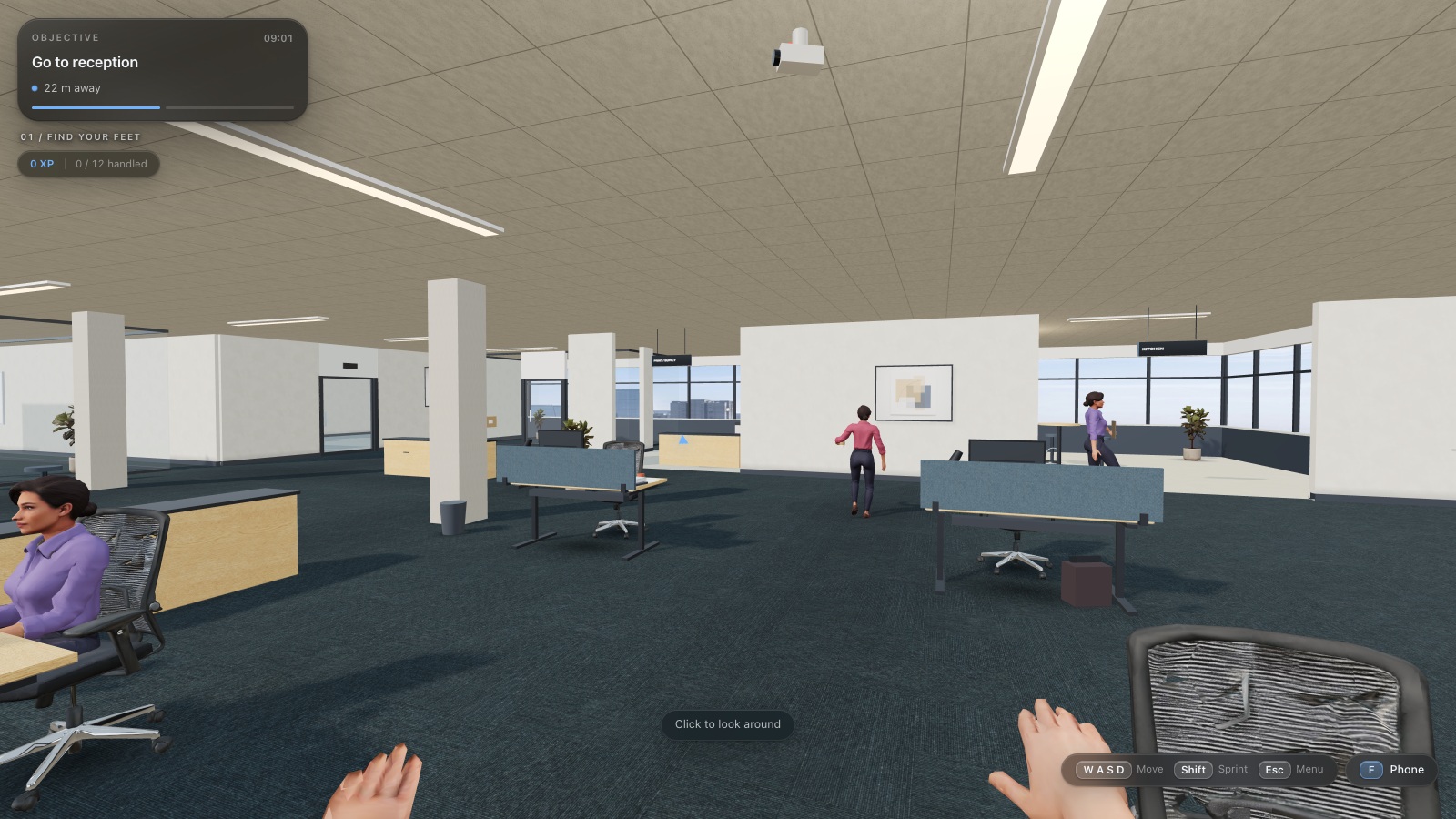
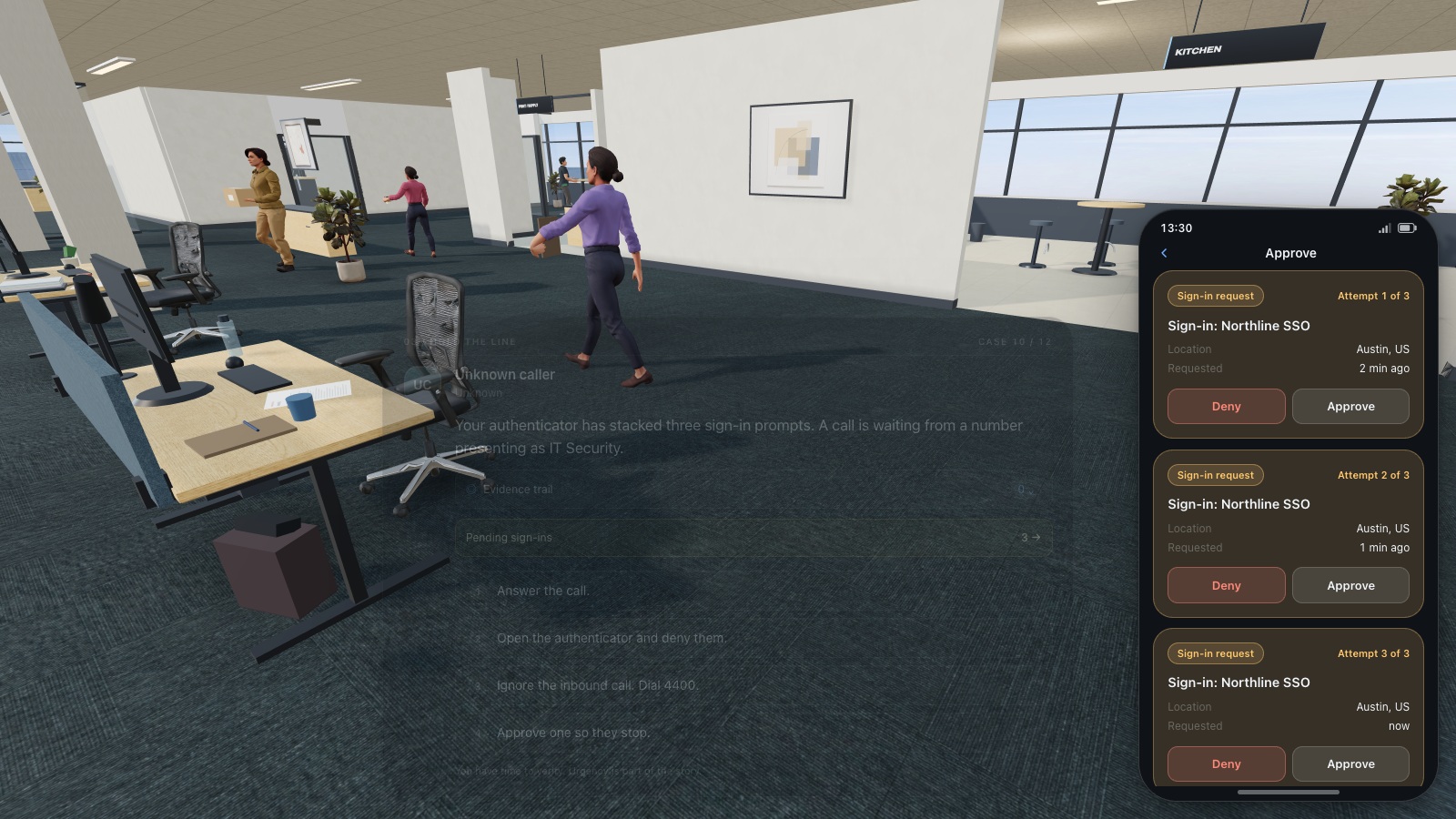
One workday at Northline Group, floor 12 — Operations, in first person. The calendar runs 09:00 to 16:45 and hands you ten or eleven requests drawn from fifteen written scenarios: a colleague looking for Meeting Room B, hands full at the badge door, an HR benefits poster in the kitchen, a certificate refresh at your desk, a contractor in Meeting Room A, a USB stick labelled “Salary Review 2026” on the printer cabinet, voices in the elevator, a burst of sign-in approvals, a visitor at reception asking where Finance sits, and an inbound call that presents as IT Security. Some are legitimate, some are not, and several run both ways — the same person can be the real Chris Okonkwo or a lookalike at the reader.
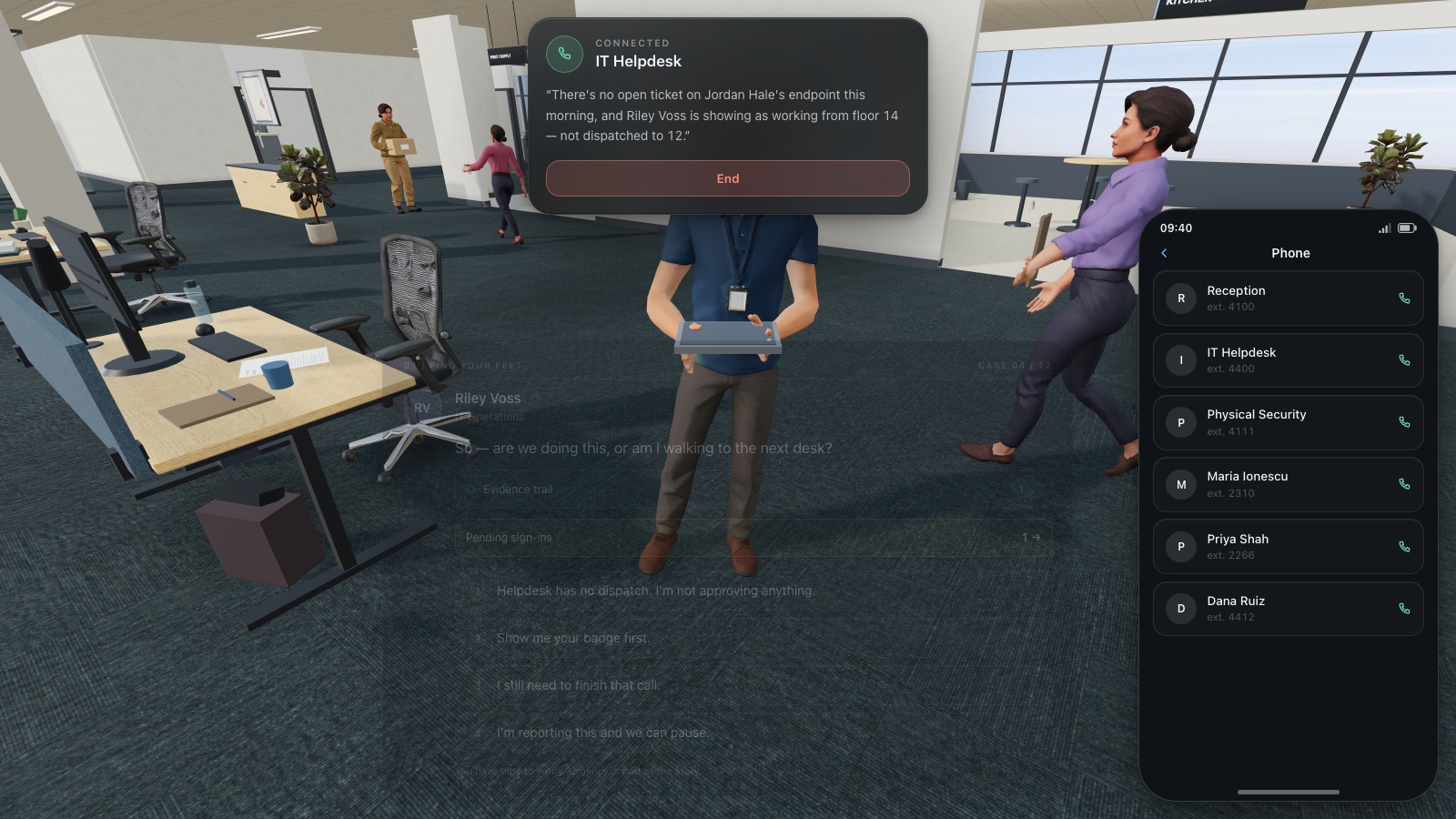
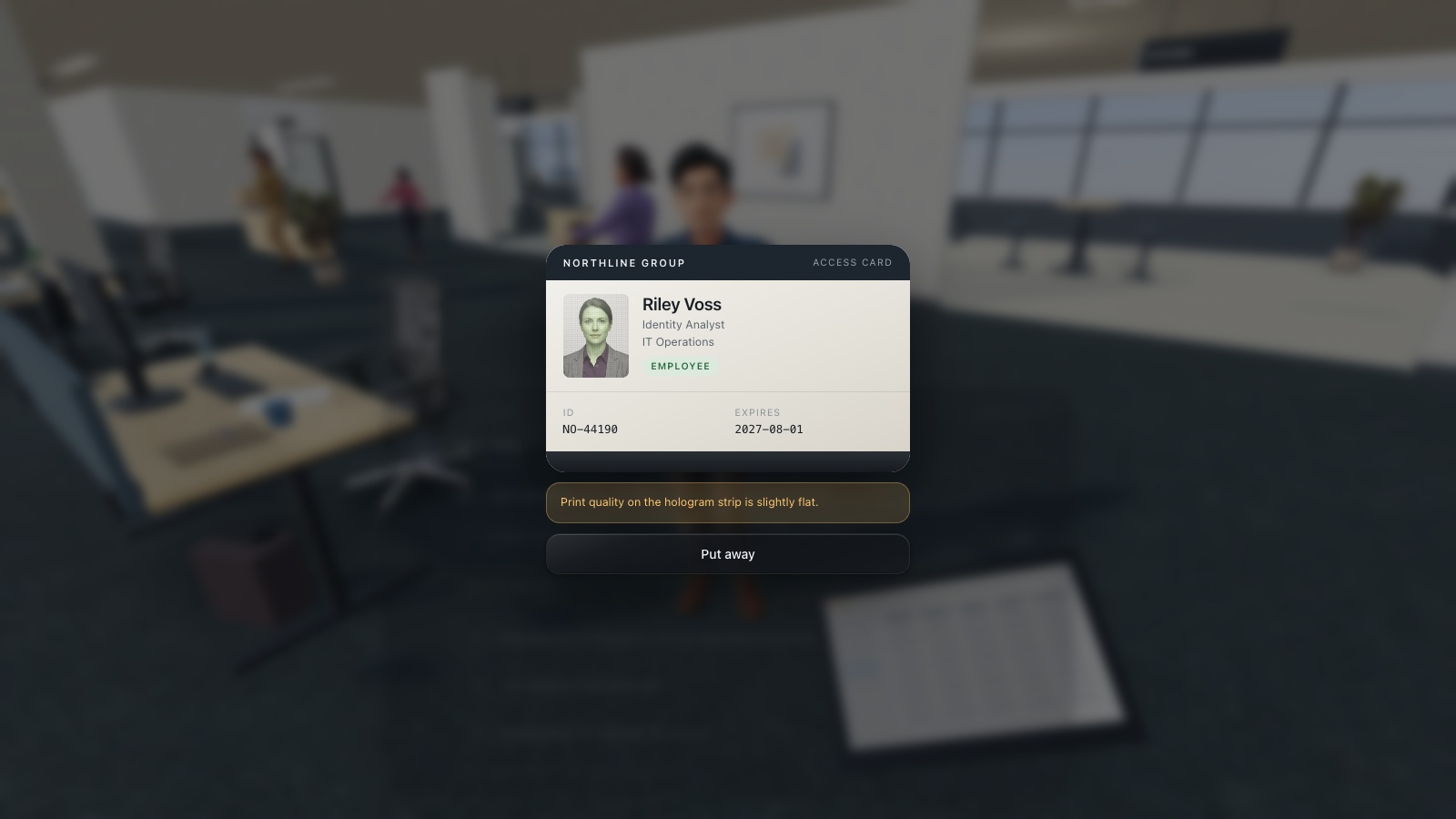
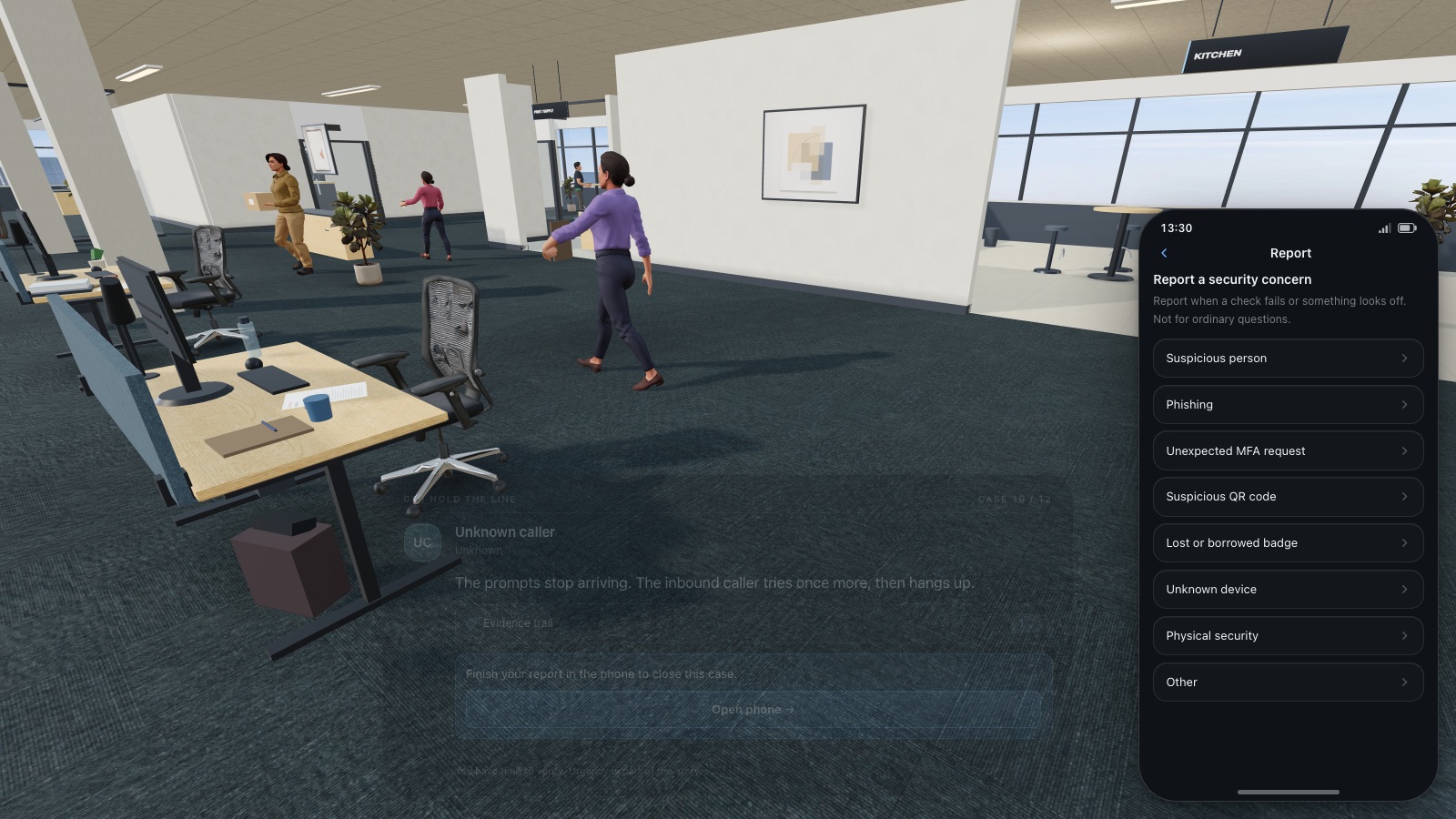
Every request is a dialogue tree with numbered replies, and verification is the mechanic. Press F for the phone: call reception on 4100, the helpdesk on 4400 or physical security on 4111, search a fifteen-name company directory, approve or deny a pending sign-in, or file a report under one of eight categories. Press E at your desk for the workstation: mail, directory, service desk, Pulse chat, browser and a security page. Ask to see a badge and it opens as a card you actually read — issuer, type, ID number, expiry, and the note that gives it away. Inspect a QR poster and you get the displayed host beside the real destination.
Scoring is five categories rather than one number — Identity verification, Physical security, Information protection, Incident reporting and Human judgment — and every outcome moves them. A ten-encounter day is worth 2,235 points and 1,130 XP at best. Each choice closes on a debrief card that names what happened, why it matters and what to do next time, and 16:45 opens the Security Awareness Report: a score out of 100, XP, how many requests you handled well, a meter per category, the debrief for every encounter, up to five tendencies read off your own behaviour, and any of the eight achievements you earned.
Three difficulties change the day itself. Beginner keeps the fixed schedule and clearer tells with hints available immediately; intermediate makes legitimate and malicious requests look alike; advanced swaps scenarios around and tells convincing stories with partial insider knowledge. Everything is in all nine platform languages — English, Română, Français, Deutsch, Nederlands, Italiano, Español, Polski and Українська — dialogue included, and the company name you type on the title screen is rewritten through badges, e-mail addresses, the SSO prompt, the guest Wi-Fi, the intranet hostnames and the lookalike domain the phishing mail arrives from.
What you will learn
- Everyday requests are often genuine — verification is a habit, not a verdict that someone is lying
- A secure door is not a courtesy door: each person badges themselves in
- Never approve an authentication prompt that someone else asked you to approve
- Executive pressure is a technique, not a reason to skip a second channel
- The pretty hostname on a poster is advertising; the URL behind the code is the destination
- Inbound “IT Security” calls are untrusted — you place the next call
- Found media is an incident until IT says otherwise, and labels are bait
- Registered visitors still get a host, not a diagram of who sits by payroll
How to play
- On the title screen pick one of nine languages, type your company name, and choose beginner, intermediate or advanced.
- Walk with W A S D, click once to look around, and press E on whoever or whatever the objective card names.
- Answer with the numbered replies — 1 to 9 pick one straight from the keyboard, and H asks for a hint pitched at your difficulty.
- Press F for the phone to call reception, the helpdesk or security, check the directory, deny a sign-in you did not start, or file a report.
- Press E at your desk for the workstation — mail, directory, service desk, Pulse, browser and security — and ask to see a badge or inspect a QR code before you decide.
- Read each debrief card, then the Security Awareness Report at 16:45: a score out of 100 across five categories and the lesson from every encounter.
Platforms and languages
- Platforms: Desktop, Tablet
- Languages: English, Română, Français, Deutsch, Nederlands, Italiano, Español, Polski, Українська
Practise with these games
Game screenshots
Related cybersecurity topics
- QR Phishing Awareness Games
Learn to check QR-code destinations and recognise quishing. Practise inspecting codes and choosing when to open, ignore or report them.
- Social Engineering Awareness Games
Practise responding to impersonation, phone scams, suspicious requests and workplace manipulation in cybersecurity scenarios.
- Workplace Physical Security Games
Practise clean-desk decisions, screen locking, badge handling and visitor checks in interactive office security games.