Secure Your Home Office — Cybersecurity Game
You are about to start work from home on company systems. Walk one open-plan flat and fix what a neighbour, a family member or a rushed morning could turn into a real problem — about a dozen of them each session, drawn from a pool of eighteen, different every time you play.
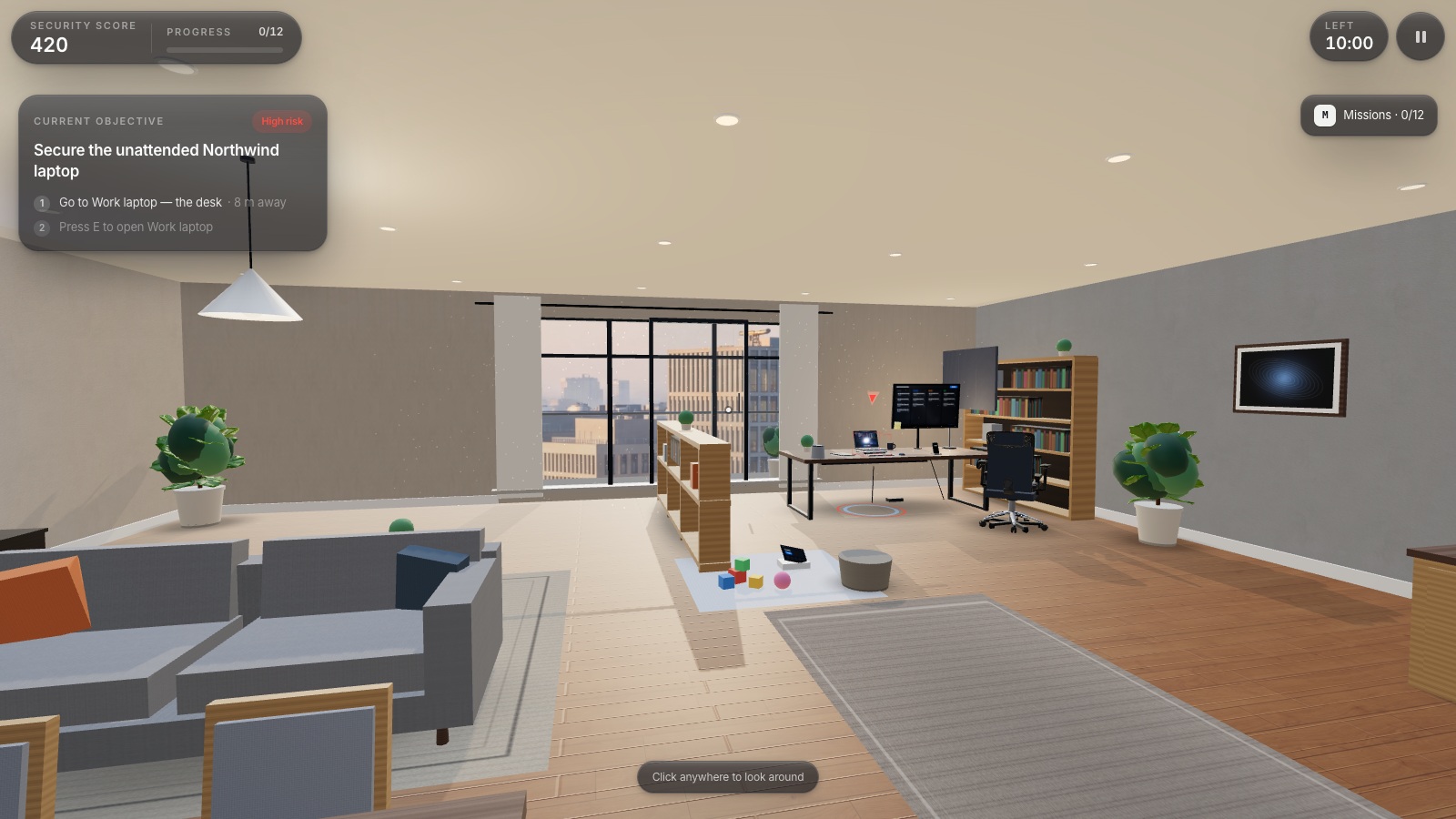
Secure Your Home Office is a free browser-based cybersecurity game. You are about to start work from home on company systems. Walk one open-plan flat and fix what a neighbour, a family member or a rushed morning could turn into a real problem — about a dozen of them each session, drawn from a pool of eighteen, different every time you play.
Difficulty: Beginner. Estimated play time: 10 minutes.
A first-person awareness game built with React Three Fiber. One flat, 11.4 m by 10.4 m, split into seven named zones — the desk, the window, the play corner, the kitchen shelf, the print nook, the living area and the entryway — and a ten-minute clock that starts the moment you do.
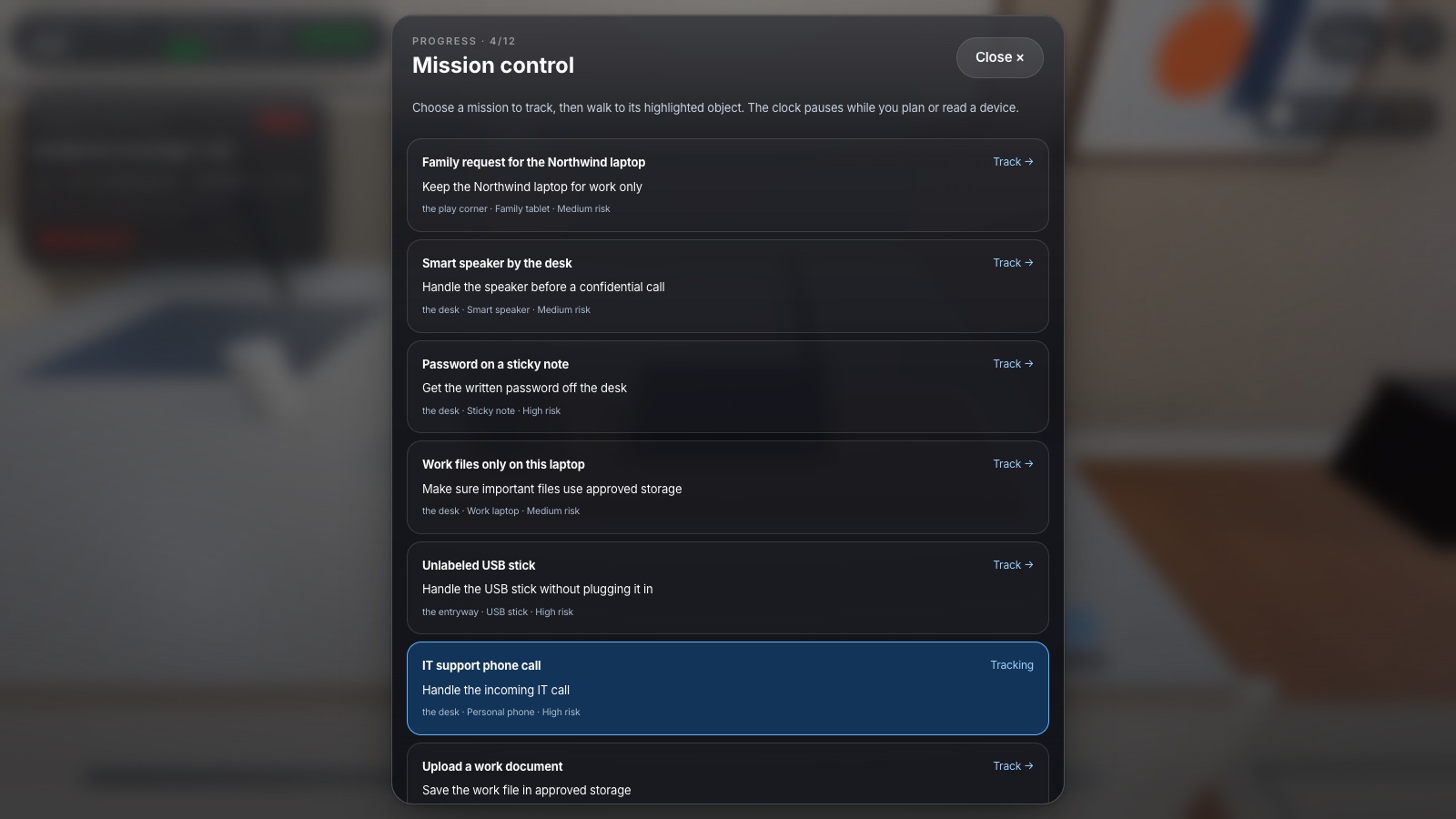
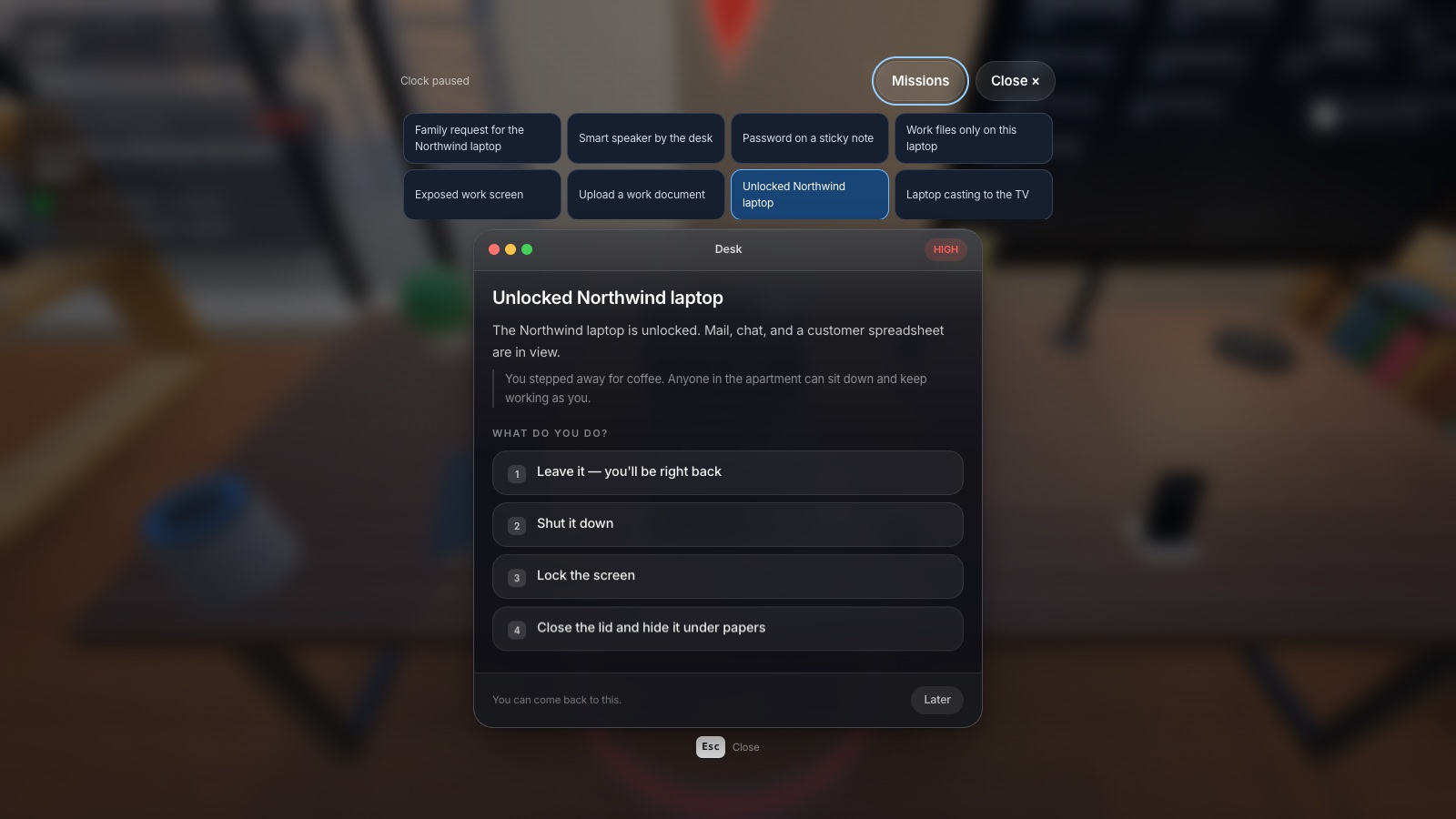
Each session picks twelve situations from a pool of eighteen: an unlocked work laptop, a screen facing the window, a family request for the work device, router settings, unknown Wi-Fi devices, a smart speaker, a printed contract, a password on a sticky note, an unlabeled USB stick, local-only work files, an IT support call, repeated sign-in prompts, a laptop still casting to the TV, a camera left on, a personal-cloud upload, printer defaults, a confidential call by the open balcony, and a QR code on a delivery flyer. Three of them arrive on a timer rather than on the map — the phone rings at 55 seconds, the sign-in prompts flood at 95, the meeting starts at 140.
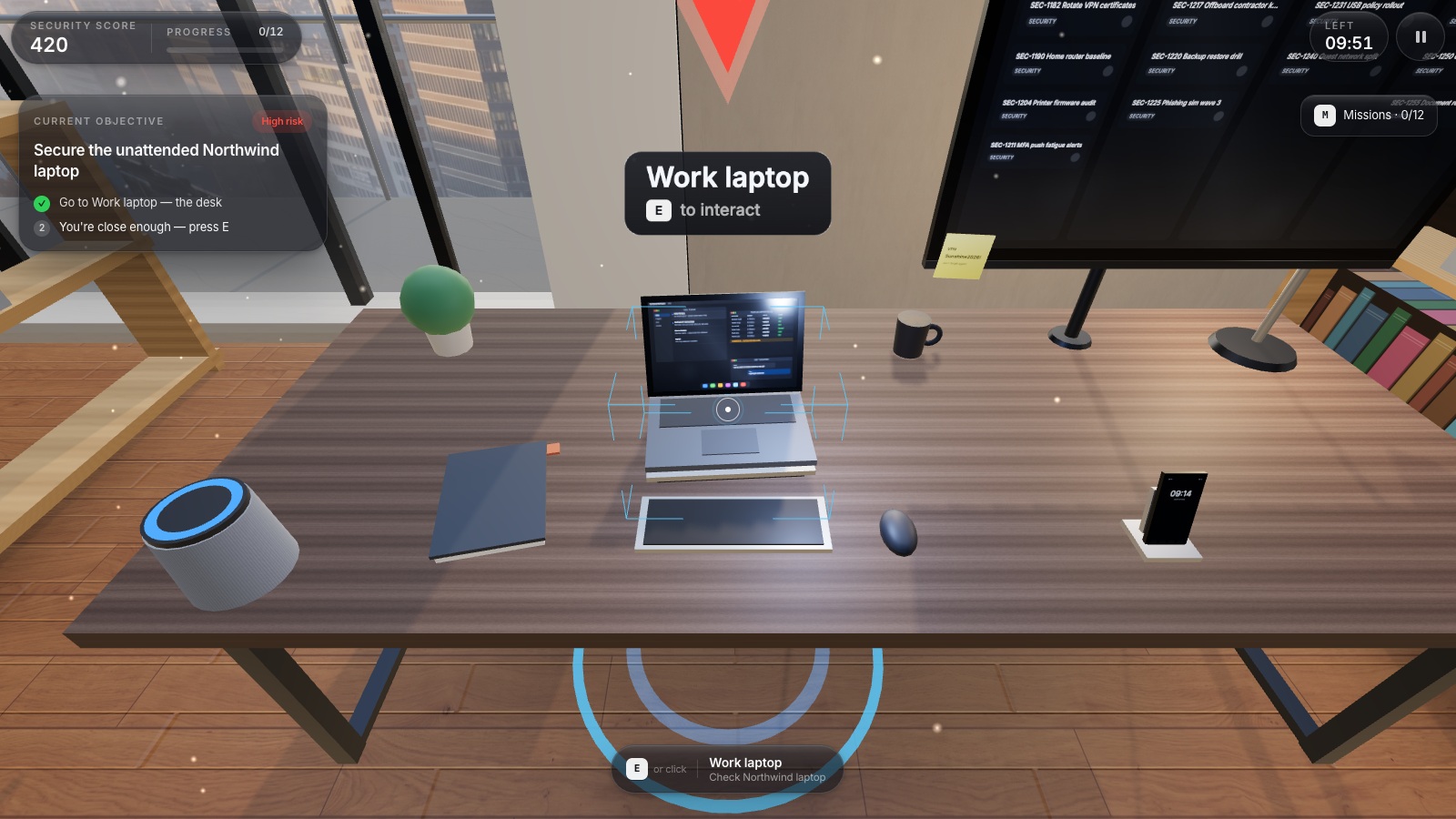
You always have exactly one objective. The card names the object, which corner of the flat it is in and how far away you are; step one ticks green when you are close enough, step two names the key. Interactable things draw corner brackets, a floor ring and a name plate; the live objective carries a severity marker that reads through walls — a cone for high risk, a diamond for medium, a ring for low. Stall and the game escalates through three hints at 26, 48 and 72 seconds, ending with a highlight on the exact object.
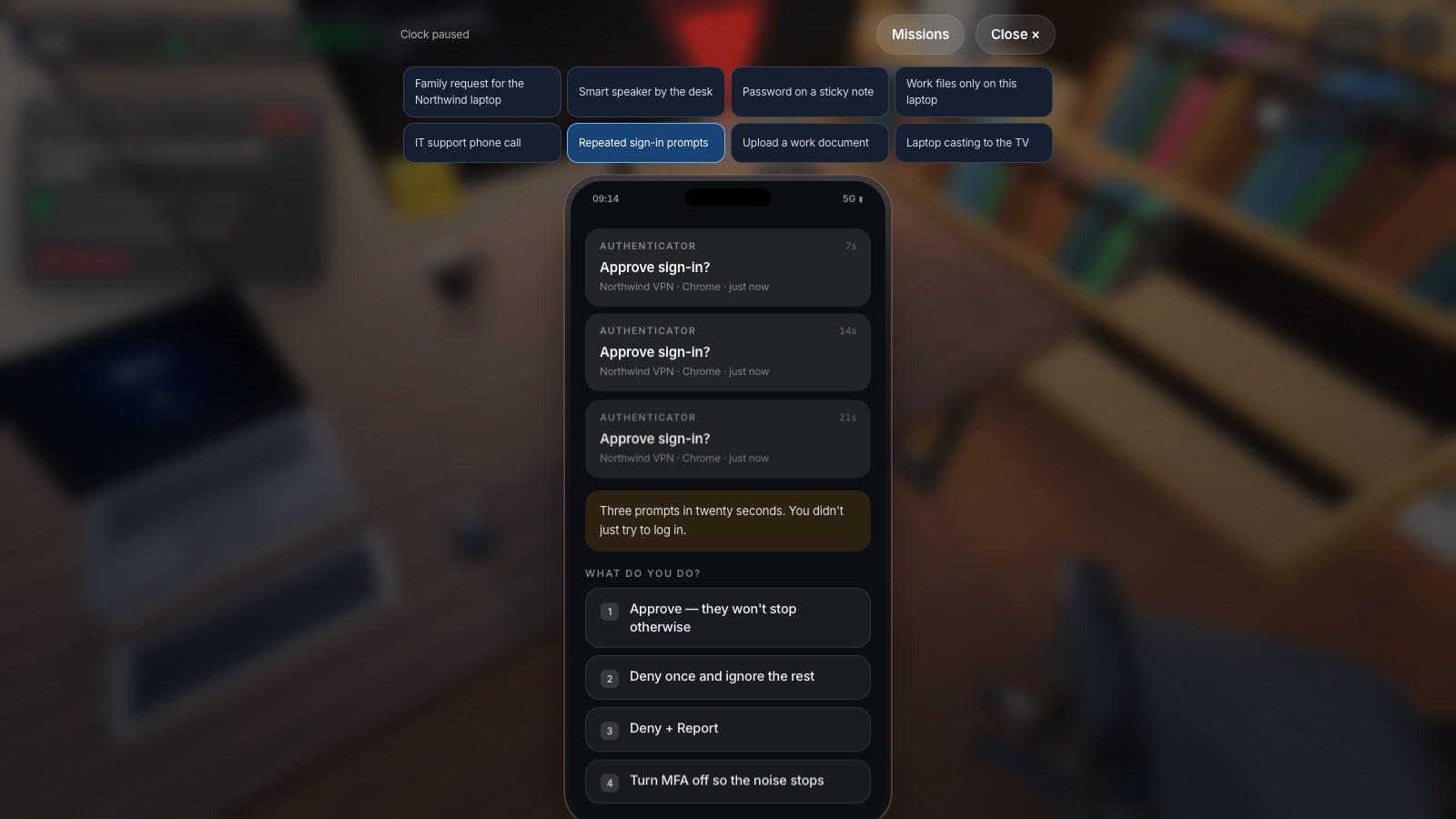
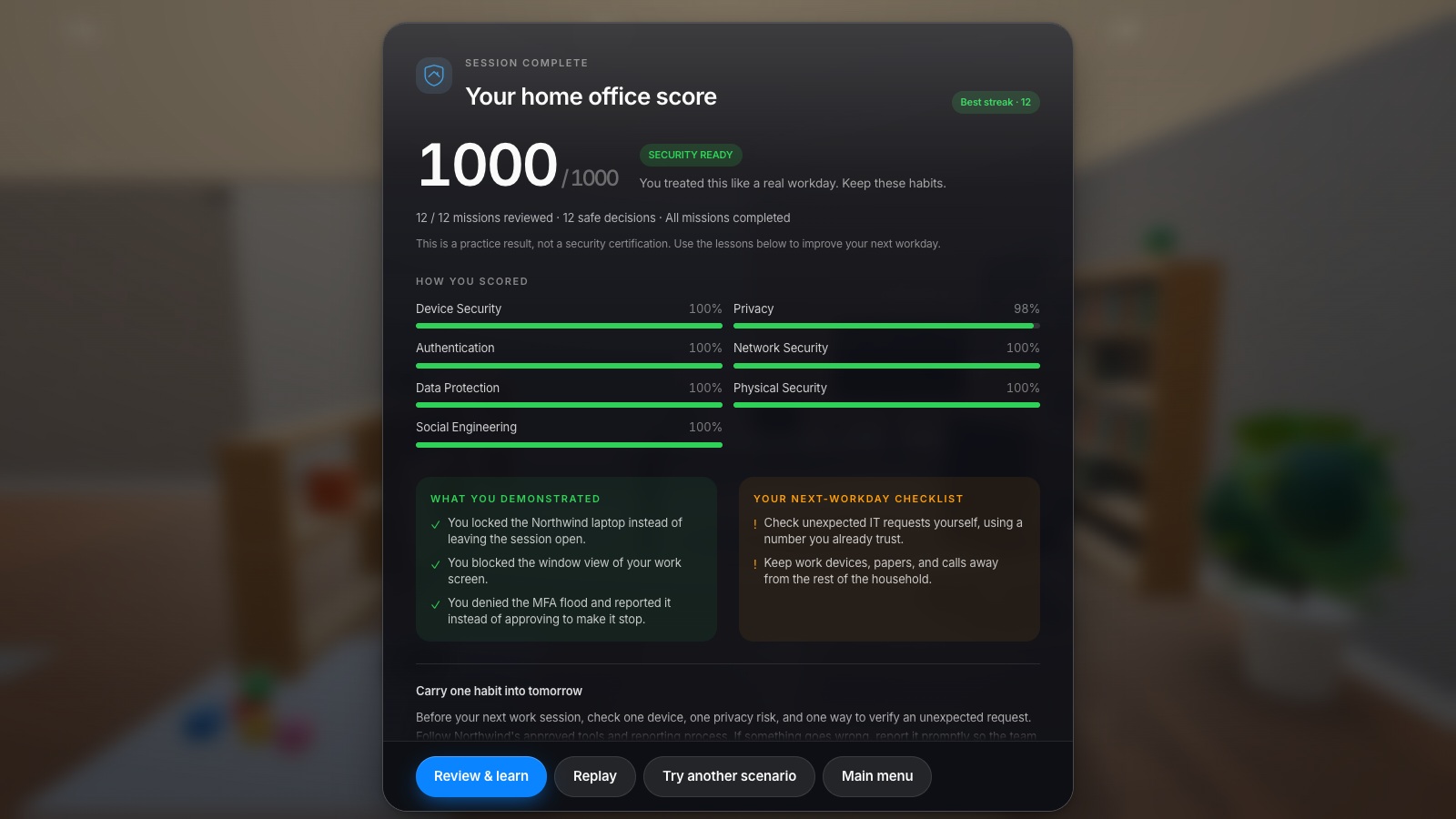
Every decision opens a real panel — a router admin page, a file list, a phone call, an MFA prompt, a printer menu, a QR scanner — and returns a scored card explaining what happened and why it mattered. The score starts at 420 and is clamped to the 0–1000 band; the debrief scores seven categories (device, privacy, authentication, network, data, physical, social), rates the run AT RISK, NEEDS ATTENTION, MOSTLY READY or SECURITY READY at 560, 760 and 900, and writes three things you did well and two to remember.
Nine languages throughout — English, Romanian, French, German, Dutch, Italian, Spanish, Polish and Ukrainian — including all eighteen situations and their choices. The company name you type appears on the laptop, in the IT call, on the storage labels and in the briefing. One quality tier drives pixel ratio, shadows, the environment probe, foliage and the UI blur; it is detected from the device and dropped automatically if frame time slips. It runs on a keyboard and mouse or on a touchscreen with an on-screen stick and an interact button.
What you will learn
- Lock a work laptop instead of leaving the session open
- Verify an unexpected IT call through an official channel instead of trusting the caller
- Deny an MFA flood and report it rather than approving to make it stop
- Tighten a home router without specialist networking knowledge
- Keep work files in approved corporate storage rather than a personal cloud
- Treat an unlabeled USB stick as untrusted and keep it off every computer
- Shred a confidential printout instead of leaving it out
How to play
- Pick one of nine languages and type your company name — it appears on the laptop, the IT call, the storage labels and the briefing.
- You get one objective at a time. It says what to do, where to go and which key to press.
- Look at the highlighted object, press E — or click it — and choose what you would really do.
- Every choice is explained and scored straight away, then the next objective appears.
- Stall and the game nudges you three times, ending with a highlight on the exact object.
- The clock runs ten minutes; the session ends with a report scoring seven categories.
Platforms and languages
- Platforms: Desktop, Tablet, Mobile
- Languages: English, Română, Français, Deutsch, Nederlands, Italiano, Español, Polski, Українська
Practise with these games
Game screenshots
Related cybersecurity topics
- Social Engineering Awareness Games
Practise responding to impersonation, phone scams, suspicious requests and workplace manipulation in cybersecurity scenarios.
- Remote Work Cybersecurity Games
Explore home-office cybersecurity scenarios covering work devices, approved storage, router settings and unexpected phone requests.