Phishing emails no longer look sloppy. Many have clean spelling, a real-looking logo and a calm tone. This page shows why that proves nothing, and the one check that still works.
What it is
Phishing is a message that pretends to come from someone you trust, so you will do something you would not do for a stranger: sign in, pay, download a file, or send a code or a card number.
It wears four common costumes:
- Login alert: "Your account is at risk." It wants your password on a copied sign-in page.
- Invoice: a bill is due, or a boss approved it. It wants a payment, or a click that leads to a sign-in or a file.
- HR notice: pay, benefits or a staff form. It wants a sign-in or a download.
- Account warning: a tax office, bank or school says something expires. It wants a form, a file or card details.
It is common. In its 2025 Internet Crime Report, the FBI's IC3 listed 191,561 phishing and spoofing complaints from 2025, the most of any type, with about $215.8 million in reported losses. In its 2026 report, Verizon found that 80% of the attacks blocked by email security gateways were plain phishing, not malware.
How it works
- The message looks finished. Clean grammar, the logo in the right place, a calm tone or a professional urgency ("two hours", "account will be limited").
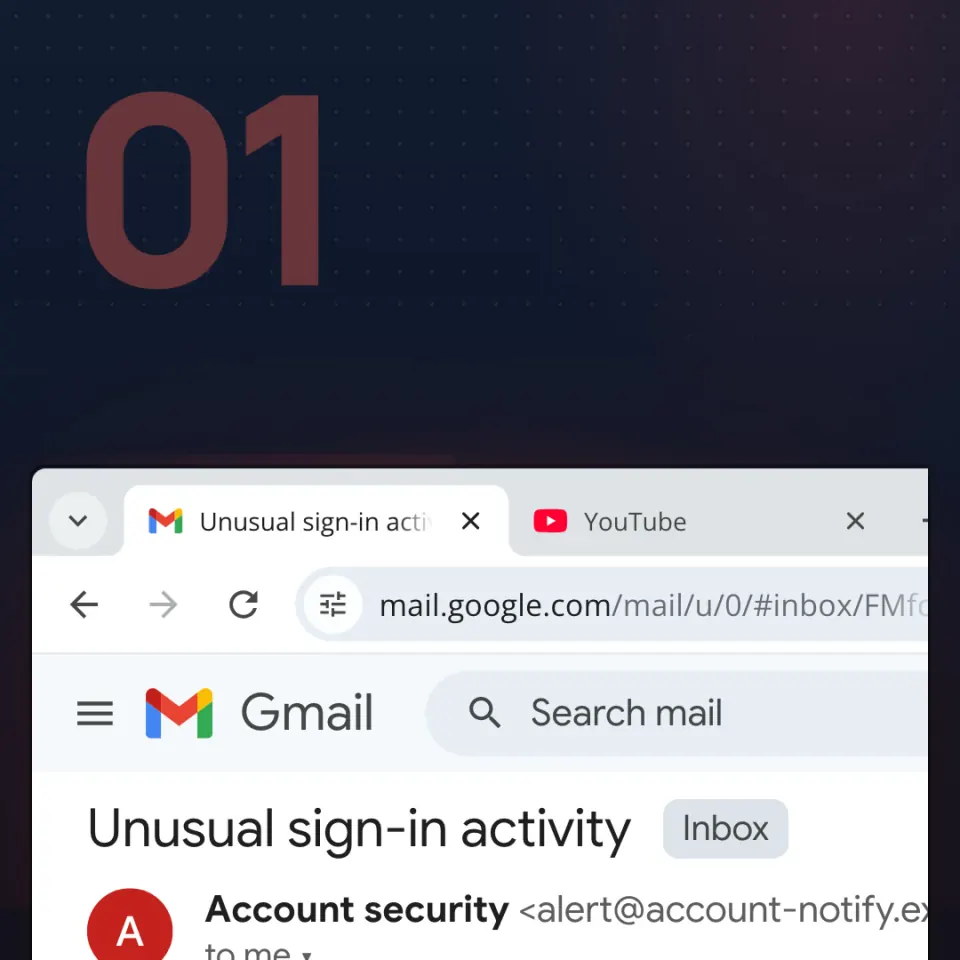
- The name you see is not the address. The display name can say "Account security" or "HR". The address behind it can be a free mailbox or a lookalike domain, such as the invented
alert@account-notify.example. - The button is the attack. "Review activity", "View my benefits", "Pay". It leads to a site the attacker owns, often a near-copy of a real sign-in page.
- The ask is the point. Sign in. Pay. Download. Send a code or a card number.
Spelling is no longer a test. In its 2025 Digital Defense Report, Microsoft reported that AI-automated phishing emails reached a 54% click-through rate, against 12% for standard ones.
Real cases
- A boss and an invoice. In a post dated 10 September 2026, Microsoft Security described more than one million emails sent between 3 and 5 August 2026. They impersonated a CEO, CFO or president and asked accounts payable to send nearly $50,000. Microsoft found no evidence that the real companies named in the lures were hacked.
- A calm HR note. In a report dated 20 August 2025, Proofpoint described a campaign of hundreds of thousands of messages. One wave posed as HR and wrote about employee benefits. The button led to a fake Microsoft-branded sign-in page.
- A tax refund in Romania. In a warning republished on 18 April 2026, DNSC, Romania's national cyber security directorate, described emails that pretend to be ANAF, the tax agency. They promise a refund, then a page asks for your personal ID number (CNP) and card details.
How to spot it
- It asks you to sign in, pay, download, or send a code or card number.
- It rushes you: today, two hours, account closed.
- The real sender address, not the display name, is a free mailbox or an almost-right domain.
- It hands you the link, the phone number or the form.
- It has an unexpected attachment or a shortened link.
What to do
- Stop and ask: what is this message trying to get me to do?
- Do not use the button, the link or the phone number in the message, even if it might be real. Real providers do send warnings: Microsoft Support (2026) says a genuine email or text can follow a sign-in from a new place or device. You still do not need the button.
- Check on a path you already trust. Open the app, type the address you know, or call a number you already saved. For an invoice or HR form, use the portal or app you already use.
- Do not reply or click "unsubscribe". Report it, then delete it.
If it already happened
- Do not reply or follow more links in that email.
- From a phone or computer that did not open the link, change the password, and anywhere you reused it. Turn on a second sign-in check (multifactor authentication).
- Tell someone: IT at school or work, an adult at home.
- If you typed a card or sent money, call the bank on the number printed on the card, not one from the email.
- Report it. In Romania, call 1911 or use the DNSC reporting site (pnrisc.dnsc.ro). Fast reports help other people, and there is nothing to hide.
Deleting the email does not undo a sign-in.